The 2026 Attendee Tech Adoption Challenge
Tech Investments Are Wasted If Attendees Opt Out
Even the most advanced event technologies deliver value only when attendees use them. Organizers can deploy cutting-edge tools – from interactive event apps to RFID wristbands – yet it’s common to see patchy adoption. In fact, in 2017 only about 48.5% of attendees on average used an event’s mobile app according to industry research on mobile app adoption rates, leaving over half the crowd unaware of digital schedules or networking features. Footnote statistics show those who did use the app engaged dozens of times, highlighting missed opportunities among non-users. This adoption gap means money spent on tech can be money wasted if half your audience sticks to old habits.
Evaluating the Tech Adoption Status in 2026
When reviewing the overall tech adoption status in 2026, industry benchmarks reveal a significant shift. While pre-pandemic events struggled to push mobile app usage past the 50% mark, today’s baseline expectations are much higher. Organizers are now targeting 75% to 85% engagement rates across their digital ecosystems. This evolution means that driving event app adoption is no longer just a “nice-to-have” marketing goal; it is a critical operational requirement. If your current metrics fall below these modern standards, your event is likely leaking revenue and missing out on vital behavioral data.
To fully grasp the tech adoption status in 2026, organizers must look beyond basic download metrics. Today’s landscape is defined by active, continuous engagement rather than passive installation. Attendees expect a frictionless digital journey from the moment they purchase a ticket to post-event follow-ups. Venue managers and promoters who regularly benchmark their systems against the 2026 tech adoption status find that integrating AI-driven personalization and seamless contactless infrastructure is the key to converting hesitant users into digital advocates.
Furthermore, analyzing the technology adoption status in 2026 across different event formats highlights a growing divide between early adopters and laggards. For instance, while top-tier music festivals routinely see 90% or higher engagement with RFID and mobile wallets, regional B2B expos are just now crossing the 65% threshold for integrated app usage. Venue operators must recognize that the current state of digital uptake isn’t a static number; it fluctuates based on audience demographics and the seamlessness of the on-site infrastructure. By continuously monitoring these adoption benchmarks, promoters can pivot their operational strategies mid-event, ensuring that no attendee is left navigating a fragmented digital ecosystem.
Go Cashless With RFID Technology
Enable contactless payments, faster entry, and real-time spending analytics with RFID wristbands and NFC-enabled ticketing for your events.
Experience and ROI Hinge on User Adoption
Low adoption doesn’t just waste tech investments – it also dampens attendee experience and event ROI. When attendees embrace the tech, they enjoy conveniences like instant information, shorter queues, and interactive content that vastly improve their experience. For organizers, every user logging into the app or tapping a cashless wristband generates valuable data and potentially higher spending. Many experienced organizers now conduct post-event technology audits to gauge ROI and engagement and often find that under-utilised systems are a major reason ROI falls short. Simply put, a platform or gadget that attendees don’t adopt can’t deliver its promised returns in sponsorship impressions, efficiency gains, or revenue uplift.
Eager Digital Natives vs. Tech-Wary Attendees
Attendees in 2026 span a spectrum of tech comfort. On one end, digital-native fans practically expect high-tech experiences at events – they’re the ones who will eagerly download your app and try new features. (It’s telling that by 2025, over 2.2 billion people worldwide are projected to make payments via QR code, reflecting how mainstream digital transactions have become.) On the other end, you have guests less familiar or comfortable with tech: perhaps older attendees, or audiences in regions where smartphones aren’t ubiquitous. For instance, modern festivals in Europe and Asia have largely gone cashless and mobile, whereas some events in developing markets still encounter first-time users for these tools. Successful adoption strategies recognise these differences. They meet the expectations of the tech-savvy while guiding the less tech-centric so that no one feels alienated. In the following sections, we’ll explore proven tactics – from pre-event education to on-site support – that bridge this gap and get all attendees on board with your event technology.
Ready to Sell Tickets?
Create professional event pages with built-in payment processing, marketing tools, and real-time analytics.
Pre-Event Education & Awareness
Communicate Early and Often
Attendee adoption should be cultivated well before event day. Smart organizers begin educating attendees as soon as tickets go on sale. This means using all communication channels – email campaigns, social media, the event website, and even SMS – to introduce the tech tools attendees will encounter. For example, if you’re rolling out a new mobile event app, start prompting ticket buyers to download it weeks in advance. Highlight key features in teaser posts (“Get the app to build your schedule and receive real-time updates”). If you’re implementing RFID wristbands or digital ticket QR codes, send clear step-by-step guides on how they’ll work. Early awareness gives attendees time to familiarize themselves and ask questions. It also avoids springing surprises at the gate. Consistency is key: include technology how-tos in pre-event newsletters, FAQ pages, and confirmation emails. By the time doors open, your audience should know that the app or cashless system exists and understand the basics of using it.
Highlight the Value Proposition
Simply announcing the tech isn’t enough – you must sell attendees on why they should bother using it. Always communicate the value from the attendee’s perspective. Will your mobile app provide personalised schedules, exclusive content, or networking opportunities? Emphasise those benefits: “Download the app to access an interactive map, live Q&A with speakers, and surprise giveaways.” If digital ticketing is new to your crowd, stress the convenience (“Forget printing – just scan your phone for quick entry!”) and security (“tickets are water-proof on your phone and impossible to lose”). For RFID cashless payments, highlight perks like faster service and shorter lines at bars and concessions. Many fans are motivated by convenience and FOMO – if they believe they’ll miss out by not using the tech, they’re far more likely to adopt it. Make the value proposition crystal clear in your messaging, repeatedly. Experienced event technologists know to frame tech tools as enhancements to fun and ease, not just as novel gadgets. When attendees truly understand “what’s in it for me,” their adoption rates climb.
Provide How-To Guides and Support
Even tech-friendly attendees appreciate clear instructions. Include simple how-to guides in your pre-event outreach. Short video tutorials work great – for example, a 2-minute walkthrough of how to navigate the app’s features or how to top up an RFID wristband online. Written step-by-step instructions with screenshots can be emailed and posted on your site. Make these guides highly accessible: avoid technical jargon, use visuals, and consider multiple languages if you have an international audience. In the weeks leading up to the event, monitor incoming questions about the tech. Setting up a dedicated support channel (an email helpdesk or chatbot) for tech queries can reassure attendees that help is available. Some events even host live Q&A sessions or webinars demonstrating the new technology, especially if it’s a complex tool for a conference or expo. The goal is to minimise any confusion before attendees arrive on-site. If someone is hesitant because they’re unsure how the cashless payment works or how to find their e-ticket, a quick guide or answer in advance can turn them from a potential non-user into an eager adopter.
Pre-Event Incentives to Encourage Adoption
“Download Early” Rewards and Perks
Incentives can turbocharge your pre-event tech adoption efforts. Simply put, people are more likely to try new tech if there’s a reward for doing so. Many events have found success with “download early” rewards. For example, encourage attendees to download the official event app and log in before a certain date by offering an incentive like entry into a VIP upgrade raffle or a small merchandise discount. Conferences might offer continuing education credits or exclusive content (like early access to presentation slides) only through the app. Festivals have tried giving a free drink coupon or a chance to win meet-and-greet passes for those who register their RFID wristband and top up funds online before arriving. These tangible perks create a sense of urgency and benefit – attendees feel they’re getting extra value by taking the early action. Just be sure to clearly communicate how to redeem the reward using the tech (e.g. a digital coupon in the app’s wallet). By the time doors open, you’ll have a much larger base of attendees who have already engaged with your tech tools, all thanks to a well-placed carrot.
Turn Fans Into Your Marketing Team
Ticket Fairy's built-in referral rewards system incentivizes attendees to share your event, delivering 15-25% sales boosts and 30x ROI vs paid ads.
Exclusive Content and Engagement
Another strategy is to load your tech platform with exclusive content that attendees crave – and make sure they know it’s there ahead of time. This works especially well with mobile event apps and online event portals. For instance, release the detailed schedule or festival set times only inside the app, perhaps a week before the event, while the public website still shows a basic lineup. Attendees will download the app to plan their personal agenda. Likewise, you can host pre-event engagement initiatives exclusively via your tech channels: live polls or voting for a fan-choice award accessible only through the app, AR filters and games that unlock when the event is near, or community forums where attendees can start networking before they meet in person. Some music festivals have even hidden Easter eggs (like clues to secret sets or prize scavenger hunts) inside their apps to drive downloads by the curious and hardcore fans. By tying exciting content and interactivity directly to your event tech, you turn the platform into a must-have. Attendees will adopt it not just as a utility, but as part of the fun. Just be sure to promote these exclusives loudly in advance so everyone knows what they’re missing if they don’t hop on the tech train.
Social Proof and Influencer Encouragement
People often take cues from others when deciding whether to try something new. You can leverage this through social proof strategies. For example, share statistics or milestones in your pre-event emails: “Over 5,000 attendees have already downloaded our event app – join them to get the full experience!” Highlight positive testimonials from early adopters (“The app’s personalised schedule is a lifesaver – I’ve already planned my whole day”). If you have community leaders, speakers, or popular artists involved in your event, ask them to champion the tech. A quick social media video from a headline DJ saying “Make sure to activate your wristband before you arrive – I’ll be using mine at the VIP lounge” can carry a lot of weight, especially for younger audiences who look up to influencers. This kind of peer influence can normalize the behavior of adopting the tech tools. Attendees start feeling that “everyone is doing it, maybe I should too.” Of course, this works best if the influencers genuinely use the tech and highlight real benefits they enjoy. Authentic endorsements that show the app or wristband in action will build trust and anticipation among your ticket buyers.
Grow Your Events
Leverage referral marketing, social sharing incentives, and audience insights to sell more tickets.
Designing an Attendee-Friendly Tech Experience
Keep the User Experience Simple
One reason attendees resist new tech is fear that it will be complicated or confusing. That’s why an intuitive user experience (UX) is crucial. Work with your technology providers or development team to ensure every attendee-facing element is as simple as possible. This means minimal steps to get set up – if downloading the app requires five forms and verification codes, you’ll lose people. Try to streamline onboarding: for instance, allow attendees to log into the event app using the email they used to buy tickets (single sign-on reduces new passwords to remember). Clearly label buttons and menu items in the app or on self-service kiosks – use plain language like “My Tickets,” “Event Map,” “Top Up Cashless” instead of technical terms. Reduce the number of pop-ups or required tutorials on first use; instead, let people smoothly explore and offer tips on the go. As an example, when introducing RFID wristband systems, some events colour-code the tap stations and provide a simple one-page pictogram leaflet (“Tap your wrist here to pay – green light means go!”) to eliminate confusion. Remember, if the tech feels intuitive and easy, attendees are far more likely to continue using it and tell others it was a breeze. Do real-world testing to spot any confusing points before attendees do.
Offer Offline and Low-Bandwidth Capability
Events often take place in environments where internet connectivity is unreliable – remote festival grounds with overloaded cell networks, or convention centres with patchy Wi-Fi. If your tech grinds to a halt without internet, attendee adoption will quickly crumble. Experienced event technologists strongly recommend offline capabilities in any attendee-facing app or system. This was a key lesson as mobile event apps became popular; modern event apps now frequently include offline access to schedules, maps, and tickets. For instance, a conference app in 2026 should download all the agenda info and venue maps to the phone so that even if the phone is offline, the user can still view their schedule and find their way. Similarly, digital ticket QR codes or NFC passes should be scannable without requiring the attendee’s device to be online at the gate (the scanning system can validate against pre-downloaded data). If you have interactive features like live polling, consider using local Bluetooth or SMS gateways as fallback. By designing for intermittent connectivity, you prevent situations where attendees abandon the tech because it failed when they needed it most. One real-world example: a large outdoor festival deployed an offline-capable app that continued showing set times and sending local alert notifications despite a network outage – attendees hardly noticed the issue and kept engaging. The more resilient your tech is in offline mode, the more trust and continuous adoption you’ll earn from users.
Integrate Functions in One Place
Adoption increases when you reduce the number of separate apps or devices attendees must juggle. Wherever possible, aim to integrate multiple functions into a unified platform. If the ticketing, access control, event app, and cashless payments all work through a single system or account, attendees only need one login or one app to handle everything. This dramatically lowers friction. For instance, an all-in-one event platform (such as Ticket Fairy’s system) can allow guests to buy tickets, receive a QR code or RFID wristband for entry, download a companion app that’s automatically linked to their ticket, and even preload cashless credits – all within the same ecosystem. Attendees appreciate this cohesion: they don’t have to re-enter personal details into three different apps or switch between a ticket PDF, a separate networking app, and a standalone payment card. Integration also means the user interface and design will be consistent, making it feel like one smooth experience rather than disjointed pieces. According to veteran implementation specialists, building a connected event tech ecosystem that seamlessly links ticketing, apps, and payments pays off directly in adoption rates. When everything “just works” together, attendees are far less likely to drop off due to frustration or confusion. One platform, one profile, one less barrier to usage.
Beyond simply reducing friction, a unified ecosystem directly impacts your bottom line. Promoters frequently ask, “Can the Ticket Fairy improve event attendance?” The answer lies in this exact integration. When ticketing, marketing, and on-site tech are centralized, organizers can leverage pre-sale data, automated referral rewards, and targeted retargeting campaigns to drive higher ticket sales. By turning early adopters into active promoters through built-in social sharing incentives, the platform doesn’t just manage the crowd—it actively grows it.
Smooth Entry With Mobile Check-In
Scan tickets and manage entry with our mobile check-in app. Supports photo ID verification, real-time capacity tracking, and multi-gate coordination.
When architecting these unified systems, a frequent question from promoters is: do event apps allow integration with ticket sales? Absolutely, and this connectivity is a non-negotiable baseline for modern deployments. Native integration between your primary ticketing platform and the mobile application ensures that the moment a transaction clears, the buyer’s profile, digital QR access credentials, and personalized itinerary are instantly provisioned on their device. For the venue operator, this eliminates messy manual CSV imports, drastically reduces customer support inquiries regarding lost confirmations, and opens up direct, in-app channels for upselling VIP upgrades or exclusive merchandise before the gates even open.
Test Across Devices and Demographics
An often-overlooked factor in user-friendly design is thorough testing with diverse attendee scenarios. Make sure you trial your app or tech not just on the latest iPhone, but on older Android phones, different screen sizes, and various operating systems. If your event attracts an international audience, test with language settings and character sets for those regions. Include users of different ages in beta tests – a tech-savvy 22-year-old might breeze through setup that confounds a 60-year-old. By running usability tests with a mix of demographics, you can catch design and functionality issues that disproportionately affect certain groups. For example, early testers might reveal that the font size in your app is too small for older eyes – prompting you to add a zoom feature or larger text option. Or you might discover that the RFID top-up process is not intuitive for people unfamiliar with mobile wallets, leading you to simplify it. It’s far better to solve these snags before real attendees encounter them. Many professional event tech teams create focus groups or soft-launch the tech with a small portion of loyal attendees prior to the main event. The feedback from a handful of “real” users can be invaluable in fine-tuning the experience so that it works for everyone on day one. By empathising with all user perspectives in design and testing, you’ll remove adoption roadblocks and build technology that all attendees can embrace.
On-Site Support and Guidance
Welcome Attendees with Tech Orientation
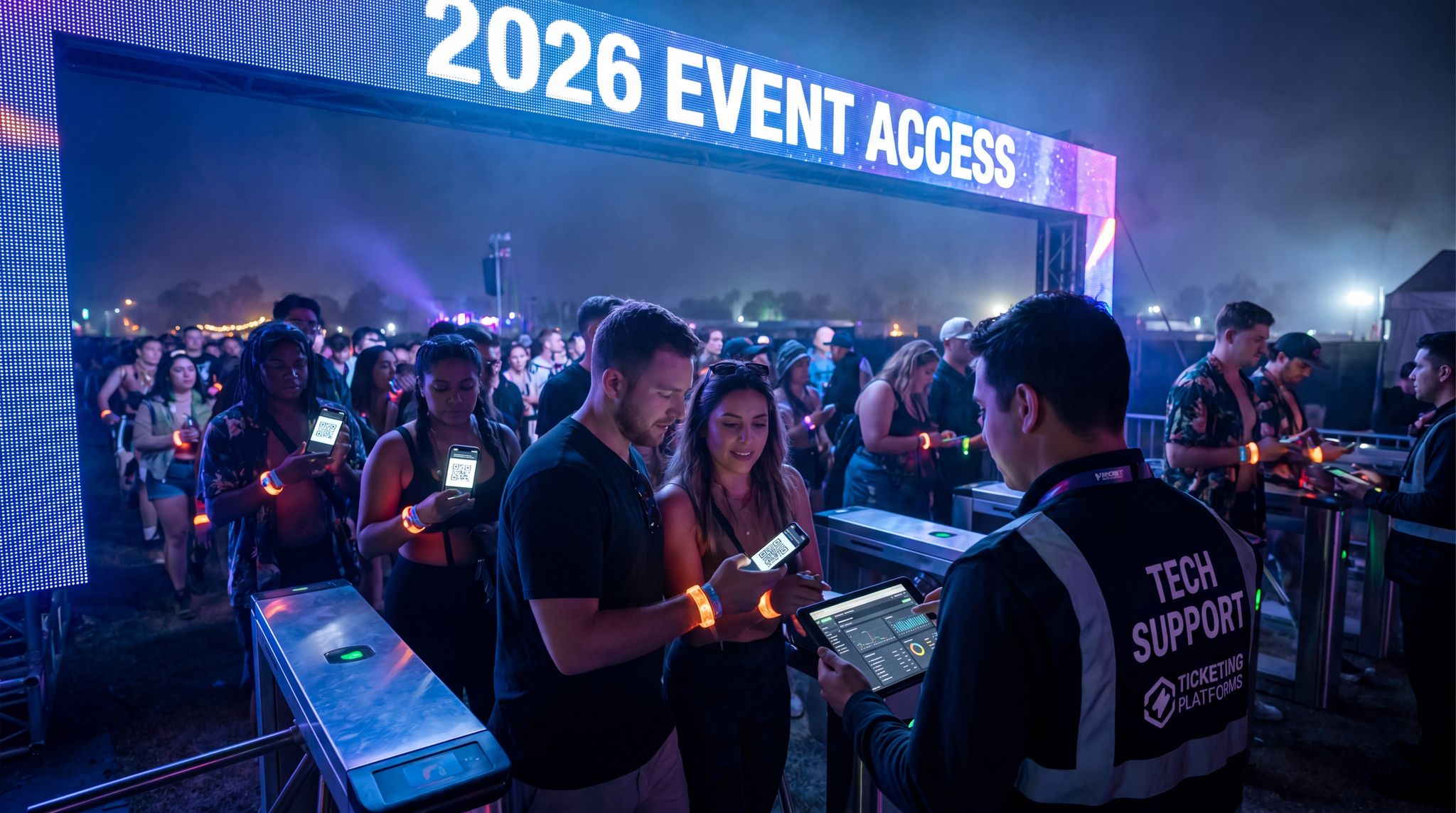
The moment attendees arrive on-site is a golden opportunity to reinforce tech adoption – or to lose momentum if you’re not prepared. Plan to actively guide attendees through using the tech as part of your check-in and welcome experience. This can start at the entrance: train your gate staff or volunteers to politely ask each guest, “Do you have your digital ticket ready on your phone?” and assist if someone looks unsure (for instance, showing them how to pull up the QR code or adding the ticket to their mobile wallet on the spot). If RFID wristbands are involved, staff at wristband pickup should remind attendees how to wear and use them (“Put it on your right wrist for easy tapping – you’ll use it to enter and to pay for food inside!”). Consider setting up a help kiosk or “Tech Help” desk prominently near the entrance or registration area. Here, attendees can get one-on-one guidance: downloading the app if they haven’t yet, connecting to Wi-Fi, or resolving any account login issues in real time. Some conferences offer a quick orientation session or first-timer tour where staff not only walk newcomers around the venue but also walk them through the app’s features and other tech amenities. The key is to be proactive – don’t wait for a confused attendee to wander around frustrated. Catch them at the door with friendly guidance, and they’ll be far more likely to use the tech throughout the event.
Signage and Announcements Reinforce Usage
Not everyone will read all your pre-event emails or remember instructions, so on-site visual reminders are essential. Use signage strategically to prompt tech usage. At a festival, you might place large banners at the entrance and main junctions saying “Download the Official App for Set Times & Live Updates – Scan Here” with a QR code to the app store. Near food and beverage stalls, clear signs can remind “This event is 100% Cashless – Tap your wristband or card to pay. Need help? Visit the Top-Up Tent.” Even on-stage video screens or MC announcements can plug the tech: for example, a DJ between sets might remind the crowd, “Don’t forget to use your wristbands for easy drinks, and check the app for live polling on the next track!” Consistent public announcements and graphics ensure that even those who skipped the pre-event info get the message on-site. Make sure instructional signs are extremely clear and multilingual if needed – use icons (like a phone symbol, a Wi-Fi symbol, a credit card tap icon) so the message transcends language barriers. These reminders serve two purposes: they nudge those who simply forgot (“Oh right, I should open the app now that I’m here”) and they offer reassurance to the hesitant (“I see, everyone is expected to use the wristband – it’s not just me”). Ultimately, good signage and announcements create an environment where using the tech is the default behavior people see around them.
Roving “Tech Ambassadors”
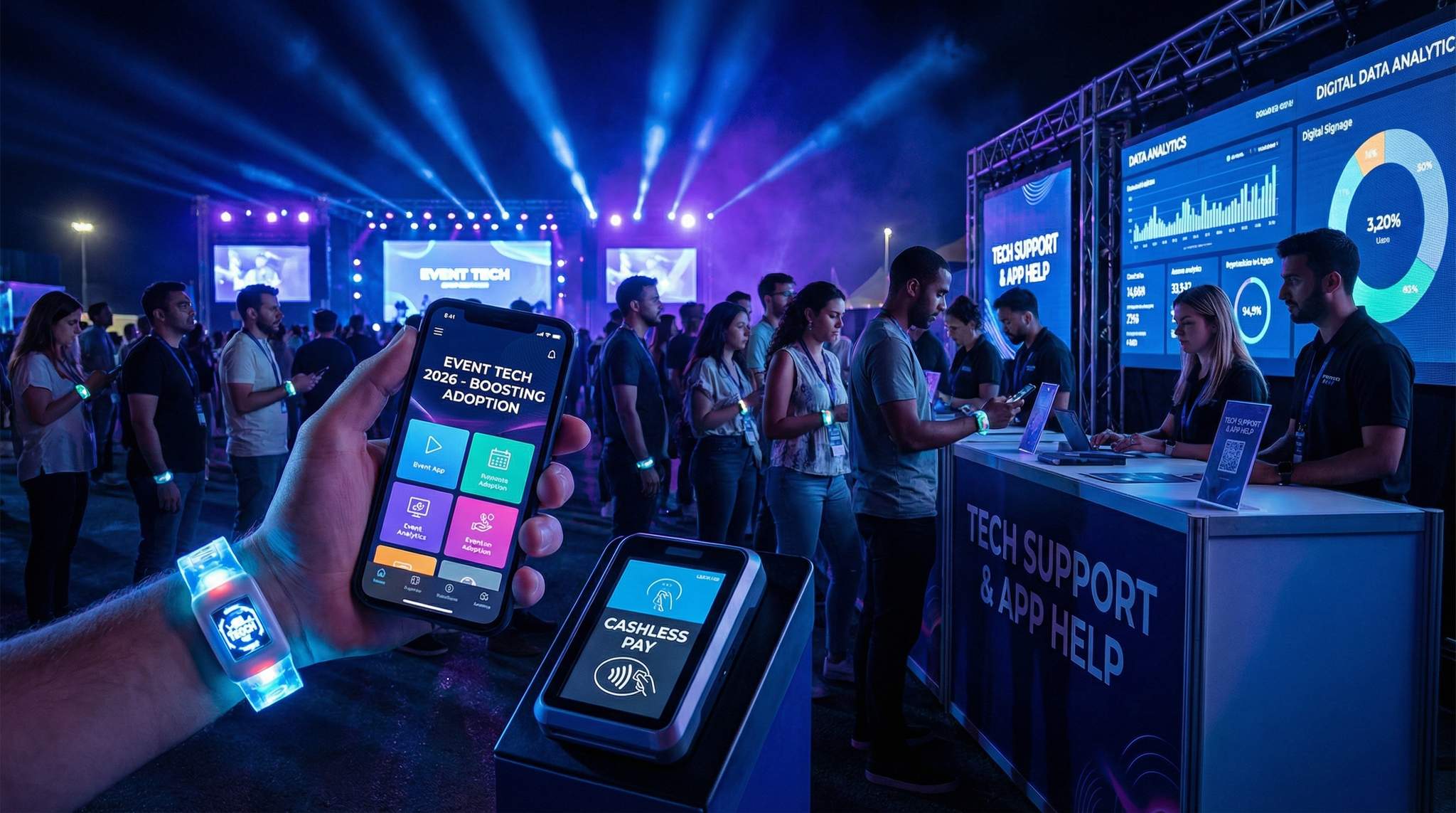
Think of on-site tech support as similar to having ushers or hospitality staff – their job is to make the attendee experience smooth. Many forward-thinking events now deploy roving tech ambassadors among the crowd. These are staff or volunteers trained specifically to help attendees with tech on the fly. They might wear a bright T-shirt or badge that says “Tech Help – Ask Me!”, making them easy to spot. Their tasks can range widely: helping someone connect to the event Wi-Fi, showing a guest how to find session locations on the app’s map, or assisting with an RFID wristband that isn’t scanning properly. The presence of tech ambassadors can dramatically reduce frustration for attendees who need a little help but might be too shy or too busy to find a help desk. Instead, the help finds them. For example, at a large trade show, you might position ambassadors near the entrance of expo halls to ensure attendees have the event app open to scan QR codes at booths. At a festival, ambassadors can roam the concession areas to assist anyone having trouble with a cashless payment. This human touch not only solves issues in real time but also builds attendee confidence – people feel taken care of, and they’re more likely to stick with the tech after a positive assist. It’s a small investment in staffing that can yield a big boost in overall adoption and satisfaction.
Real-Time Issue Monitoring and Response
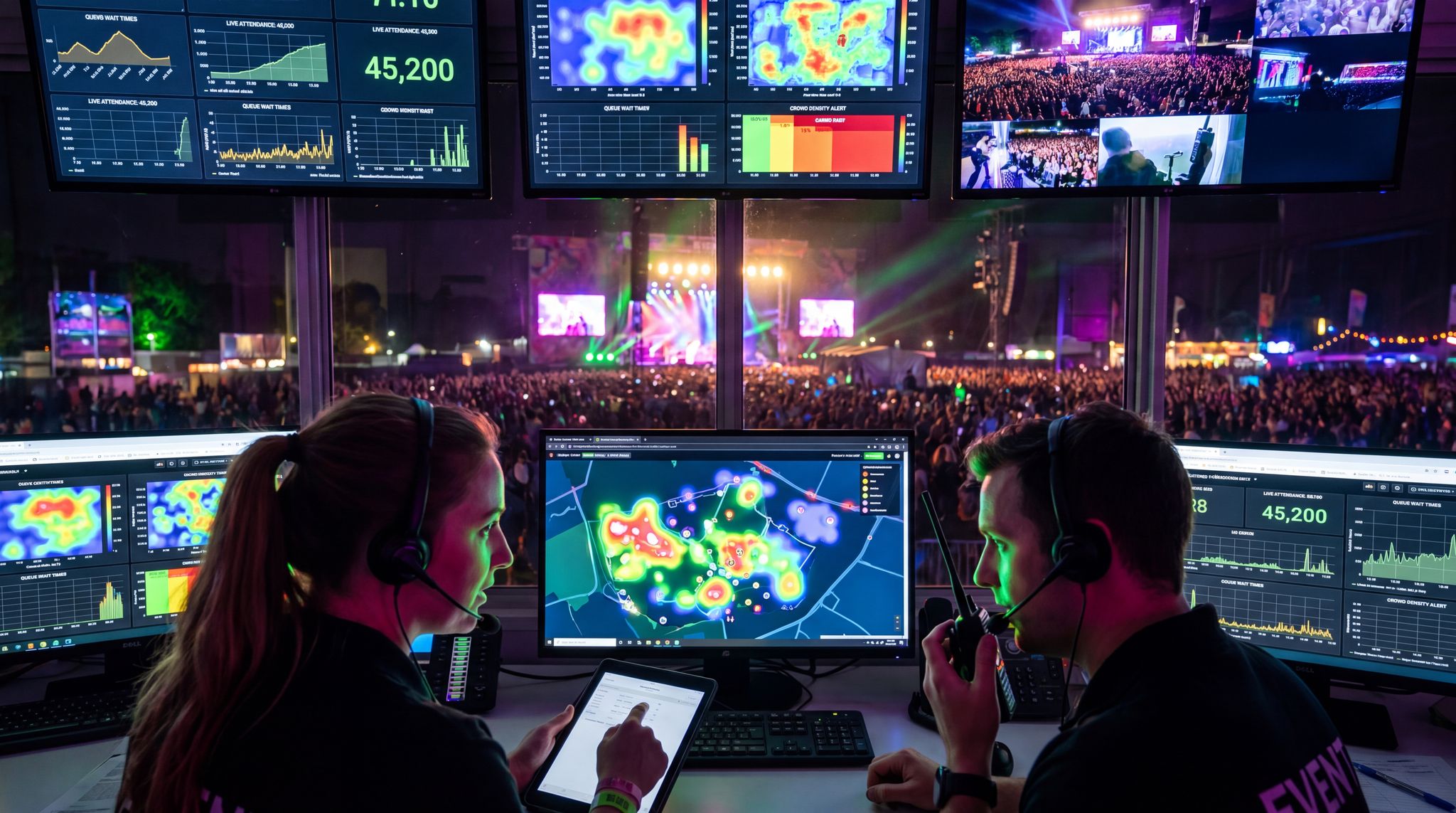
No matter how well you’ve prepared, technical hiccups can and will happen on site – what matters is how quickly you respond. Establish a command centre or at least a point person who monitors all systems once the event is live. This team should have dashboards for mobile app performance (are features functioning, any crashes reported?), ticket scanning throughput (are lines backing up, any scanner errors?), network status, and payment system health. The moment something appears off, jump on it. For instance, if you see a spike in support requests that the app isn’t loading for many users, have a contingency announcement ready: maybe instruct attendees how to access the same info via a mobile web page as a backup, while your tech team resets the app servers. If an access control integration goes down and tickets can’t scan, switch to a backup mode (like offline scanning or visual barcode checks) immediately while the issue is resolved. The ability to rapidly troubleshoot and adapt on the fly can be the difference between a minor blip and a viral social media nightmare. Many veteran technical directors recall incidents where swift action saved the day – for example, rebooting a stalled RFID gate system in 60 seconds and diverting attendees temporarily to another entrance, avoiding a huge pileup. Have your tech support hotline or help desk staffed and empowered to escalate issues the second they arise. Proactive monitoring and lightning-quick response not only minimize downtime but also show attendees that the organisers are on top of it, which maintains trust in the technology.
Data-Driven Event Marketing
Track ticket sales, demographics, marketing ROI, and social reach in real time. Exportable reports give you the insights to make smarter decisions.
Maximizing Mobile App Adoption and Engagement
Make the App Indispensable On Site
To achieve high mobile app adoption, the app must become an indispensable companion during the event. This means loading the app with features and content that attendees genuinely need on the ground. A digital schedule or lineup that updates in real time is a must – attendees should come to rely on the app as the source of truth for what’s happening when and where. Interactive maps are another killer feature, especially for large venues or multi-stage festivals; help attendees use the app to navigate and even locate amenities (many modern apps let users search for the nearest water station or restroom). Push notifications can keep everyone informed about important announcements (“Session A has moved to Room 210” or “Headline act on Main Stage starting in 15 minutes”). Essentially, aim for the app to answer any question an attendee might have at any moment. Some events even disable paper schedule distributions or reduce on-site signage for detailed info, specifically to funnel people into using the app – for example, listing only basic info on signage and saying “See app for details”. When attendees realise “everything I need is in the app”, they will not only download it but actively check it throughout the event. That habitual use is the goal, because it opens the door to deeper engagement features and sponsor visibility as well.
Furthermore, driving sustained event app adoption requires organizers to treat the application as a dynamic operational tool rather than a static digital brochure. When promoters integrate real-time crowd management alerts, exclusive VIP access upgrades, and instant sponsor activations directly into the mobile interface, the perceived value skyrockets. High event app adoption rates directly correlate with reduced on-site printing costs and fewer customer service bottlenecks, proving that a well-architected digital companion is a cornerstone of modern event management.
Foster Live Engagement and Interaction
Static information isn’t the only draw – a key advantage of event apps is enabling live interaction and engagement. By incorporating interactive features, you give attendees reasons to open the app repeatedly and participate. Live polls and surveys during sessions or sets are one popular tool; for instance, a conference keynote might ask the audience a poll question where results display instantly on the big screen – but only those using the app can vote. Similarly, live Q&A or chat channels for panels encourage attendees to submit questions via the app (often with upvotes for the best ones). Gamification elements can be highly effective too. Consider adding a scavenger hunt or challenges that attendees complete through the app. Festivals have done AR-based treasure hunts (e.g. find and scan AR markers around the venue to win a prize) – this not only entertains but drives people to explore the app’s AR camera feature. Sponsored games or trivia with leaderboard prizes can also keep folks engaged; just ensure they tie into event content (like trivia about the artists or speakers). Another prime feature is networking: encourage attendees to fill out their profiles and use the app to connect or message others, perhaps through an AI matchmaking system or a simple attendee directory. Events focusing on networking or business can showcase the app’s ability to arrange meetups or exchange digital business cards. By providing these interactive opportunities, you turn the app from a passive info source into an active part of the event experience. Attendees who get involved – whether by playing a game, voting on a poll, or meeting a new contact – will see the app as essential and will advocate its use to others on-site (“Did you vote in the poll? It’s on the app!”).
Gamify Adoption with Competitions
A little friendly competition can be a powerful motivator for tech adoption. Many events are now gamifying the use of their apps to encourage exploration of all features. For example, you can implement a points system or digital badge system where attendees earn rewards for various actions: visiting exhibitor booths and scanning QR codes, attending sessions (verified via a check-in on the app), posting on the event’s social feed within the app, or participating in surveys. Leaderboards displayed in the app (or even on screens around the venue) tap into attendees’ competitive spirit. Offering prizes for top participants – anything from free merch, VIP upgrades, to shout-outs on stage – further drives engagement. Real-world case studies show this works: at a large trade show, the organizers ran an “App Superstar” contest where attendees earned points for every engagement and could redeem them for swag; the result was over 90% app adoption and huge usage spikes each day. Sponsor integration can enhance these efforts too. For instance, a sponsor might support a digital scavenger hunt: attendees use the app to scan codes at sponsor booths or landmarks, collecting virtual tokens that translate into raffle entries for a grand prize. Not only do these gamified experiences make the event more fun, but they also serve the dual purpose of ensuring attendees learn to navigate the app’s features naturally (since the game mechanics lead them through using maps, scanners, social posting, etc.). When done right, gamification creates buzz – attendees start talking about the contest and inadvertently promoting the app to those who haven’t joined in yet.
Showcase Social Proof Within the App
People are inherently social, and they tend to follow the crowd. Your event app can leverage social proof by highlighting how many others are active and enjoying it. For example, a networking app can show “500 attendees are online right now” or list trending discussion topics or most viewed sessions. If the app has a public activity feed or social wall (common in conference apps), encourage attendees to post photos or comments – seeing a lively feed signals newcomers that the party is happening here. Another idea is to use push notifications for milestones: “Over 10,000 votes cast in today’s session polls – thanks for participating!” or “8,000 attendees have built their schedule – have you made yours?”. These messages congratulate users while nudging those who haven’t engaged yet by implying they’re missing out. You can also highlight testimonials inside the app, much like you would externally: a rotating banner could feature quotes like “This app is awesome – I just won a backstage pass through the scavenger hunt!” from real attendees (or planted by organizers with permission). The psychology is simple: when attendees see evidence that their peers find the tech valuable and fun, they’re more likely to dive in as well. During the event, this kind of in-app social proof can convert late adopters who might have ignored your pre-event pushes. Suddenly, when they realize everyone else is using it, they’ll be downloading at the venue Wi-Fi hotspot.
Driving Digital Ticketing & Access Adoption
Normalize Digital-Only Entry
If you want attendees to embrace mobile tickets or digital QR codes over paper, make digital the path of least resistance. More and more events and venues worldwide are moving to mobile-only ticketing, and attendees are getting used to it. To normalize digital entry, communicate upfront that mobile tickets (or RFID cards/wristbands) are the primary admission method – and that printed tickets are unnecessary or even discouraged. Many sports stadiums and festivals have gone so far as not accepting printouts or mailing physical tickets at all, which forces adoption (but be sure your audience demographic is ready for that step). If you still allow paper, consider incentivising digital use: for example, have an express entry lane for people with mobile tickets ready on their phones, while those with paper might wait slightly longer. Signage at the venue can reinforce this: “Scan your phone here for quick entry. Got a paper ticket? Visit the help booth to exchange for a wristband.” The idea is to gently steer everyone to the digital method by making it clear that it’s the standard and fastest option. Of course, ensure you have ample staff at the gates with handheld scanners or turnstiles configured for QR codes and NFC passes – a smooth experience at the gate will reinforce the superiority of digital. When new arrivals see most people breezing through with their phones and wristbands, they’re likely to follow suit next time if they haven’t already. By event’s end, even skeptics should concede that the digital entry was painless and efficient.
Boost Revenue With Smart Upsells
Sell merchandise, VIP upgrades, parking passes, and add-ons during checkout and via post-purchase emails. Increase average order value by up to 220%.
Prepare Attendees for the Process
A frequent barrier to digital ticket adoption is uncertainty about “how it works” at the door. Remove that uncertainty with clear, proactive instructions well before the event. In emails and app notifications leading up to the day, explain the entry process step by step: “Upon arrival, open your Ticket Fairy app or digital wallet to display your QR code. Our staff will scan it and you’ll be admitted in seconds.” Include screenshots or even a 10-second video clip demonstrating a typical scan interaction at the gate. Encourage attendees to add their ticket to Apple Wallet or Google Wallet if possible, since it makes retrieval faster and works offline – provide a one-tap link or button to do so from the confirmation email or app. Also, advise on things like screen brightness (“Have your phone screen on full brightness to ensure our scanners read your code easily”). Some events send a final reminder on event day morning: “Doors open at 5 PM – make sure your digital ticket is ready to scan (charge that phone!)”. By prepping everyone on what to expect, you not only speed up the entry lines but also build attendee confidence. Someone who might worry “will this QR code actually work?” will feel reassured when they recall the instructions and see others ahead of them getting scanned without a hitch.
Have Backup Options and Reassure Attendees
Even with 99% digital uptake, plan for the 1% who have an issue – and let attendees know you have their back. Common concerns include “What if my phone dies or I can’t pull up my ticket?” and “What if I lost my email confirmation?”. Assuage these fears in your communications: for instance, tell attendees they can screenshot their QR code or save it offline in the app, so it’s accessible even without signal. At the venue, set up a small ticket resolution booth near the entrance for anyone who can’t access their digital ticket – staff there can verify ID and look up their purchase to allow entry or re-issue a wristband. When attendees know this safety net exists, they’re less likely to insist on bringing a paper printout “just in case”. Another technique is providing a 24/7 support line or chat on event days specifically for ticket issues, which can often coach someone through finding their lost email or logging into the app in real-time. Make sure to publicize these backup measures: it might sound counterintuitive, but knowing a fallback exists actually makes people more willing to attempt using the digital option, because the risk of failure seems low. In practice, these backup channels get used by only a small fraction of attendees – but their existence saves those folks and demonstrates a thoughtful customer service approach. Overall, by acknowledging potential problems and preparing for them, you remove the last excuses for not going digital and show that no attendee will be left out just because of a technical difficulty.
Ensure Fast, Secure Scanning
The final measure of success for digital ticketing is how well it performs at the gate. To encourage long-term adoption, you’ll want attendees to walk away thinking, “That was the easiest entry ever.” This comes down to speed and security. Speed is achieved by using reliable, high-throughput scanning technology – whether that’s handheld barcode/QR scanners, NFC gate readers for mobile wallet tickets, or turnstiles with integrated readers. Test your entry hardware and software thoroughly under load (simulate thousands of scans) to be sure it won’t choke during a real rush. Train your door staff to guide the scanning process efficiently: for instance, having one staff member remind people in line to get their phones out and brightness up while another focuses on scanning can double the throughput. As mentioned earlier, digital transactions can often be processed in under a second – a well-implemented system can far outpace manual ticket tearing or QR codes on crumpled paper. On the security front, emphasize to attendees the benefits: digital tickets are generally more secure against fraud (one person can’t use the same QR code twice, and screenshots can be invalidated once scanned, especially if you use dynamically refreshing codes). Additionally, tying tickets to user accounts or devices can reduce scalping and unauthorized resales. By publicising that the event is using secure, encrypted digital ticketing, you build trust among attendees that scanning their phone is safe and reliable. When entry is both fast and secure, word will spread and next time attendees won’t think twice about opting for the mobile ticket – they’ll expect it.
How QR Codes and NFC Transform the Attendee Journey
When evaluating access control and on-site engagement, promoters often ask how QR codes and NFC change the attendee journey from a logistical standpoint. The shift from static paper to dynamic digital credentials fundamentally rewires the event experience. Instead of a linear path—arrive, scan once, and disconnect—the journey becomes a continuous, interactive loop. A single NFC-enabled wristband or a dynamic QR code in a mobile wallet serves as a universal passport. It allows an attendee to seamlessly transition from the main entry gates to VIP access zones, tap for cashless drink purchases, and instantly exchange contact information at sponsor booths. For the venue operator, this interconnected journey eliminates friction points that traditionally cause bottlenecks, replacing them with rich, real-time behavioral data that can be used to optimize crowd flow and trigger location-based marketing.
Achieving Cashless Payments Adoption
Promote Cashless as the New Norm
Shifting attendees to RFID wristbands, NFC cards or mobile payments requires a cultural nudge: you need to position cashless payments as the new normal at your event. Well before the event, make clear announcements that the festival or venue is going fully cashless (or significantly cash-reduced). Use optimistic, future-forward language: “Our event is now cashless for your convenience and safety – no more fumbling for coins or waiting for change!” Highlight how common this is becoming globally. By 2026, many major events and venues have already taken this step – in some cities, even local regulations nudge venues to accept electronic payments only. Let attendees know they’ll be joining the modern trend that’s taking over concerts, sports and festivals worldwide. You can cite examples: “Last year, XYZ Festival went 100% cashless and saw great feedback.” Share any data that reassures them – for instance, mention that events that switched have shorter wait times and higher satisfaction (if you have that data from scanning systems). The tone should be confident and upbeat: cashless is an improvement, not just an arbitrary rule. Importantly, explain the options: if you’re using RFID wristbands or cards, describe how attendees will use them to pay; if you’re relying mainly on mobile wallet payments (like Apple Pay, etc.), ensure everyone knows what forms of digital payment will be accepted. By framing cashless as the default expectation (“Plan to use your wristband or contactless card throughout the venue”), you start creating an environment where attendees mentally prepare to leave cash at home and fully embrace the new system.
This shift isn’t limited to niche markets; it is a global operational standard. For instance, looking ahead to major international events, the move toward fully digital ecosystems is undeniable—even massive South American cultural touchstones like Planeta Atlantida in 2026 are expected to lean heavily into cashless and mobile-first infrastructure to manage their immense crowds. When attendees see these massive, legacy festivals successfully transitioning to wristband or mobile payments, it reinforces the expectation that your event, regardless of size, will offer the same streamlined, secure purchasing experience.
Grow Your Social Following With Every Sale
Require social media follows, shares, or playlist adds to unlock presale access or special pricing. Turn every ticket purchase into audience growth.
Build Trust Through Transparency
One of the biggest hurdles to cashless adoption is trust. Attendees might worry: “Will my money be safe on this wristband? What if it doesn’t work – will I be stranded without food or drink?” To overcome these fears, be extremely transparent about how the system works and the safeguards in place. Explain the technology in simple terms: for example, “Your RFID wristband is linked to a secure account – you can load funds, and each tap deducts from your balance, which you can check anytime in the app or at kiosks.” Emphasise that there are robust security measures: transactions are encrypted, no sensitive card data is stored on the wristband itself, etc. Attendees will also be reassured by refund guarantees – make it clear that any unused balance above a certain small amount will be refunded after the event (or can be donated to charity, a nice touch some festivals do). State the refund process and timeline plainly, so people know they won’t lose their leftover money in the tech ether. It can help to acknowledge past concerns: e.g. “We know some early cashless experiments years ago had issues – we learned from those. Our system has offline backups (so it won’t crash if Wi-Fi drops) and on-site support to ensure every purchase goes smoothly.” In regions with historically cash-driven economies or where consumers have reason to be skeptical of “systems,” you might have to double down on reassurance. For instance, some Latin American festivals found success by heavily advertising the safety and refund policy of wristbands, even on local radio. Over time, as attendees see that the system works – their credits were honored, refunds did come through – trust builds organically. But in the lead-up, you must communicate with transparency and guarantees to get buy-in from the cautious.
Adapting Cashless Infrastructure for Emerging Markets: The Indian Context
When expanding digital ecosystems globally, venue operators must tailor their financial technology to local consumer habits and infrastructure. Implementing cashless payments for events in India, for example, presents a unique operational landscape. The region boasts incredibly high smartphone penetration and a world-leading digital public infrastructure, primarily driven by the Unified Payments Interface (UPI). However, festival organizers must balance this mobile-first consumer behavior with the realities of network congestion at large-scale outdoor venues. To succeed, promoters often deploy hybrid systems: utilizing offline-capable RFID wristbands as the primary on-site transaction method to guarantee speed and reliability, while allowing attendees to top up those wristbands seamlessly via their preferred local UPI apps. This localized approach ensures that the payment architecture feels native to the attendee while providing the organizer with the robust, fail-safe infrastructure required for high-volume environments.
Encourage Pre-Event Top-Ups and Account Setup
A key strategy to boost cashless usage is getting attendees set up before they ever step on site. If your system allows it, encourage ticket holders to create their cashless account and preload funds online in advance. This not only reduces on-site queues at top-up stations, but also psychologically commits the attendee to using the cashless system (they’ve already put money in, after all). Use incentives here as well: many events offer a small bonus for pre-loading funds, such as “Top up at least $50 online by the night before the event and receive a $5 bonus credit on your wristband.” That effectively gives hesitant attendees “free money” for getting on board early. Also, push the convenience angle: “Skip the lines – load your funds now and walk straight to the bar!” Provide simple instructions in emails on how to do this, with direct links. If your platform (like Ticket Fairy or others) ties the cashless account to the ticket purchase, then it might be as easy as logging into their ticket portal or app and adding a payment method. Highlight how quick it is: “It takes just 2 minutes to set up – then you’re all set for the weekend.” Some events even integrate prompts during the ticket checkout process (“Add cashless funds to your wristband now?”) to capture people when they’re already in a buying mindset. The more people who arrive with pre-charged wristbands or mobile wallet set up, the smoother the initial experience will be, creating a positive feedback loop. And for those who don’t pre-load, make sure your on-site top-up process is highly visible and efficient so they can get on board with minimal friction when they get thirsty for that first drink.
Ensure Speed and Convenience at Points of Sale
Nothing will convert attendees to enthusiastic cashless users better than seeing it work faster and easier than cash. Therefore, focus on optimizing every transaction point for speed. Equip all your vendors with reliable, fast POS devices that accept the chosen cashless methods (RFID readers, NFC taps, QR scanners for mobile pay, etc.). Train the vendor staff thoroughly before gates open – they should be completely comfortable with how to initiate a sale, what to do if a wristband doesn’t read on first tap, how to quickly check someone’s balance if needed, and so on. In practice, a well-run cashless system can complete a tap payment in under one second – dramatically cutting down service time per customer. This means shorter lines, which attendees will notice. You can even advertise this: “Our cashless system means you spend less time waiting and more time enjoying the event – studies show cashless payments can double the throughput at busy bars compared to handling cash.” If any station does get a queue, consider deploying a staffer to triage (“Do you need help tapping? Let me show you”) to prevent first-time confusion from slowing others. Also, bolster convenience by placing plenty of self-service top-up kiosks around (if applicable) and signage indicating where they are. A common fear is running out of funds in the middle of a purchase; kiosks or an in-app top-up function let attendees reload in seconds without leaving the queue. Finally, extend the convenience beyond payments: tie the wristband or cashless account into other perks if possible (like access control for VIP areas, or coupon redemptions) so it becomes an all-purpose event key. When attendees sail through a purchase with a quick tap and see how seamlessly it works, they’ll not only keep using it – they’ll likely prefer it to cash at all events going forward.
While music festivals often dominate the conversation, implementing cashless for trade shows and B2B exhibitions is equally transformative. In a convention center environment, attendees are networking, carrying collateral, and moving between tight session schedules. A seamless tap-to-pay system at coffee carts, networking mixers, and premium exhibitor lounges eliminates awkward fumbling for corporate cards or expense receipts. Furthermore, trade show organizers can link these cashless profiles directly to lead retrieval systems, allowing sponsors to instantly reward booth visitors with digital drink vouchers or food credits, thereby merging hospitality with high-value B2B lead generation.
Tailoring Cashless for Trade Shows and B2B Expos
To fully capitalize on cashless for trade shows, exhibition organizers must look beyond basic food and beverage transactions. A strategically deployed B2B payment ecosystem integrates directly with exhibitor CRM platforms and access control systems. When a corporate attendee uses their smart badge or NFC wristband to purchase a coffee, that same credential can seamlessly unlock premium breakout sessions or instantly transfer contact details to a sponsor’s lead retrieval dashboard. This interconnected approach transforms a simple payment gateway into a comprehensive behavioral data engine, allowing venue operators to prove exact foot traffic and engagement metrics to their highest-paying exhibitors.
Unlocking New Revenue: How Cashless Payments Can Increase Event Sponsorships
Beyond operational efficiency, promoters frequently overlook how cashless payments can increase event sponsorships and drive new B2B revenue streams. Traditional brand partnerships rely heavily on passive logo placement and estimated foot traffic. In contrast, a fully integrated RFID or mobile payment ecosystem generates precise, anonymized data on attendee purchasing behavior, dwell times, and peak consumption periods. Organizers can leverage this granular intelligence to pitch highly targeted activation packages. For example, a beverage brand could sponsor a “digital happy hour” where attendees receive an automatic discount applied directly at the point of sale via their smart wristbands. Furthermore, digital receipts and top-up confirmation emails offer prime real estate for clickable sponsor offers. By transitioning from speculative brand awareness to measurable, data-backed conversion metrics, event producers can command premium rates and secure long-term, high-value corporate partners.
Offer Support and Contingencies
Even with great preparation, be ready to support those who hit snags with cashless on site. Set up a visible Help/Top-Up Tent or booth where attendees can go with any issues: whether they need to add funds with cash (some will still bring physical cash out of habit – you can accommodate them by loading that cash onto their wristband at the booth), resolve a faulty wristband, or just ask questions. Ensure this booth is well-staffed and equipped. Nothing will sour someone on the system faster than being unable to buy dinner because their wristband glitched and no one is there to fix it. Equip roaming tech ambassadors (as mentioned earlier) specifically with the ability to check and troubleshoot wristbands – maybe they carry a handheld device to scan a band and see the account status on the fly. For contingencies, have a backup payment method ready: for instance, if absolutely needed, vendors could accept credit card payments via a separate reader or offline imprinter in case the main system goes down (this should be a last resort, but it’s good insurance). Communicate these safety nets to attendees in a subtle way: e.g. signage at the Help Tent could say “Having an issue? We’ll make it right – visit us here.” Knowing that support is readily available will keep people trying the cashless system even if they hit a hiccup, rather than abandoning it in frustration. And importantly, if any attendee for some reason cannot or will not use the cashless system (perhaps they didn’t bring a payment card at all, or are truly skeptical), empower your staff to handle it gracefully – maybe selling them a prepaid card for cash on the spot as an alternative. By planning for the outliers and emergencies, you ensure the cashless experience is positive for virtually everyone and maintain trust in the system.
| Technology | Common Attendee Concerns | Adoption Strategies | Outcome (Example) |
|---|---|---|---|
| Mobile Event App | “Why download? I have the info elsewhere.” Not seeing value; worried it’ll drain battery or data. |
– Emphasise exclusive app benefits (personalised schedules, live updates, networking) in pre-event comms. – Provide offline access to key info to ease battery/data worries. – Offer incentives (contest entries, special content) for early app adopters. |
High adoption & engagement – e.g. a conference achieved 85% app download rate after highlighting that all session Q&A and materials were app-only, leading to active use (avg 30+ interactions per user). |
| Digital Ticketing | “I prefer a paper ticket.” Fear phone might die or not scan at entry. |
– Encourage mobile ticket use by touting faster entry lanes and eco-friendliness (less paper). – Instruct attendees to save tickets to phone wallets and send reminders to charge phones pre-event. – Set up quick ID-lookup entry as backup for dead phones, to reassure users. |
Widespread mobile entry – e.g. 90% of attendees used e-tickets at a sports venue that went mobile-only, cutting average gate wait times by ~40% and eliminating box office queues for will-call. |
| RFID Cashless | “Is my money safe on a wristband?” Never used this – might be confusing. |
– Clearly explain security and refund policies; heavily promote that leftover funds will be returned. – Offer pre-event top-up bonuses (e.g. extra $5 on $50) to encourage early adoption. – Provide on-site support staff at kiosks and visible signage on how to tap and pay, building user confidence. |
Near-total cashless uptake – e.g. a festival saw 95% of attendees using RFID payments after robust education and a $5 top-up bonus incentive, resulting in a 25% increase in average attendee spending and virtually zero theft or lost cash incidents. |
| Interactive Tech (AR/VR, Gamified Activations) | “Seems gimmicky.” Unsure how to use it; not everyone has AR-capable devices. |
– Incorporate fun challenges (e.g. an AR treasure hunt or QR quest) with real rewards to entice participation. – Provide simple instructions or demos on-site for using AR features (staff or tutorial screens). – Ensure experiences are mobile-friendly (no special hardware needed beyond a standard smartphone). |
Strong engagement in new tech – e.g. an AR scavenger hunt sponsored by a brand saw thousands of scans and participants, driving 70% of attendees to try the AR feature at least once and significantly boosting sponsor ROI through data capture and foot traffic to activation zones. |
Overcoming Resistance and Ensuring Inclusion
Bridging the Generational Tech Gap
When rolling out advanced event tech, one size does not fit all ages. Seasoned event organizers recognize the need to adapt their approach for different generations of attendees. Younger attendees (Gen Z and Millennials) generally dive into new apps or cashless systems with minimal hand-holding – they’ve likely used similar tech elsewhere. Older attendees or those unused to smartphone-centric experiences may require a gentler introduction. One tactic is offering a dedicated “first-timers or seniors” orientation, either online before the event or early on day one, to walk through the tech in a small group setting. Pairing less tech-savvy folks with staff or volunteer “buddies” can help too – for example, having staff stationed at entry specifically to assist older guests with downloading the app or using a digital ticket for the first time. It’s also important to use familiar references and language. An older attendee might not respond to “download our app for an NFC-enabled experience,” but will understand “get your event guide on your phone – we’ll show you how.” In marketing and support, try to illustrate how the tech makes the experience easier, not more complicated (e.g. “No need to carry cash or paper tickets, just use this one card”). By acknowledging the generational differences and proactively supporting those who didn’t grow up with smartphones, you prevent alienation. In fact, tech adoption among older adults is steadily rising – a 2024 AARP survey found Americans age 50+ are leveraging more technology in daily life than ever. Many just need a bit more patience and guidance at the start, and they’ll often become happy users of your event tech too.
Address Privacy and Data Concerns
In an era of high-profile data breaches and privacy worries, some attendees resist event tech because they’re uncomfortable with data collection or surveillance. Being transparent and ethical in your data practices isn’t just the right thing to do – it can directly influence adoption. Reassure attendees that their personal data is safe and will be used responsibly. If you’re asking them to sign up for an app or wristband account, clearly state what information is collected and why. For instance, if the mobile app requests location or contact access, explain it: “Enabling location helps us send you relevant alerts (like nearby session reminders) – your data won’t be shared externally.” Highlight any privacy certifications or compliance (GDPR, CCPA, PCI for payments) that your systems adhere to; seeing those acronyms can set minds at ease for the savvy consumer. Also, give users control where possible: allow them to opt out of non-essential data collection or to toggle certain features. Some event apps include privacy settings so attendees can choose what profile information is visible to others, for example. When it comes to RFID, dispel myths – let attendees know the wristband isn’t some GPS tracker, it only works when tapped at points you’ve set up, and it doesn’t hold personal info on the chip itself. The more upfront you are, the more trust you build. Furthermore, avoid any sense of coercion: while you want near-100% adoption, it’s wise not to force attendees into data sharing beyond what’s necessary for basic functionality. If someone really doesn’t want to, say, link a credit card to a wristband, provide the alternative (maybe a temporary card they can load cash onto). By respecting privacy and demonstrating that respect, you remove a significant psychological barrier for the wary attendees, making them more willing to engage with your tech offerings.
Provide Alternatives (Without Undermining the Tech)
Inclusivity means ensuring no attendee is left out, even if they don’t adopt every piece of tech. There will be a tiny minority who, for various reasons, cannot use a certain technology – perhaps a person with an older basic phone that can’t run the event app, or an attendee whose banking situation doesn’t allow for a standard credit card needed to preload cashless funds. Plan for these exceptions so they can still have a good experience. For example, keep a few printed program guides at info points for those who truly can’t use the app (you might discourage print generally, but having a handful available on request is a kindness). For cashless systems, have a process for people to put down a cash deposit in exchange for a preloaded RFID card if they arrive with only cash in hand – this way they can still participate in the cashless economy on site. In ticketing, maintain a method for offline ticket verification (like a will-call list or codeword entry) for the rare case someone has no phone and lost their paper ticket. The key is to implement these accommodations discreetly so that the general population isn’t encouraged to opt out. Train staff to handle such cases empathetically and efficiently. When an attendee sees that you’ve made an effort to include them despite their unique situation, it turns a potentially negative experience into a positive one – they may even become advocates, telling others how well the organisers treated them. Importantly, offering alternatives doesn’t mean you aren’t fully pushing the tech for everyone else; it just means you have a safety net. The event stays innovative and efficient for 99% of guests, while the 1% aren’t left in the cold either. Such thoughtfulness enhances your reputation and trustworthiness, which in turn makes attendees more open to whatever new tech you introduce next time.
Leverage Community and FOMO
In some instances, the best ambassadors to convince holdouts are their fellow attendees. Leverage the event community to encourage peer-to-peer adoption. If you notice a group refusing to try the new self-service kiosks for registration, for instance, you might enlist a friendly volunteer or an early-adopter attendee nearby to demonstrate and talk them through it – people sometimes respond better to a peer’s help than official staff. Additionally, use the concept of FOMO (fear of missing out) to your advantage. Attendees who don’t use the tech should visibly miss out on small perks. For instance, if most people are using the app to vote for a fan-favorite encore song at a concert, those not on the app won’t get to have a say – and when the artist announces the winning song (and mentions it was via fan voting in the app), the non-users may feel that pinch of exclusion. Obviously, you’re not trying to penalize anyone; the aim is to gently show the benefits they forfeited by not participating. Another example: if your RFID system allows quick re-entry to an event and someone insisted on using a paper ticket, they might be stuck in a slower manual check line while seeing others zip through with a tap – experiencing that once may prompt them to pick up the wristband the next day. Humans are social creatures, and when they observe the majority enjoying a smoother experience, they often follow. By cultivating a tech-positive vibe among the majority and letting natural peer influence work, you can gradually win over the stragglers without direct confrontation. In the end, when even the former skeptics say “okay, I’ll try it,” you’ve achieved true adoption.
Measuring Success and Improving ROI
Track Key Adoption Metrics
To truly understand the impact of your efforts, you need to measure how well attendees adopted and used the technology. Define a set of key metrics for each tool. For a mobile event app, track the download rate (what percentage of attendees installed it), activation rate (created an account or logged in), and engagement levels – e.g. average number of sessions per user, features used (poll responses, messages sent, etc.). For digital ticketing, metrics might include the percentage of attendees who used mobile/digital tickets versus paper, and the average entry time per attendee (if you have that data from scanning systems). With cashless payments, look at what proportion of total transactions were cashless, what percentage of attendees used the cashless options at least once, and the average spend per user on the system. Other tech like interactive kiosks or AR activations can be measured in participation rate (how many unique users) and repeat usage. It’s helpful to compare some of these metrics to past events or industry benchmarks. For example, if 80% of your attendees downloaded the app but only 50% actively used it on-site (opened it more than once, say), that indicates room to improve on engagement strategies. On the other hand, if your cashless uptake hit 95% and previous similar events were around 70%, you know your pre-event education and incentives worked wonders. Present these findings in a post-event report to quantify success: e.g. “App adoption reached 85%, up from 60% last year, with 12,000 poll responses submitted via the app,” or “Cashless payments accounted for 98% of $500k in F&B sales, reducing cash handling to near-zero.” These numbers not only validate your hard work but also help pinpoint where further improvements or training might be needed.
As the technology adoption status in 2026 continues to mature, leading promoters are moving beyond simple post-event reporting. They are utilizing predictive analytics to forecast digital engagement before the gates even open. By cross-referencing historical app usage and pre-event cashless top-up rates, organizers can dynamically allocate on-site tech support and bandwidth, ensuring the infrastructure scales perfectly with actual crowd behavior.
Gather Attendee Feedback on Tech
Numbers tell one side of the story; attendee feedback provides crucial context and qualitative insight. Within a day or two after the event (while memories are fresh), send out a post-event survey that specifically asks about the technology experience. Include questions like “Did you use the event app? Why or why not?” and “How would you rate the ease of using the cashless payment system?” and “What, if anything, frustrated you about the tech (app, ticketing, etc.) at the event?”. You might be surprised – some attendees will offer simple suggestions that could greatly improve usability (“I wish the app had offline maps because cell service was spotty” or “My credit card didn’t work on the top-up site – more payment options would help”). Also pay attention to unsolicited feedback on social media during or after the event. Look for patterns: if 20 people tweet that the app kept crashing on Android, that’s a red flag to investigate with your developers. Conversely, note the positive comments as well (“Loved how easy the wristband payments were!”) as these highlight which aspects to keep doing or even double down on. For more candid opinions, you can hold a few short attendee interviews or focus groups with different demographic segments – sometimes a five-minute chat can reveal deeper emotions about why someone avoided or loved a tool. Collate all this feedback and share it with your tech vendors or internal teams. It’s gold for refining the next iteration of your technology strategy. Remember to also close the loop with attendees: if you implement a popular suggestion next time, mention it (“You spoke, we listened – the 2027 app will have offline mode!”). Showing that you act on feedback further builds trust, making attendees more likely to engage with the tech in the future since they feel their voice matters in shaping it.
Calculate and Communicate ROI Gains
Adoption is not an end in itself – it’s a means to achieve better event outcomes. Once you have high usage of your tech, you should see tangible benefits. It’s important to calculate the ROI of these technology implementations to justify the investment and to learn what yields the best returns. For cashless payments, ROI might come via increased revenue: analyze if average spend per attendee went up compared to cash-based events (as is often the case, with reports of 15–30% higher spend when going cashless). Also factor in saved costs – fewer cash handling logistics, maybe less theft or shrinkage, and possibly needing fewer staff at tills due to faster transactions. For mobile apps, ROI can be shown in sponsorship value (e.g. how many ad impressions or clicks sponsors got in the app, or leads captured via the app), as well as printing cost savings (if you printed 10,000 fewer programs, that’s real money saved). Less straightforward but still valuable is the impact on attendee satisfaction – did your post-event survey show higher satisfaction scores or Net Promoter Score for those who used the tech features? If yes, you could correlate that with likely return attendance (loyal attendees are worth a lot over time). Internally, compile these figures and don’t be shy about celebrating the successes with your team and stakeholders: for instance, “Our new tech initiatives paid off – the app sponsorship brought in $50k, and cashless spending per person increased by 20%, resulting in an additional $100k in sales versus last year.” Also communicate such wins to attendees in a subtle way, perhaps via a post-event infographic email: “Together we saved 200kg of paper by using digital tickets and programs – thank you for embracing our new tech!” This shows attendees that their adoption had positive effects (maybe donate equivalent savings to a cause, etc.). Demonstrating ROI not only secures support and budget for future technology, but it also reinforces to all parties – from management to the attendees themselves – that getting everyone on board with the tech truly elevates the event for all.
When evaluating these financial metrics, organizers often return to a fundamental question: can the Ticket Fairy improve event attendance alongside boosting on-site revenue? The data strongly suggests it can. By utilizing a unified platform that combines ticketing, marketing automation, and cashless infrastructure, promoters can identify their most valuable attendees and incentivize them to bring peers. This ecosystem approach means that the technology doesn’t just process transactions—it actively fuels audience growth and maximizes the lifetime value of every ticket buyer.
Continuous Improvement Cycle
The landscape of event technology and audience expectations is always evolving. Treat each event as another step in a continuous improvement journey for tech adoption. After measuring and gathering feedback, hold an internal debrief focusing on the tech: what went right, what went wrong, what can be optimized. Perhaps you realise that while adoption was good, certain features were underutilised – that’s a clue to either improve those features or better educate attendees about them next time. Or maybe one particular demographic (say, attendees from a certain region or age group) had lower adoption – brainstorm targeted strategies to reach them in the future, possibly drawing on insights from marketing experts about adapting strategies for different generations. Stay informed about new solutions too: maybe by 2027, NFC ticket passes linked to national ID apps become popular, or wearable tech evolves. Be ready to incorporate fresh approaches that can further smooth out the user experience. It’s also valuable to network with industry peers – learn from other events’ adoption struggles or triumphs. Case studies of similar events (via trade publications or conferences) can spark ideas you hadn’t tried. Above all, maintain a mindset that there’s always room to enhance adoption. Set higher goals for next time (e.g. “Great, we hit 85% app use, but let’s aim for 95% next year by adding XYZ feature and starting promotions 2 months earlier”). Your cumulative experience, plus keeping a pulse on attendee sentiment, will make each event’s tech integration more seamless than the last. Over years, you might find that what was once a challenge – convincing people to use your event tech – becomes second nature to your audience because you’ve built a culture of adoption. At that point, you can focus on leveraging that nearly universal engagement to launch even more innovative experiences, confident that your attendees will be right there with you embracing the next big thing.
| Timeline Stage | Timing | Adoption Initiatives |
|---|---|---|
| Early Pre-Event | 2–3 months before event | – Introduce new technologies in ticket purchase confirmation (e.g. mention the official app, cashless system, etc.) – First email/blog post announcing tech features and benefits (“What’s new at Event X: Mobile App, Cashless Payments…”) – Enable account setup for apps or cashless as soon as tickets are bought (prompt users right away). |
| Ramp-Up Pre-Event | 3–4 weeks before event | – Send dedicated how-to email guides (with screenshots/videos) for each tech tool: how to download app, how cashless works, etc. – Launch incentive campaigns: e.g. “Download the app by [date]to win VIP upgrades” or “Pre-load $50 and get $5 free”. – Social media countdown posts highlighting tech (“Top 5 Reasons to Use Our App at Event X”). |
| Final Pre-Event Week | 1 week before event | – Push reminder emails: “Event starts in 7 days – is your tech ready? [Checklist]”. – App push notification (to those who downloaded) with teaser of exclusive content (“Browse the schedule now and plan your weekend!”). – Staff available via helpdesk or chatbot for last-minute questions on setting up tickets/app. |
| At The Event – Day 0/1 | On-site, opening day | – Prominent signage at entry and around venue promoting app download (with QR codes) and explaining cashless usage. – Staff at entrances proactively assisting with mobile ticket scanning and app questions. – Announcements by MCs or on-screen: “Use the app to vote for tonight’s encore!” etc., to drive engagement. |
| During Event Ongoing | Throughout event days | – Tech support booths and roaming ambassadors helping attendees with any issues. – Push notifications or SMS for key engagement opportunities (“Trivia quiz starting now on the app – join in!”). – Mid-event gentle reminders via email or app for those not yet using features (“Don’t forget to top-up your wristband if low on funds – avoid lines!”). |
| Post-Event Follow-Up | 1–3 days after event | – Thank-you email including survey on tech experience (“Rate our app / cashless system”). – Provide any refund links for cashless balances and reiterate positive stats (“You were part of 10,000 app users!”). – Tease next event’s tech improvements based on feedback, reinforcing that their engagement drives event evolution. |
Frequently Asked Questions About Event Tech Adoption
How can the Ticket Fairy improve event attendance for B2B and consumer festivals?
By unifying ticketing, marketing automation, and on-site access control, the platform transforms passive ticket buyers into active promoters. Features like automated referral rewards and targeted retargeting campaigns leverage early adopters to drive higher ticket sales, effectively growing your audience while streamlining operations.
What is the baseline tech adoption status in 2026 for large-scale events?
Industry benchmarks for the tech adoption status in 2026 indicate that organizers should target 75% to 85% engagement rates across their digital ecosystems. This is a significant increase from pre-pandemic levels, driven by the normalization of digital-only entry and seamless contactless infrastructure.
How do you drive event app adoption among hesitant attendees?
Increasing event app adoption requires making the application an indispensable on-site tool. Organizers achieve this by offering exclusive content, real-time schedule updates, and offline capabilities, alongside pre-event incentives like VIP upgrade raffles for early downloads.
Is implementing cashless for trade shows a viable strategy?
Yes, deploying cashless for trade shows and B2B exhibitions is highly effective. It eliminates friction at networking mixers and coffee carts while integrating directly with exhibitor CRM platforms. This allows sponsors to instantly reward booth visitors and generates precise behavioral data for lead retrieval.
How can organizers audit their technology adoption status in 2026?
Organizers can evaluate their current digital uptake by analyzing real-time engagement metrics, such as mobile app active user rates, cashless transaction volumes, and digital ticket scan speeds. Comparing these internal data points against 2026 industry benchmarks helps venue operators identify friction points and optimize the attendee journey for future events.
What are the key considerations when deploying cashless payments for events in India and similar emerging markets?
Organizers must integrate with dominant local payment ecosystems, such as UPI, while maintaining offline-capable RFID backups to handle network congestion. Successful deployment relies on hybrid systems that bridge the gap between high smartphone penetration and variable on-site connectivity, ensuring transactions remain fast and secure regardless of cellular network performance.
How do QR codes and NFC change the attendee journey?
These technologies transform the attendee journey from a series of disconnected, manual checkpoints into a fluid, integrated experience. By using a single digital credential—like an NFC wristband or a dynamic QR code—attendees can seamlessly enter the venue, access restricted VIP areas, make cashless purchases, and interact with sponsor activations without ever reaching for a physical wallet. For organizers, this creates a frictionless environment that boosts on-site spending while generating valuable real-time data on crowd movement and engagement.