The Need for Speed: Why Faster Transactions Boost Sales
The Cost of Long Queues
Even the best event loses its shine when attendees spend too much time waiting in line. Long queues at food stalls or merch booths don’t just frustrate fans – they directly eat into sales. Studies show cashless payments can reduce transaction times by up to 50%, and venues see 15–30% higher per-head spending when lines move faster. Additionally, cashless payments can reduce transaction times significantly. Every extra second per transaction adds up when thousands of buyers are in queue. If a bar can serve 20 people in 10 minutes instead of 10 people, that’s double the revenue in the same time. The equation is simple: shorter lines = more transactions = higher total sales. In fact, event tech providers report revenue increases of 15–40% after switching to fast, cashless POS thanks to quicker service and more impulse purchases. Attendees who aren’t stuck waiting are more likely to buy that extra drink or T-shirt, boosting your vendors’ takings and your event’s bottom line.
Modern Attendee Expectations in 2026
In 2026, on-site payment technology has become a make-or-break element of the attendee experience. Guests have grown accustomed to cashless transactions for faster service – few carry cash, and many arrive expecting to tap a card or phone and be done in seconds. If your event’s payment process feels slower than the local coffee shop, savvy attendees notice. At major sports venues, for example, nearly every stadium has gone contactless to meet fan expectations. (In just two years, 29 of 30 NFL stadiums ditched cash entirely, illustrating how rapidly the industry embraced this change.) Fans and festival-goers worldwide now assume they can pay with a quick tap or scan, not stand around while someone fiddles with coins or a chip reader. Modern event audiences also expect seamless tech integration: they might use your mobile event app’s digital wallet to order concessions or store a prepaid balance. In 2026, patience for payment delays is at an all-time low – if one vendor has a long line, attendees will simply move to another or skip the purchase. Meeting these expectations with speedy POS systems isn’t just courteous, it’s critical for capturing sales that might otherwise be lost.
Linking Speed to Revenue and Satisfaction
There’s a direct link between transaction speed, attendee satisfaction, and revenue. Experienced event technologists know that for every extra minute someone waits in a queue, their likelihood of spending drops. Some attendees abandon purchases if lines are too slow – a missed revenue opportunity that adds up over hundreds of would-be customers. Conversely, when transactions are lightning-fast, people buy more items more frequently, as faster transaction speeds directly correlate to increased sales volume and cashless payments reduce friction. Quick service also keeps the mood upbeat; happy attendees are more likely to spend additional time (and money) at your event rather than leaving early out of frustration. For organizers, speedy POS systems create a virtuous cycle: shorter waits lead to higher throughput and sales, which in turn means vendors are happy and attendees get what they want without hassle. Moreover, satisfied attendees tend to leave glowing reviews and return next time, driving long-term loyalty. In essence, investments in faster payment tech pay back not just in immediate sales gains, but in overall event reputation and repeat business. It’s no surprise that forward-thinking festivals are prioritising cashless payment over cash handling – not only do they see revenue per attendee jump, they also notice higher attendee satisfaction scores when wait times plummet.
Choosing the Right POS System for Your Event
Selecting a point-of-sale system is not one-size-fits-all. The optimal solution depends on your event’s scale, venue, and audience expectations. From mobile card readers to RFID wristband systems, today’s market offers a spectrum of POS technologies. A corporate conference with 300 attendees might only need a few smartphone-based card readers, while a 50,000-person festival could deploy a full RFID cashless infrastructure. The goal is always the same – quick, seamless transactions – but the tools to achieve it vary. In this section, we break down common event POS options, their pros and cons, and how to integrate them effectively. By implementing the right cashless payment tech for seamless transactions, organisers can dramatically improve on-site sales performance and avoid the pitfalls of underpowered payment systems.
Go Cashless With RFID Technology
Enable contactless payments, faster entry, and real-time spending analytics with RFID wristbands and NFC-enabled ticketing for your events.
When venue operators and promoters evaluate how to choose a POS for arenas and complex events, the decision matrix must extend beyond basic transaction speeds. Selecting the ideal concert POS system requires assessing the hardware’s ability to integrate with legacy stadium infrastructure, support multi-vendor revenue splits, and handle extreme high-density network environments. Whether you are outfitting a permanent sports facility or deploying a temporary festival point of sale network, the architecture should offer modularity. This allows organizers to deploy lightweight handhelds for roaming hawkers while maintaining heavy-duty, hardwired terminals at main concession stands, ensuring every sales channel is optimized for its specific environment.
Mobile Card Readers & App-Based POS
Mobile card readers (like those from Square, SumUp, or Zettle) paired with smartphones or tablets are a popular choice for small to mid-sized events and independent vendors. These devices are relatively inexpensive, easy to deploy, and highly portable. A food truck at a local fair or a merchandise stall at a convention can start taking card and mobile wallet payments in minutes by plugging in a reader or using a Bluetooth device with a phone. The advantage is clear: vendors can roam or reconfigure queues on the fly – for instance, staff with handheld POS devices can walk down a long line to take drink orders (“line-busting” service) and cut wait times. Modern app-based POS systems support contactless payments, meaning attendees can tap their credit/debit card or smartphone (Apple Pay, Google Pay, etc.) for near-instant approval. These systems typically offer basic integration with inventory and sales analytics through their apps, giving vendors insight into what’s selling.
However, there are trade-offs. Reliance on internet connectivity is a major consideration – if the venue’s Wi-Fi or cell network is weak, an app-based POS can lag or fail to process payments (more on offline strategies later). Additionally, using many separate mobile readers can make unified reporting tricky if each vendor is running their own system; the event organiser might not get real-time visibility into sales across all booths. There’s also a throughput limit – swiping or tapping on a handheld device is quick, but at scale a tiny card reader may not process transactions as fast as industrial-grade systems. That said, for smaller events, community festivals, or situations where each seller manages their own payments, mobile readers are a flexible, low-cost solution that beats cash-only operations every time.
When evaluating the leading portable POS solutions for event sales in 2025 and 2026, organizers should prioritize hardware that balances battery life with rapid processing speeds. The best concert POS system setups now feature ruggedized mobile terminals that can withstand outdoor elements while seamlessly syncing with central inventory databases.
For organizers evaluating the best mobile POS systems for events, festivals, and markets in 2026, versatility is paramount. A dedicated summer festival POS system must handle high heat, direct sunlight, and intermittent connectivity while processing rapid-fire transactions. Whether you are outfitting a sprawling weekend market or a boutique music gathering, deploying a reliable festival POS ensures that independent food trucks and craft vendors can accept tap-to-pay with zero friction.
As we look toward the next generation of event technology, the leading portable POS solutions for event sales in 2025 and 2026 are defined by their hybrid connectivity and offline-first architectures. Top-tier event POS solutions now integrate 5G capability alongside localized mesh networking, ensuring that roaming hawkers and pop-up merchandise stands never lose the ability to process payments. For promoters and venue operators, investing in these advanced portable setups means reducing hardware footprint while maximizing transaction throughput across the entire festival site.
For promoters managing rotating vendor lists, recommending the best simple POS systems for pop-up events ensures that even part-time sellers and side-hustle merchants can process transactions reliably. An effective event POS system for these temporary setups should require zero specialized training, allowing independent event vendors to download an app, connect a Bluetooth reader, and start selling within minutes. This low-barrier approach keeps lines moving at community markets and boutique pop-ups without burdening the organizer with complex hardware deployments.
Full-Featured Terminals for High Volume
Ready to Sell Tickets?
Create professional event pages with built-in payment processing, marketing tools, and real-time analytics.
These systems typically allow multiple payment methods: tap, chip & PIN, swipe (for any stragglers with magstripe cards), and even integrated mobile wallet support. They can also connect to peripheral devices like customer-facing contactless pads, so one terminal can serve two patrons (cashier works on one while another taps to pay on the side device). The key benefit is speed and robustness – transactions often take only 1-2 seconds to approve on a reliable network, and the interface is optimised for quick item entry (with programmable hotkeys or product pictures). With a well-configured terminal, a bar can move through a line much faster than if staff were fiddling with a phone screen.
On the downside, full POS terminals are costlier and require more setup. You’ll likely need to rent or purchase the hardware and possibly set up a local server or router for them. Training staff on a more complex interface is another step (though modern systems are quite user-friendly). And while these systems are powerful, they’re still subject to connectivity issues if the network fails. They often come with better offline support (e.g. storing transactions to sync later) than basic mobile readers. Seasoned implementation specialists recommend stress-testing these terminals in real event conditions (heat, crowd noise, gloves on servers’ hands, etc.) prior to showtime – a fancy POS is only an asset if it’s configured correctly and staff know how to use it efficiently. When deployed right, though, dedicated terminals can handle the pressure of peak crowds and keep lines consistently shorter than older cash registers or consumer devices.
RFID Wristbands and NFC Cashless Systems
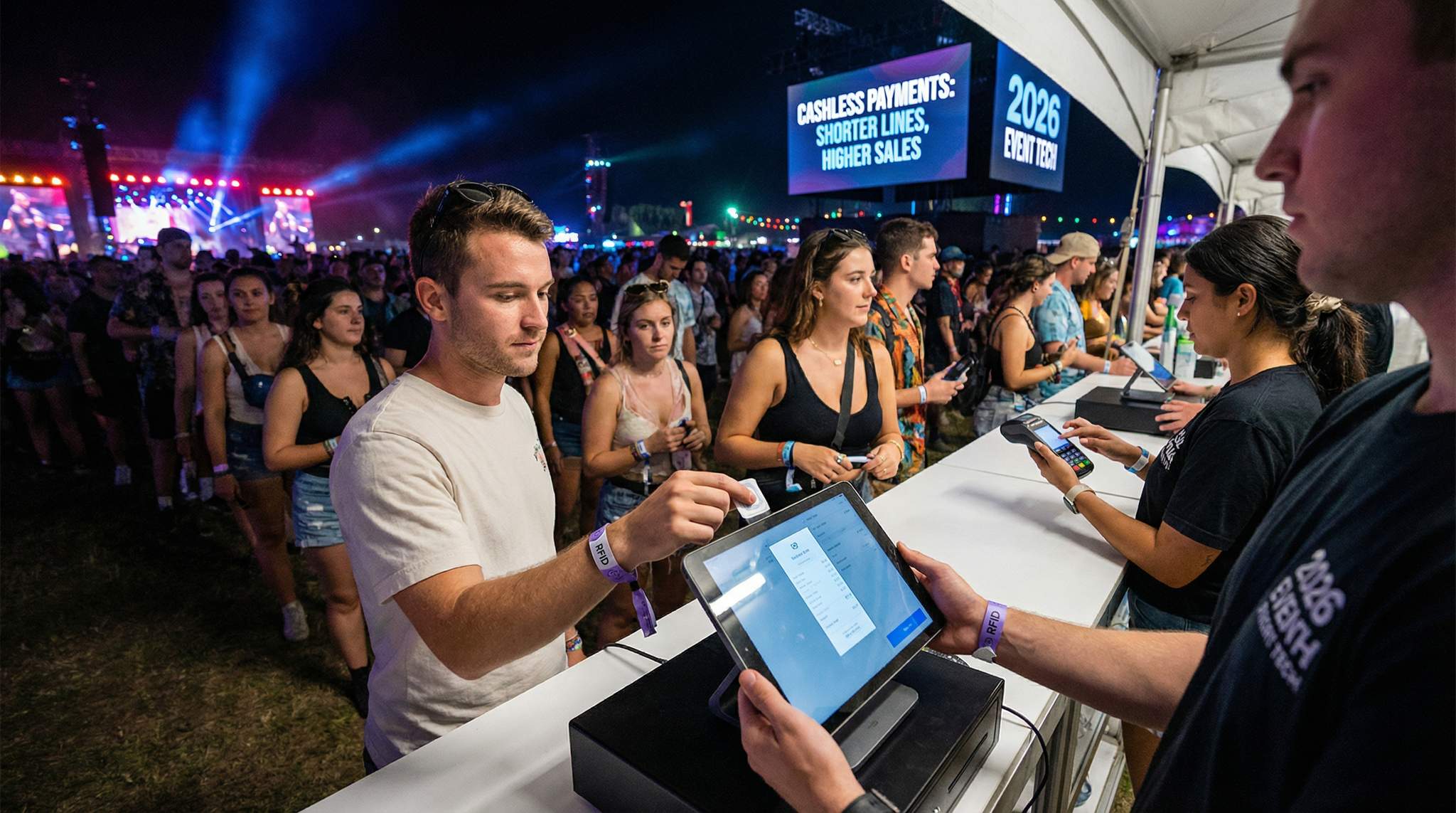
For large festivals, multi-day concerts, and theme park-like event sites, RFID/NFC-based cashless payment systems have become the gold standard. These systems use wearable tech like RFID wristbands or NFC smart cards that attendees simply tap at the point of sale to pay. Behind the scenes, each wristband is linked to the attendee’s account or a stored balance – either pre-loaded online or topped up on-site at a kiosk. A tap-and-go transaction with RFID is completed in milliseconds: the attendee taps their wristband to the vendor’s reader, the device deducts the amount from their balance or charges the linked credit card, and the sale is logged instantly. There’s no need for PIN codes or signatures, and no fumbling with wallets – which can speed up transaction times dramatically. It’s the same concept that’s behind many transit systems and contactless credit cards, but tailored for a closed event environment.
Major festivals worldwide have embraced RFID payments. In Europe and Asia-Pacific especially, it’s common that you can’t use cash at all inside an event – everything runs on the wristband. The benefits are extensive: transactions are extremely fast and require minimal hardware (often just a small reader or a tablet with an NFC reader), theft and loss are reduced (no cash to steal or drop), and organisers get unified, real-time data on every purchase. One massive festival reportedly processed over 10 million RFID tap transactions during a single weekend, demonstrating that these systems can scale to huge volumes. Even mid-sized events see gains; one study of European festivals found moving to cashless RFID increased transaction volume by 119% and boosted total sales 22% year-over-year. The psychology is that attendees pre-load $50 or $100 to their wristband and end up spending it more freely than they would with physical cash, especially since tapping feels frictionless compared to counting bills.
Data-Driven Event Marketing
Track ticket sales, demographics, marketing ROI, and social reach in real time. Exportable reports give you the insights to make smarter decisions.
However, implementing RFID/NFC payments is a more complex project than simply using card readers. You need a reliable RFID platform provider (and there are many: e.g. Intellitix, Evritek, or in-house solutions by some ticketing companies), and you must integrate that system with your ticketing and vendor setup. Typically, each wristband’s chip is activated and associated with a ticket buyer’s profile (either when they register online or at a activation tent on-site). Organisers must set up top-up stations (or a robust mobile app) for attendees to add funds if it’s a closed-loop system. Sufficient top-up points with minimal friction are crucial – otherwise you solve payment queues but create top-up queues! Many events allow auto top-up (when balance gets low, it pulls from a saved card) or post-event settlement (where attendees link a card that is charged for their accumulated taps, eliminating the need to preload large sums). Integration is key: the RFID payment data should flow into your central dashboard, and ideally tie each purchase to an attendee’s account so you know who bought what. According to event tech integration best practices, linking ticket IDs with cashless IDs in the system ensures all data connects – an attendee’s spending can be correlated with their attendance, ticket type, etc., enabling richer analytics.
The challenges include upfront cost (wristbands can cost $1-$2 each, plus infrastructure and vendor fees), the need for flawless network coverage or robust offline mode for the system, and the learning curve for attendees new to the concept. You’ll also want a well-mapped refund process for unused funds to avoid attendee frustration post-event (and comply with consumer protection laws in some countries). When done right, RFID/NFC POS can radically cut transaction times and increase spend per head, but it requires experienced execution. Many veteran festival organisers now have a playbook for this: they thoroughly test the wristbands and readers in advance, run small-scale pilots at one bar before expanding event-wide, and have cash-on-hand backup or offline transaction protocols as safety nets (more on crisis planning later). With those precautions, RFID systems have proven capable of handling crowds of 100,000+ with minimal queueing for purchases, which is a game-changer for attendee experience.
Grow Your Events
Leverage referral marketing, social sharing incentives, and audience insights to sell more tickets.
Embracing Contactless and Digital Wallets
One noteworthy trend in 2026 is the convergence of open-loop payments (standard bank cards & digital wallets) with event tech. Rather than issue a separate payment token (like a festival wristband), some events choose to accept mainstream contactless payments everywhere on-site – letting attendees pay directly with their Visa, Apple Pay, Google Pay, etc. This approach meets people where they are, since most already have contactless cards or a smartphone in hand. It’s common in stadiums and arenas: fans can tap their phone or chip card at concession stands just like at any retail shop. The upside is convenience and familiarity – attendees don’t need to pre-register for an event-specific system. It also simplifies things for events that have a lot of one-time or local attendees who might not want the hassle of an RFID wristband account.
However, implementing RFID/NFC payments is a more complex project than simply using card readers. You need a reliable RFID platform provider (and there are many: e.g. Intellitix, Evritek, or in-house solutions by some ticketing companies), and you must integrate that system with your ticketing and vendor setup. Typically, each wristband’s chip is activated and associated with a ticket buyer’s profile (either when they register online or at a activation tent on-site). Organisers must set up top-up stations (or a robust mobile app) for attendees to add funds if it’s a closed-loop system. Sufficient top-up points with minimal friction are crucial – otherwise you solve payment queues but create top-up queues! Many events allow auto top-up (when balance gets low, it pulls from a saved card) or post-event settlement (where attendees link a card that is charged for their accumulated taps, eliminating the need to preload large sums). Integration is key: the RFID payment data should flow into your central dashboard, and ideally tie each purchase to an attendee’s account so you know who bought what. According to event tech integration best practices, linking ticket IDs with cashless IDs in the system ensures all data connects – an attendee’s spending can be correlated with their attendance, ticket type, etc., enabling richer analytics.
The challenges include upfront cost (wristbands can cost $1-$2 each, plus infrastructure and vendor fees), the need for flawless network coverage or robust offline mode for the system, and the learning curve for attendees new to the concept. You’ll also want a well-mapped refund process for unused funds to avoid attendee frustration post-event (and comply with consumer protection laws in some countries). When done right, RFID/NFC POS can radically cut transaction times and increase spend per head, but it requires experienced execution. Many veteran festival organisers now have a playbook for this: they thoroughly test the wristbands and readers in advance, run small-scale pilots at one bar before expanding event-wide, and have cash-on-hand backup or offline transaction protocols as safety nets (more on crisis planning later). With those precautions, RFID systems have proven capable of handling crowds of 100,000+ with minimal queueing for purchases, which is a game-changer for attendee experience.
Embracing Contactless and Digital Wallets
One noteworthy trend in 2026 is the convergence of open-loop payments (standard bank cards & digital wallets) with event tech. Rather than issue a separate payment token (like a festival wristband), some events choose to accept mainstream contactless payments everywhere on-site – letting attendees pay directly with their Visa, Apple Pay, Google Pay, etc. This approach meets people where they are, since most already have contactless cards or a smartphone in hand. It’s common in stadiums and arenas: fans can tap their phone or chip card at concession stands just like at any retail shop. The upside is convenience and familiarity – attendees don’t need to pre-register for an event-specific system. It also simplifies things for events that have a lot of one-time or local attendees who might not want the hassle of an RFID wristband account.
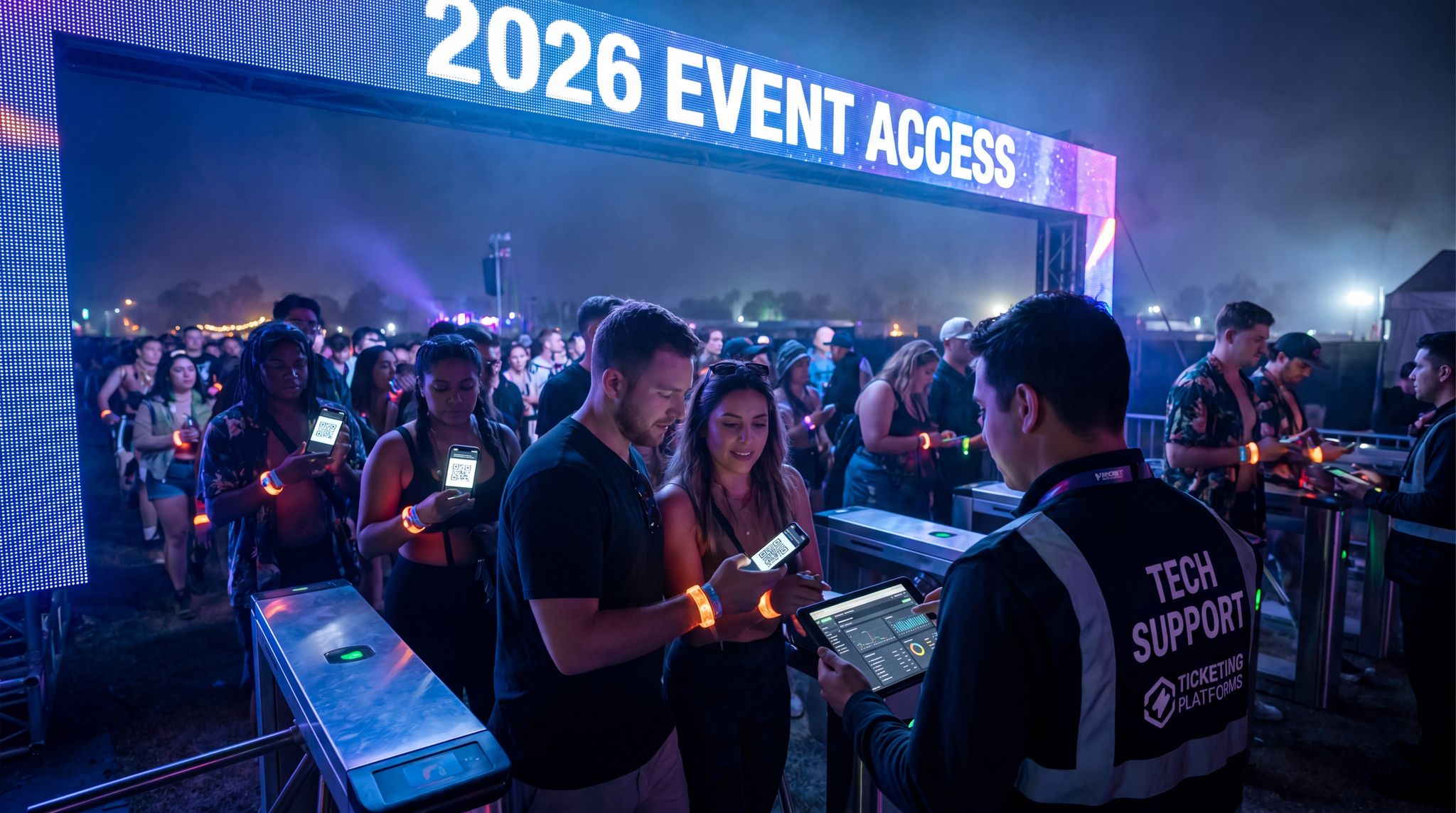
Smooth Entry With Mobile Check-In
Scan tickets and manage entry with our mobile check-in app. Supports photo ID verification, real-time capacity tracking, and multi-gate coordination.
To make this work, organisers equip vendors with contactless-capable terminals (which could be the same mobile readers or POS registers discussed earlier) and ensure the payment processor can handle the volume. Mobile wallet payments are extremely fast – a phone tap with Apple Pay can be faster than swiping an RFID wristband, because the user likely already authenticated via fingerprint/face and there’s no need for pin entry under the floor limit. Additionally, open-loop systems shift fraud liability to the payment processors under PCI rules if proper chip/PIN or contactless protocols are used, which can be a relief for organisers compared to securing a proprietary system.
The challenge with solely using open-loop contactless is that you lose some of the data granularity that closed-loop (event-specific) systems provide. Unless you integrate the payment processor data with your systems, you might not know which attendee bought $50 in merchandise – you just see a credit card number. Some advanced setups overcome this by, say, tying a ticket barcode to a purchase (e.g. scanning the attendee’s wristband or badge as a loyalty ID, even if payment is by card), but that’s an extra step. Privacy laws like GDPR also mean you have to be careful about how you unify such data. Another consideration is internet dependency – processing a regular bank card transaction needs a live connection to the bank/processor (unless you use offline mode for small amounts knowing the risk). This is why many events with open-loop still incorporate some offline-capable payment strategies behind the scenes, such as local transaction caching if the network drops. In practice, embracing contactless payments works best at established venues with robust connectivity (e.g. convention centers, stadiums with enterprise Wi-Fi, city centers with good 5G coverage). It might be less reliable at a remote field unless significant network infrastructure is brought in.
Finally, in some regions, QR code-based payments are popular – for example, WeChat Pay or Alipay at events catering to Chinese audiences, or PayTM in India. These typically involve the attendee scanning a vendor’s QR code (or vice versa) to pay from their mobile wallet app. It’s a bit slower per transaction than NFC tap (due to scanning and app interaction) but is a useful option in markets where QR payments dominate. Many POS systems in 2026 integrate QR payment acceptance to cater to all audiences. The key is to offer the fastest methods as the primary option (tap or scan) and have QR or other methods available to avoid excluding anyone. By supporting multiple contactless methods, you ensure every attendee can pay quickly using their preferred technology.
POS Technology Options: Comparison Table
To summarise the POS system choices, here’s a comparison of common solutions and where they fit best:
| POS Solution | Advantages & Features | Challenges / Considerations | Best Suited For |
|---|---|---|---|
| Mobile Card Readers (phone or tablet + reader) | Low cost, easy setup Highly portable – take payments anywhere Supports contactless and chip payments via app Basic sales analytics in app |
Reliant on internet (vulnerable to outages) Limited integration across independent vendors Not as rugged for heavy use or extreme weather |
Small events, pop-up stalls, individual vendors; events where each vendor handles their own sales |
| Dedicated POS Terminals (registers or rugged tablets) | Fast transaction processing (designed for high volume) Durable hardware for outdoor/long hours Advanced features: printers, barcode scanners, multiple payment options Can integrate with inventory and event systems |
Higher cost to rent or buy Setup and configuration time (needs IT support) Staff training required on more complex system Dependent on power and network (though often with offline mode) |
Large single-vendor operations (arena concessions, busy festival bars), events aiming for enterprise-level reporting and control |
| RFID/NFC Cashless System (wristbands or event smart card) | Ultra-fast tap-and-go transactions (milliseconds) Unified data – every transaction linked to attendee account Boosts spending (preloaded $$ feels easier to spend) Improves security (no cash handling) |
Significant upfront setup (RFID tags, readers, platform) Requires thorough testing & integration (ticketing link, top-up workflow) Needs extensive network coverage or strong offline solution Attendee learning curve & refund process to manage |
Multi-day festivals, high-capacity events (10k+ attendees) where controlling flow and data is critical; brand activations with tech-friendly crowd |
| Open-Loop Contactless (accept regular bank cards & mobile wallets) | Leverages existing user wallets (no new account needed) Fast for attendees – just tap card/phone Reduces cash handling to near zero Often lower barrier to adoption than proprietary systems |
No attendee identification by default (unless paired with loyalty program) Transaction fees per card payment (factor into pricing/margins) Needs constant internet connection or backup plan Less control over payment process (following bank protocols) |
Fixed venues (stadiums, arenas, convention centers) with good connectivity; events with many one-time local attendees or those not ready for full RFID system |
| QR Code Payments (e.g. PayPal, WeChat) | Inclusive of international payment methods No special hardware for attendee – uses their phone Can be a backup option if other methods fail Useful for order-ahead scenarios (scan at table, etc.) |
Slower than NFC taps (requires phone camera/app action) Not universally adopted outside certain regions/audiences Still requires network access for confirmation Potential language barrier or app barrier for some users |
Specific markets/events with prevalent QR usage (e.g. Asia markets, tech conferences); as a complementary method at booths for those who prefer it |
As an organizer, you might deploy a mix of these solutions. For instance, a large festival could use RFID wristbands for attendee spending on food & beverage, while also equipping merchandise tents with standard contactless terminals (to accept credit cards from casual attendees or vendors who aren’t integrated into the RFID system). The key is interoperability and planning – whatever combination you choose, ensure they’re well-integrated and that you’ve planned how data and money will flow between systems. In 2026, many events aim for seamless technology ecosystems where ticketing, POS, and apps are connected. This avoids siloed data and empowers you to monitor everything in real time.
Integrating POS with Ticketing and Data Systems
A point-of-sale system doesn’t live in a vacuum – its true power is unlocked when it connects with your broader event tech stack. Integration means that sales data from vendor transactions flows into your master dashboards, and potentially links back to attendee profiles or inventory systems. This unified approach allows organisers to get instant insights (like which stand is doing the most business, or what item is sold out) and also enriches your understanding of attendee behavior. In 2026, real-time data is king, and a POS system that’s isolated (or, worse, using pen-and-paper tallies) is a lost opportunity. Let’s explore how to bring POS into your connected ecosystem, ensuring that all systems “talk” to each other for maximum efficiency and insight.
Accept Payments Across 13 Countries
Local currency processing via Stripe, Razorpay, Xendit, Paystack, and OXXO across 13 countries with region-specific payment methods.
When deploying comprehensive festival and event POS solutions, the true value lies in breaking down data silos between independent operators. A modern festival POS system doesn’t just process payments; it acts as a centralized financial hub. By standardizing the payment infrastructure across all food trucks, merchandise tents, and VIP bars, organizers gain a macro-level view of site-wide cash flow. This level of integration ensures that every transaction—whether a quick tap for a beer or a high-value VIP upgrade—feeds directly into the master event database, enabling real-time operational adjustments.
Streamlining Revenue Collection and Data Management
Successful POS systems deployment at music events requires a strategic approach to both revenue collection and data management technologies. Rather than treating sales as isolated transactions, modern festival point of sale infrastructure captures granular purchasing habits, inventory depletion rates, and peak buying times. By centralizing this data management, promoters can automate end-of-night vendor settlements, ensure accurate revenue splits, and build highly targeted marketing lists for future concert tours or annual festivals.
Furthermore, advanced POS systems deployment at music events directly impacts back-office efficiency. By integrating revenue collection and data management technologies, finance teams can automate the reconciliation process across dozens of independent food trucks and merchandise stalls. This eliminates the manual tallying of end-of-night receipts, reducing errors and ensuring that every stakeholder—from the venue operator to the touring artist—receives their accurate payout without delay.
Ultimately, mastering POS systems deployment at music events, revenue collection, and data management technologies is what separates highly profitable operations from logistical nightmares. When these interconnected systems function seamlessly, promoters transition from simply processing payments to actively leveraging real-time financial data, allowing them to dynamically adjust staffing, restock high-demand inventory, and maximize per-head spending across the entire festival footprint.
Unified Real-Time Sales Dashboards
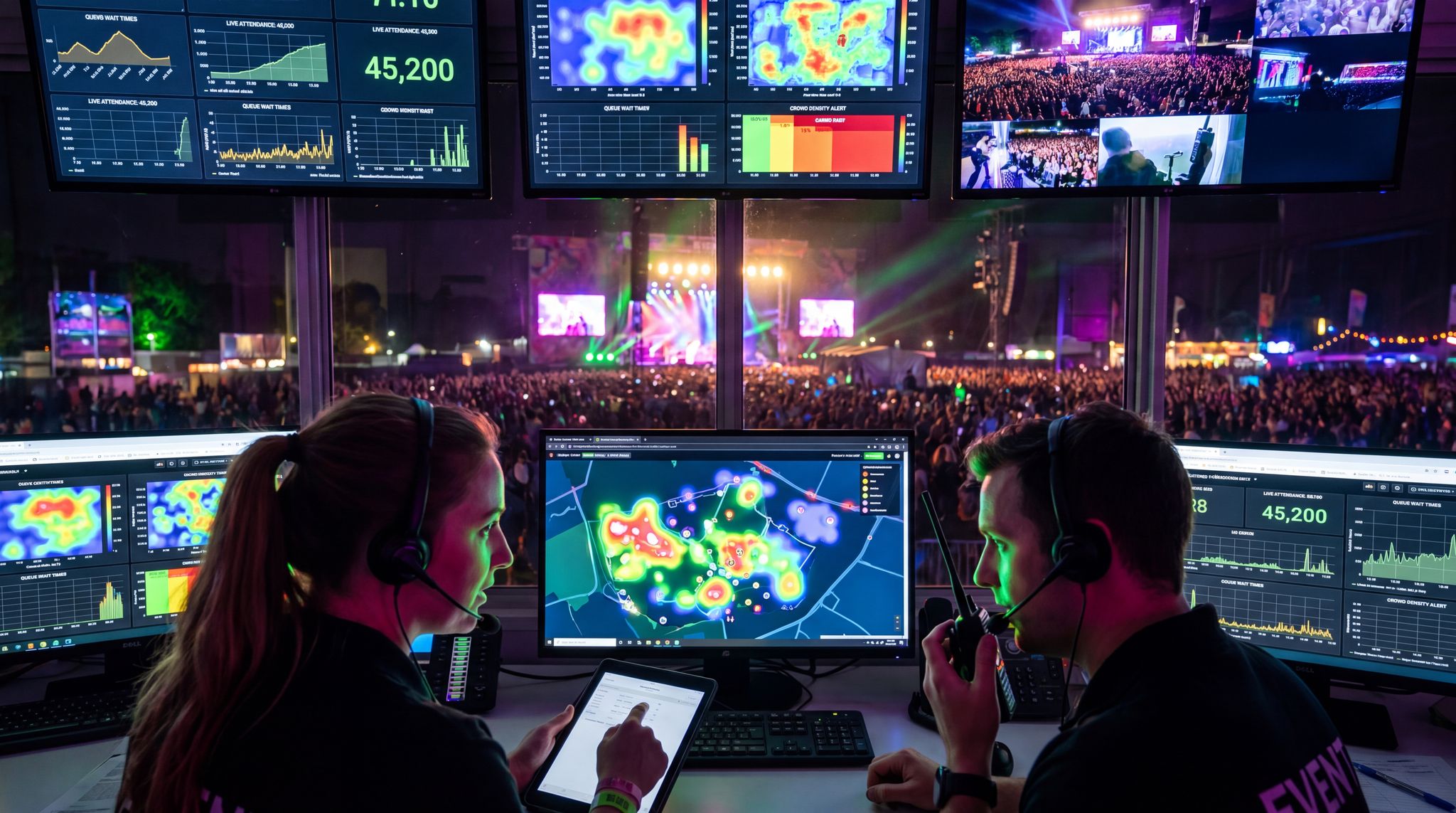
Imagine being able to glance at a single dashboard during your event and see live sales figures from every bar, food truck, and merch booth on-site. This is entirely possible with modern integrated POS solutions. By connecting each vendor’s POS to a central system (often the same platform or via API integration), organisers can monitor revenue and even transaction speeds in real time. For example, if your cashless payment system is part of your ticketing platform or tied via an integration, every tap or swipe updates a cloud database instantly. Operations managers in the control room can see that “Bar A has sold 500 beers in the last hour” and compare it to other bars. If Bar A is far outpacing others, it might signal to deploy more staff or redirect some crowd to shorter lines elsewhere. Real-world example: Tomorrowland, one of the world’s largest festivals, links its RFID wristband transactions into a command center – organisers could literally watch spending patterns live and noticed, say, which bar was busiest at 9pm on Friday. This kind of visibility lets you respond proactively. If merchandise sales are spiking after a certain performance, you can send more staff to the merch tent before it becomes a bottleneck.
From a revenue optimization standpoint, a unified dashboard helps identify missed opportunities. Is one vendor’s terminal down (zero sales when there should be some)? Is an entire zone of the venue underperforming because crowds haven’t found it? With data in hand, you can send a tech to fix a terminal or push a notification in the app like “No line at West Side Bar!”. According to veteran implementation specialists, having an integrated view of check-in, capacity, and sales allows truly data-driven decision-making on event day. Many all-in-one event management platforms offer live analytics modules for this reason. If yours doesn’t, consider using middleware or a custom solution to consolidate data streams. The investment in integration pays off in higher sales and fewer headaches – you’re no longer flying blind once gates open.
Boost Revenue With Smart Upsells
Sell merchandise, VIP upgrades, parking passes, and add-ons during checkout and via post-purchase emails. Increase average order value by up to 220%.
Linking Purchases to Attendee Profiles
One powerful benefit of integrating POS with ticketing/CRM is the ability to link on-site purchases to individual attendees (while respecting privacy and security). Knowing who is buying can unlock personalized experiences and post-event marketing opportunities. For instance, if Jane Doe bought VIP tickets and we see she also spent $200 on cocktails via her wristband, that indicates a high-value customer. You might reward her with a loyalty perk or target similar profiles with special offers for future events. To do this, each transaction needs an identifier that ties it to an attendee record. RFID systems excel at this, as each wristband is registered to a person’s account. Even without RFID, you can encourage linking by using VIP membership cards, QR codes on badges, or asking attendees to scan their ticket QR at point of purchase to collect loyalty points.
Be mindful of data protection: if you implement such linking, you must handle personal data in compliance with GDPR and other laws. Always be transparent and secure. But assuming it’s done properly, the insights are gold. For example: an event could determine the top 10% of spenders on-site contributed 3x the average revenue. Knowing who those people are (and what they bought) helps in tailoring VIP experiences or early access to future event sales. Some events have even created recommendation engines: if attendee John consistently buys craft beer at every festival day, the mobile app could suggest a coupon or alert for a new craft beer vendor on site – a form of hyper-personalisation using purchase data. The first step to all this is integrating POS data with your CRM or ticketing system. Many modern systems have open APIs to facilitate this; if not, consider exporting and reconciling data after the event for analysis. The sooner you can connect those dots, the quicker you can act on the insights (even in real time during multi-day events).
On the vendor side, linking transactions to profiles can also help smooth out customer service issues. If someone disputes a charge (“I think I was overcharged for that T-shirt”) and you have their profile purchases, you can quickly look it up and resolve the issue – building trust. It also deters fraud and misuse; lost wristband with someone else trying to use it can be shut off once reported, and the transactions tracked. All of these benefits hinge on an integrated approach, breaking down silos between your ticketing, POS, and data systems. As noted in the Event Tech Implementation Playbook, planning these integrations early (and testing them) is vital – you don’t want to be scrambling mid-event to connect data feeds.
Post-Event Analysis and Revenue Optimization
After the event’s done and the dust has settled, the work with your POS data is far from over. Post-event analysis of sales data can yield incredibly actionable insights for future improvements. By integrating all sales data into one system (even if you have to collate it after the fact), you can answer questions like: Which vendors or products were most popular? What times saw the highest spending peaks? Did certain ticket tiers (VIP vs GA) correspond to higher spending on-site? For example, you might find VIP guests spent 2x more on average at the merch store than GA guests – perhaps because VIPs had more disposable income or free time in VIP lounges to shop. Such insights could influence how you allocate vendors or what inventory to stock in a future VIP area.
Data-driven organisers also calculate metrics like spend per attendee, or revenue per transaction, and compare them to past events or industry benchmarks. If your average attendee spend was $40 and similar events report $50+, there’s room to improve – maybe by offering more variety of vendors, or promoting add-on experiences. If one food stall had markedly lower sales, was it in a bad location or suffering from slow service? These questions can often be answered by looking at integrated data alongside operational notes (e.g. “Vendor X had iPad issues on day 1, resolved day 2” might explain a sales jump on day 2). Modern cashless platforms often provide rich post-event reports breaking down revenue by hour, by zone, by item category. If your systems were integrated properly, these reports practically write themselves – saving countless hours of manually merging spreadsheets from each vendor.
Finally, consider sharing appropriate data back with stakeholders. Vendors will want to know their sales totals; if you used a unified system, you can provide them accurate reports quickly, building goodwill. Sponsors might be interested in foot traffic or engagement if certain purchases tied to their activations (“500 branded cocktails sold”). And your finance team will appreciate that the total revenue from on-site sales is recorded accurately and transparently through a single system, making settlement easier. All of this ties back to one principle: connected systems outperform isolated ones. By thinking about integration from the start – choosing POS tech that can plug into your event management software platform or at least export data in standard formats – you set yourself up to harvest a wealth of information that drives smarter decisions and higher sales in the long run.
Free Tool: Project Your Bar Revenue
Per-head spend benchmarks by event type turned into projected bar and food revenue, with a stock-mix estimate and gross-margin line. Free calculator.
Ensuring Reliable Connectivity and Offline Capabilities
All the fancy POS tech in the world won’t help if it can’t connect when you need it. Network reliability is the Achilles’ heel of modern event payments – as countless organisers have learned the hard way. In this section, we focus on how to bulletproof your connectivity and prepare offline backups so that sales don’t grind to a halt if the Wi-Fi hiccups. In 2026, there’s simply no excuse for a total POS outage due to connectivity; the technology and planning strategies exist to keep transactions flowing under almost any circumstance. Successful cashless events are crisis-proofed with backup plans and fail-safes to maintain operations when connectivity is challenged at massive events.
Building a Bulletproof Event Network
The foundation of reliable POS is a robust network infrastructure. Large events now commonly bring in dedicated event Wi-Fi and networking gear rather than relying on whatever the venue has. This can include portable cell towers (COWs – “Cell on Wheels”), high-density Wi-Fi access points across the site, wired connections to critical areas (like the main cashier offices or server rooms), and redundant internet backhaul (multiple ISPs, satellite links, etc.). The goal is to provide strong, stable connectivity for every POS terminal and reader – ideally on a private, secure VLAN separate from public attendee Wi-Fi. Many events set up an entirely separate “vendor network” SSID only for payment devices, often with traffic prioritisation so that a guest streaming video doesn’t choke out the credit card machine bandwidth.
When planning, work closely with network engineers who have event experience. They’ll estimate capacity needs (each payment transaction is small data, but you might have thousands per minute at peak). Ensure coverage in all vendor locations – do a radio frequency survey if possible, to avoid dead spots in the marketplace area, for instance. Additionally, pay attention to interference: a festival field can be packed with phones, radios, and other gear that can interfere with signals. We’ve seen cases where crew communications systems knocked out portions of the Wi-Fi because of overlapping frequencies. Proper configuration and using the right equipment (e.g. gear that can handle many simultaneous connections) matters. As one guide on event Wi-Fi notes, you must design for high density and have contingency for when crowds overload one area. Placing antennas higher, using directional antennas for targeted coverage, and having on-site network monitoring all help keep the network solid.
Don’t forget about power reliability for your network gear: routers, switches, and access points should be on UPS (battery backup) units or generators, especially in outdoor events. It’s all part of keeping the tech running. Some large festivals now treat internet as a critical utility akin to electricity – budgeting for it and testing it thoroughly. Temporary event infrastructure planning guides often emphasize establishing reliable power and communications early in the build. For instance, run generators or mains power to vendor zones in a way that can support all the POS devices and network hardware without overloading. A vendor’s card reader is useless if their booth’s power strip went down. So, audit every point: is there stable power and signal here? This up-front diligence will spare you heartache later.
Offline Mode and Payment Fallbacks
Despite all best efforts with networking, any event must plan for moments when connectivity drops – even if just for a few minutes. This is where offline-capable POS systems and fallback processes make the difference between a brief hiccup and a catastrophic shutdown of sales. Most modern POS software have some offline functionality: for example, storing transactions locally when the network is unavailable, then automatically uploading them when the connection restores. Ensure that any system you choose has this feature and test it. Know how long it can function offline (some limit the number of transactions or the time window for offline storage). Also, set reasonable limits for offline transactions if using credit cards – e.g. maybe allow offline approvals up to $50 per transaction to limit risk, as those can’t be truly authorized until later. Attendees should ideally not even notice if the network blinks – the sale should still go through on their end.
For closed-loop systems like RFID, some organisers implement a hybrid offline mode by storing balances on the wristband in addition to the cloud. The terminal checks the wristband’s stored balance when offline and deducts from it (while also logging the transaction to sync later). This way, even if the central server is unreachable, attendees can continue to spend up to the amount they had loaded. It’s a bit more complex to set up but is a lifesaver in poor connectivity. One caution: you need to tightly manage reconciliation later to avoid any discrepancies when syncing offline transactions.
Backup connectivity is another part of offline strategy. Equip key POS stations with a backup 4G/5G hotspot or even a failover to a secondary Wi-Fi network (maybe a lower-bandwidth but longer-range signal) if the main one fails. Some events hand out a few cellular-enabled payment terminals to supervisors – if Wi-Fi goes down, those devices can swoop in to process cards via the cell network. Additionally, maintain a small cash float or manual imprint slips as an absolute last resort. While we aim for cashless, in an emergency a vendor being able to accept cash for 20 minutes while you fix the Wi-Fi is better than them accepting nothing. Make sure staff are trained on these scenarios: e.g., “If the card readers all fail, pause for 1 minute, check if the device is in offline mode (don’t reboot immediately), and alert the POS support team via radio. If it’s a longer outage, here’s the procedure to switch to the backup device or take cash.” Having a clear protocol avoids panic.
Consider scheduling network usage wisely as well. For instance, avoid any non-essential heavy data transfers during the event. If you need to pull a big sales report, maybe wait until a low-traffic moment or after hours, so you’re not competing with live transactions. Similarly, instruct vendors not to stream videos or do things on the vendor Wi-Fi that might clog it. Some sophisticated setups even use edge computing – local servers on-site that handle transaction processing locally (so terminals talk to a local server via a LAN, which is very fast and not internet-dependent; that server then syncs with the cloud when it can). This can make the whole payment network more resilient to an internet outage. It’s how some huge festivals ensure that even if the connection to the outside world is lost, the internal network still processes payments and no one at the event is the wiser. For more details, consult guides to offline POS capabilities.
Crisis Drills and Redundant Systems
You hope to never need your backups, but you must prepare as if you will. Crisis-proofing your event tech means running drills or at least walk-throughs of failure scenarios. For example, some events do a simulation during rehearsal: “What if the main network drops now?” and have the tech team actually flip to backup connectivity to ensure it works. Or, “What if one of the POS servers freezes?” and see how quickly the team can swap in a spare. Redundant hardware is important – keep a few extra card readers, tablets, printers, and even routers on-site as spares. When a device goes down, the solution should be to swap it out in seconds and troubleshoot after the line is back in motion. Many experienced festival producers carry hot spares for critical gear: a box with a pre-configured spare POS terminal that can be deployed to any booth, or extra pre-encoded RFID wristbands in case a batch malfunctions.
Training the vendor staff and your support crew is equally critical. Make sure every vendor manager knows the emergency phone number or radio channel for tech support and the steps to take if their POS stops working. Often, just power cycling a device or moving 10 feet to get back in Wi-Fi range fixes a lot – basic triage can be taught so they’re not helpless. For larger events, consider having a roaming “POS SWAT team” – tech folks with tablets or diagnostic tools actively walking vendor areas during the event, ready to spring into action if they see or hear of a problem. This proactive stance can catch issues early (like a router overheating, or an operator error) before they cascade into large outages.
One more angle: talk to your payment processor about transaction throttling and capacity. Sometimes outages aren’t the Wi-Fi at all, but the payment gateway being overwhelmed by too many transactions per second (a good problem, indicating high sales!). Ensure your processor knows event peaks and has scaling in place. Some organisers stagger transaction times by slightly delaying non-urgent queries (like balance checks for analytics) during peak minutes to give priority to actual sales. This kind of fine-tuning comes with experience and maybe consultation with the tech provider. The bottom line is redundancy: multiple internet pathways, spare devices, failover procedures, and staff who know how to enact them. By crisis-proofing your payment tech with backup plans, you can confidently promise vendors that “the show will go on” even if technology throws a curveball. And that confidence will translate to more sales – because an unexpected outage that stops trading can cost tens of thousands of dollars at a big event (and untold reputational damage). With proper preparation, those scenarios can be largely avoided or minimized to a blip.
Optimizing On-Site Payment Operations
Technology is only as effective as the processes and people around it. To truly cut queues and boost sales, operational best practices must complement your shiny new POS hardware. This means thinking through everything from how booths are laid out, to how staff are trained, to little details like having pens available for receipts (if using). In our decades of combined experience, we’ve seen events where the tech itself was fast, but operations still lagged – for example, a slow menu selection process can negate the time saved by contactless payment. In this section, we’ll explore practical tips and hard-earned wisdom on streamlining vendor transactions beyond the technology itself. Consider this the human and logistical side of POS optimization.
Efficient Booth Layout and Setup
The physical setup of vendor booths or bars can dramatically impact transaction speed. A well-designed booth keeps the line moving in one direction, has dedicated order and pickup areas if possible, and minimises any back-and-forth for staff. For instance, at some festivals, beverage tents use a “round-robin” system: one cashier solely handles taking orders and payments, while runners or additional staff fulfil the orders. This means the cashier isn’t pausing the line to pour drinks – they’re taking the next order while the previous one is being filled. Such division of labour is easier to manage if you have enough staff, but even in smaller operations, think about reducing any idle time. If a single person is both pouring and taking payment, they might finish pouring and then wait for the slow chip reader; instead, with contactless or RFID, they can take payment in a flash while handing over the item.
Standardising the point-of-sale interface across all booths is another often-overlooked trick. If every vendor uses a different app or layout, supporting them becomes harder and staff can’t be shuffled easily. Many festivals now require vendors to use the event-provided POS devices (or at least the event’s menu structure) specifically so that any staff can step in anywhere. This also makes training easier (one training session covers all vendors). Additionally, ensure that menu options on the POS are simplified and standardised. Seasoned event producers limit the number of menu items each vendor offers, and make sure item names and categories are consistent. This way, cashiers aren’t scrolling a long list or hunting for the right button – everything is streamlined for quick taps. A BBQ stall that trimmed its menu from 12 items to 5 best-sellers saw immediate drops in service time per customer because the cashier doesn’t have to scroll, avoiding situations where staff fumbled through a lengthy menu or had to answer endless questions on variety.
Physical ergonomics matter too. Keep the payment device reachable to attendees (so they can tap their card or wristband without the cashier having to take it in hand – saving a few seconds and also being more hygienic). Set up clear signage with prices so customers are ready with their order and payment method – reducing those “um, let me decide…” delays at the front of the queue. Some events display a big “Cashless Payment Only – Have Your Wristband or Card Ready” at vendor lines, effectively prepping people. Also, consider line delineation: use barriers or floor markers to prevent crowding at the counter. A single-file line that feeds to multiple cashiers (like how banks or airports do) can utilise each register more fully than separate lines where one might move slower. These operational tweaks, combined with fast tech, ensure that nothing is bottlenecking your throughput.
Staff Training and Vendor Coordination
Even the fastest POS system falters if the operator is confused or hesitant. Investing time in training vendor staff on the payment technology and procedures yields huge payoffs in speed. Before the event (or during vendor load-in), host a training session to demonstrate how the devices work, how to troubleshoot basic issues, and how to do things like issuing refunds or voids quickly if needed. Give them tips like “the contactless reader works best if you tap the card flat on the surface” (some people waffle a card around and it takes longer to read). Provide quick reference guides or cheat sheets at each station – e.g. a one-pager taped near the register with step-by-step for common actions and emergency phone numbers for support.
It’s also important to coordinate with vendors on their preparation. Encourage them to have adequate staffing for peak times so one person isn’t overwhelmed handling both cooking and payment. Discuss menu simplification as mentioned, and set expectations: for example, if your event is 100% cashless, make sure every vendor knows this and has no hidden cash jar or personal Venmo workaround (it sounds silly, but we’ve seen well-meaning vendors try alternatives that then cause confusion or slowdowns). If the event offers a unified cashless system, ensure vendors understand how settlement works, so they’re not anxiously checking the device or doing manual logs. The smoother they feel about the system, the more confidently they’ll serve customers.
One pro tip: simulate real transactions during training. Set up a test event in the POS system and have staff go through faux sales with each other or a test card/wristband. This builds muscle memory. Also train them on fallback steps – e.g. “if the device shows ‘offline mode’, continue transactions normally and inform your supervisor after the rush.” You want them to keep calm and carry on, not stop everything and panic if the Wi-Fi blinks. Many experienced event technologists recommend a brief all-hands meeting each event day with vendor leads: share any updates (like “we noticed some devices had an error last night, it’s fixed now” or “reminder, the top-up station is by the info booth for guest questions”). This coordination ensures everyone is on the same page.
Finally, incentivise speedy service if you can. Some events track throughput and offer small rewards to the fastest vendor team or those who get consistently good feedback on service. While you don’t want to encourage rushing that compromises safety or courtesy, a bit of friendly competition or recognition can motivate staff to hustle during crunch time. For example, an organiser might announce: “Shout out to the North Zone bar team for keeping wait times under 2 minutes last night – awesome job!” This not only gives credit but nudges others to emulate their efficient practices.
Hardware Prep and Environmental Factors
Event environments can be harsh on tech: extreme heat, cold, dust, rain, and long operating hours can all impact performance. To avoid hardware-related slowdowns, take steps to ruggedise and prepare your POS equipment. Simple example: if your festival is outdoors in summer, provide shade or umbrellas for POS terminals and their operators. Direct sun can overheat devices (some iPads will literally shut down if they get too hot), and glare can make screens hard to read, slowing down transactions. Many outdoor events provide each booth with a small canopy or at least instruct vendors to shade their tech. Similarly, at night, ensure there’s ample task lighting at each cashier station – fumbling in the dark to tap the right buttons can double transaction time. A clip-on LED light on the POS or a well-placed lantern can make a world of difference in speed and accuracy, using a light at each booth to illuminate the workspace.
Dust and moisture are enemies of electronics. If you anticipate dust (say, on a fairground or in a desert), consider enclosing devices in protective cases or covers when not in use, and periodically cleaning them. In rain, obviously you need covered booths; but also think about waterproof POS devices or cases. There are ruggedized tablets purpose-built for these conditions if you’re investing long-term. If using consumer tablets, at least have plastic covers or spares in case one gets too wet. Always have spare devices ready – a golden rule is at least 10% of your POS units in reserve. For a festival with 100 devices deployed, have 10 configured spares in a tech tent, charged and ready to swap in. If one fails, a runner can bring a new one immediately and swap it without trying to fix on the spot. The faulty one can then be troubleshooted in the back without pressure.
Batteries are another consideration for mobile POS. Ensure every device that runs on battery has charging available. For mobile readers that connect to phones, have backup battery packs for vendors or a charging station nearby. A dead device in the middle of a rush is a preventable problem. It’s wise to schedule battery swaps/charging breaks for devices that can’t stay powered 12+ hours. For example, rotate two sets of iPads: one charges while one is in use, swapping at dinner time. Also, keep an eye on printer paper if using receipt printers – running out of paper while a line builds up is unfortunate (some customers might not need receipts, but for those that do or for record-keeping, you want them on hand). Train staff to quickly change printer rolls and have extras within arm’s reach.
Lastly, think about footprint and cabling. If a vendor has wires snaking everywhere, someone might accidentally unplug the terminal. Tape down or secure cables, use cable covers for any across walkways, and try to keep the POS area tidy. A clean setup not only prevents accidents but also helps staff operate faster (they’re not tripping over a power cord or searching for the dropped stylus for the tablet). One venue we recall improved their concession checkout speed simply by reorganizing the counter: moving the POS closer to the customer side and the product pickup a step aside, which reduced the cashier’s movement. These little optimisations can collectively shave seconds off each transaction, which, at scale, means hours of saved time and lots more sales.
Tailoring POS Strategy to Event Type and Scale
Events come in all shapes and sizes, and a tech strategy that works for one may not fit another. A 500-person indoor conference, a 50,000-person music festival, a stadium concert, and a trade expo each have distinct requirements and constraints for POS systems. In this section, we’ll discuss how to adjust your approach based on event type and scale, ensuring you deploy the right solution for your context. The guiding principle is to scale appropriately – neither under-powering nor over-engineering your payment setup. We’ll also look at international considerations and examples from different event genres.
Small Events and Conferences
At smaller scales (say a conference of a few hundred attendees or a local community event), budget and simplicity often rule. You likely have just a handful of sales points (maybe a merchandise desk, a concessions stand, etc.). In these cases, mobile card readers or basic POS apps can usually do the job effectively. There’s no need to bring in an expensive RFID system if only two vendors are selling. Instead, focus on reliability and ease of use: ensure the venue has solid internet or arrange a hotspot, and perhaps have one spare reader in case one fails. Often, small indoor events can even piggyback on the venue’s existing infrastructure – for example, a conference center might already have a POS system for its catering, which you can integrate with or at least use the same network.
One thing to watch at conferences is the potential for peak rushes during coffee breaks or lunch breaks. Even with a small crowd, if everyone hits the same cafe in a 15-minute window, you need enough terminals (or quick enough service) to handle that burst. Solutions include setting up multiple smaller service points (e.g. coffee carts in different corners) to distribute the load, or encouraging pre-orders through the event app if available. Because smaller events have tighter budgets, the ROI of any fancy tech must be clear. The good news is, many app-based POS systems have no monthly fee – they just take a cut per transaction – so you can deploy them cheaply. Scaling event technology from small gatherings to mega-festivals is about right-sizing; for a small gathering, lean and effective tech stacks are better than overkill. Most importantly, get feedback from your small event attendees: did they find it easy to pay? Any delays? Small events give you a controlled environment to fine-tune the basics of POS operations, considering your tech stack approach and development needs, which can inform how you tackle bigger events down the line.
When evaluating a POS system for small events—such as local fundraisers, community fairs, or school functions—organizers should prioritize platforms with transparent, pay-as-you-go pricing. The best POS systems for school events and volunteer-run gatherings eliminate monthly software subscriptions, relying instead on simple flat-rate transaction fees. By deploying these low-cost, user-friendly event POS systems, PTA leaders and community organizers can easily track donations, merchandise sales, and food tickets without needing dedicated IT support.
Large Festivals and Outdoor Events
Large-scale festivals (thousands to tens of thousands of attendees) are where POS strategy becomes a major project in itself. Here you are likely dealing with dozens or hundreds of vendors, multiple bars, and high throughput needs – an ideal scenario for cashless RFID/NFC systems or at least a tightly integrated network of POS terminals. Most mega-festivals in 2026 have embraced a single unified cashless system (be it RFID wristbands or a proprietary festival payment card) to handle all on-site purchases. The reason: it gives the best control over transaction speed and data. If going this route, allocate plenty of time for planning and vendor onboarding. Often you’ll need to equip each vendor with hardware (whether that’s a tablet or a specialized reader) and coordinate how they will get paid out (e.g. the system tracks each vendor’s sales if they’re independent, then the organiser settles up post-event minus any revenue share, etc.). Tomorrowland’s success with these systems – handling millions of transactions without major queues – showcases what the cashless payment platform can achieve when you fully commit to cashless at scale. For example, one match at L642 processed over 10 million transactions in a single weekend.
Outdoor events also mean dealing with the elements and temporary venue setups. As covered earlier, invest in robust networking (often events will bring in a technical partner to handle site-wide connectivity – it’s that critical). You’ll also want on-site support crews. It’s common for large festivals to have a “POS helpdesk” radio channel dedicated to vendors calling in tech issues, and a team to dispatch. Essentially, for a huge festival, you run the POS operation like an IT department, with monitoring and rapid response. Another consideration is peak times management. Festivals see spikes during set breaks or right after headliner sets when everyone runs for the bars. To prepare, ensure enough points of sale are open – maybe even portable sellers moving through the crowd with wireless POS for quick sales of simple items (like bottled water or beer from a hawker with a card reader). Some events program price incentives to encourage off-peak purchases (e.g. “10% off merch before 2pm” to spread the load), which can indirectly shorten peak lines.
Logistics of cashless at festivals also extend to attendee education. Make sure people know before they arrive that it’s cashless (to preload money or bring cards), and have plenty of signage on-site explaining how to top-up or where to get help. A poorly communicated system can cause its own queues at customer service. Many international festivals print instructions in multiple languages, anticipating global attendees. Lessons from international festivals show that clear communications and on-boarding are key when introducing advanced payment tech. For instance, a festival in Japan found that providing an online tutorial and quick-start guide for its new RFID wristbands significantly cut down confusion on Day 1, versus a previous year where many didn’t understand the top-up process and caused delays at booths.
Ultimately, deploying a comprehensive festival POS system transforms how a large-scale event operates. By standardizing the festival point of sale across all vendors—from main stage beer tents to VIP lounges—promoters gain unprecedented control over cash flow and inventory. This unified approach not only accelerates service but also provides the granular data needed to optimize vendor placement and staffing for future editions.
When architecting a dedicated festival POS system, promoters must account for the unique environmental and operational stresses of outdoor live events. Unlike traditional retail setups, a true festival point of sale must seamlessly manage offline transaction buffering during cellular network dips, support complex multi-vendor revenue splits, and withstand extreme weather conditions. By deploying specialized concert POS hardware—such as sunlight-readable screens and ruggedized mobile terminals—organizers ensure that high-volume beverage tents and roaming merchandise hawkers can maintain peak transaction speeds from gates open to the final encore.
Sourcing the right festival and event POS infrastructure requires looking beyond basic payment processing. The most effective festival & event POS solutions are purpose-built for the unpredictable nature of live productions. When deploying POS for festivals and outdoor events, technical directors must prioritize hardware that offers extended battery life for roaming hawkers, weather-resistant casings for open-air bars, and localized mesh networking to keep terminals communicating even when the main cellular backhaul experiences heavy crowd congestion.
Stadiums, Arenas, and Concert Venues
Concert venues and sports stadiums by 2026 have largely gone the way of fully cashless, contactless payments. Unlike open-field festivals, these venues have the advantage of permanent infrastructure (cabling, power, often high-speed fiber internet). Thus, the POS setup can be more akin to a traditional retail environment – albeit one that must handle an entire audience during a halftime or intermission rush. Many stadiums implemented systems where every concession stand is equipped with multiple high-speed terminals, sometimes complemented by self-service kiosks for simple orders. There’s also a big move towards order-ahead via mobile apps in venues: fans can order from their seat and get a notification when it’s ready to pick up, skipping the queue entirely. This hybrid approach reduces pressure on the walk-up lines and increases sales (people order more when they can do so leisurely from their seat, especially for food/merch that they can pick up later).
For event organisers doing a one-night arena show, often you’ll use the venue’s existing POS infrastructure and staff, but you might bring in your own merch sales system. In that case, plan to integrate with the venue rules – some venues require you to use their payment processing or to settle through them. Regardless, ensure you have fast merchant services – for example, enabling contactless payments with no minimum purchase requirement, so fans aren’t slowed down fumbling to meet a $10 card minimum (those are mostly gone now, thankfully). Another tip: encourage fans to use mobile wallet tickets and payments – an attendee’s phone can be their ticket and their payment source, which simplifies the experience. Some venues even link these, so scanning in a digital ticket can trigger the event app which then is ready for in-app purchases.
Stadiums also illustrate the importance of throughput analysis. They calculate how many POS terminals per number of attendees are needed. A rough industry guideline is having one point of sale for roughly every 200-250 attendees in a stadium for food/bev, though it varies with consumption patterns. If you’re running a festival-style event, you might not hit that ratio exactly, but it’s a good benchmark: if 10,000 people are on site and you only have 10 POS across all vendors, 1000:1, expect very long lines. Either increase points of sale or reduce service time drastically (with simpler offerings or pre-sales). International venue trends – like the UK and European stadiums adopting checkout-less tech where possible – show that cashless systems are fast becoming standard, meaning that venues are streamlining the purchasing process to remove friction, whether through technology or smart operations, to maximize sales in short time windows. For organisers, partnering with venues in those innovations can set your event apart as well. A concert that lets people order intermission drinks from their phone and pick them up quickly will be remembered fondly (and likely sell more drinks than one with the standard scrum at the bar at break).
Ultimately, the process of selecting point-of-sale technology for massive venues hinges on reliability under pressure. Arena operators must prioritize systems that offer seamless failovers, rapid offline processing, and deep integration with existing loyalty or ticketing apps. By treating the POS not just as a cash register, but as a core component of the venue’s digital ecosystem, promoters can maximize per-head spending while delivering the frictionless experience modern fans demand.
For touring productions and one-off live music events, deploying a dedicated concert POS system introduces unique logistical requirements. Unlike permanent stadium concessions, a temporary concert POS must rapidly adapt to artist-specific merchandise drops and sudden, massive crowd surges immediately following the encore. Venue operators and promoters are increasingly utilizing hybrid setups where mobile handhelds bust lines in the GA standing areas, while high-capacity terminals manage the complex inventory of the main merch booth. This flexibility ensures that whether a fan is buying a quick beer during the opening act or an exclusive tour hoodie at the end of the night, the payment flow remains uninterrupted.
Beyond immediate transaction speed, a robust concert point of sale must address the back-office complexities of touring. When evaluating a point of sale for concerts, promoters should look for software that automates nightly inventory reconciliation and handles multi-jurisdictional tax reporting. Because tours move across state or national borders, the payment infrastructure must dynamically adjust to local tax rates while keeping the artist’s merchandise data centralized. This ensures that settlement at the end of the night is accurate and transparent for all parties involved.
Trade Shows and Expos
Expos and trade shows pose a slightly different challenge: you often have many independent exhibitors or vendors, each responsible for their own sales. Unlike a festival, where an organiser might centralise all F&B sales on one system, an expo (like a comic-con or industry trade show) usually sees each booth handling transactions individually (for merchandise, food court maybe separate, etc.). The risk here is a patchwork of technologies – one vendor uses Square, another uses PayPal Here, a third only takes cash, etc. For organisers, the focus should be on enabling and encouraging common standards to keep attendee experience smooth. At minimum, ensure the venue or event provides robust Wi-Fi for all exhibitors so their payment apps will work. It’s wise to survey vendors beforehand: do they need any hardware or support? If many vendors are less tech-savvy, you might partner with a POS provider to offer easy rentals or a unified solution. For instance, some large expos partner with a company to offer cashless payment wristbands or cards for attendees, which can then be accepted at all booths – exhibitors settle up with the organiser later. This gives a unified cashless experience like a festival, but it’s less common due to complexity.
When evaluating a dedicated trade show POS strategy, organizers must balance exhibitor autonomy with centralized data collection. A modern POS for trade shows goes beyond simple payment processing; it acts as a bridge between lead generation and immediate sales. By deploying a unified trade show point of sale network, event managers can offer exhibitors standardized hardware—such as lightweight Bluetooth readers or tablet registers—that seamlessly syncs transaction data with attendee badge scans. This ensures that every purchase is tied to a verified lead profile, providing exhibitors with actionable post-event ROI metrics while giving organizers a macro-level view of floor-wide commerce.
A more feasible approach is to strongly encourage cashless readiness. Remind exhibitors that attendees prefer card/contactless and that having a quick POS will increase their sales. Provide guidance like “Recommended POS options for our expo” with links or rental info – essentially, consult your vendors on best practices. You might even make it a criterion in the contract that they must have an electronic payment method (weeding out purely cash operations if you want to be a modern event). During the show, have tech support available for exhibitors too – probably via the venue’s services or your team – so if one exhibitor’s card reader isn’t working, someone can assist (because a frustrated exhibitor affects attendee experience too).
Expos also face unique peaks, such as lunchtime at the venue cafeteria or when a popular speaker session ends and everyone floods the floor (suddenly, dozens want to buy that speaker’s book). Prepare for these by possibly staffing extra floating salespeople (like volunteers with a reader who can help at congested booths). Another tactic some expos use is central checkout for multiple vendors – e.g. in a design fair, attendees collect items from different stalls and pay once at a central cashier when exiting the hall. This requires tagging each item to a vendor ID, etc., but is an interesting model to speed up the overall experience by not having to pay at each booth. It’s not common for general expos but worth mentioning as an innovative concept being tried in some places (particularly where the organiser is selling on behalf of vendors and takes commission). Whether or not you centralize, the overarching goal is the same: keep transactions quick and easy so attendees spend more time exploring (and buying) instead of waiting.
When evaluating the best low-cost POS systems for tradeshows in 2026, organizers should prioritize platforms that offer zero monthly fees and affordable hardware rentals for temporary exhibitors. The most effective low-cost POS systems for tradeshows and events allow independent vendors to process tap-to-pay transactions using their own smartphones or inexpensive Bluetooth card readers. By recommending these budget-friendly, portable solutions, expo managers can ensure that even the smallest pop-up booths are equipped to capture impulse sales without eating into their margins.
POS Strategy by Event Type: Summary Table
Here’s a quick reference matrix of POS approaches for different event contexts:
| Event Type & Scale | Typical POS Approach & Tools | Key Considerations for Speed and Sales |
|---|---|---|
| Small Conference/Indoor (~300 ppl) | Mobile card readers or simple tablet POS for cafe/merch | Ensure venue Wi-Fi or cell coverage is solid; minimal devices needed, but have one spare. Train staff/volunteers on the app in advance. Plan for coffee breaks rush (e.g. set up 2 stations). Possibly allow cash as backup for older attendees, but mostly contactless. |
| Mid-size Festival (5k–15k attendees) | Mix of mobile POS at smaller vendors; dedicated terminals at busy bars; possibly hybrid RFID for certain areas | Strong temporary network required (multiple APs); consider RFID or prepaid cards for faster service at bars. Ample top-up stations if using cashless credits. Aim for 1 POS per few hundred attendees for peak times. Have a support team on-site. Communicate cashless policy clearly pre-event. |
| Large Festival (50k+ attendees) | Full RFID/NFC cashless system across all vendors; vendor POS devices provided by organiser (tied into cashless network) | Major planning required: integrate ticketing & payment data; test extensively. Provide offline mode (local transaction buffering). 1:1 or better device redundancy (spares). Real-time monitoring of sales/queues. Dedicated comms for POS support. Educate attendees (multi-language guides) and vendors (training sessions) alike. |
| Stadium/Arena Concert (15k–60k) | Permanent concession POS systems (contactless card terminals) at all stands; mobile ordering via event app for pickup; roaming hawkers with devices for in-seat service | Work with venue’s established system – ensure merch sales can plug in if separate. Focus on maximum throughput during intermissions: e.g. prep drinks in advance, use dozens of devices concurrently. Provide clear signage for lines and encourage contactless (no cash). Leverage venue Wi-Fi/cellular DAS which usually is robust. Have event app promotions to spread out ordering. |
| Expo/Trade Show (various sizes) | Each exhibitor typically uses their own POS (encouraged to be mobile/contactless). Central food courts use standard POS terminals. | Provide reliable Wi-Fi for all vendors. Strongly recommend or facilitate use of modern readers (perhaps include a how-to toolkit for exhibitors). Have tech support on call for vendors. If feasible, offer a unified payment solution or currency for convenience, but be prepared to settle accounts. Manage peak lunch traffic by adding temporary food checkout lines or staff. Ensure ATMs or cash-to-card kiosks on-site if some attendees still use cash. |
Every event type can reap the benefits of fast POS transactions, but the methods to achieve it will differ. By tailoring your approach to the context, you ensure the technology serves the event’s unique needs. The mantra is plan, adapt, and scale: plan thoroughly for your scenario, adapt the best practices to fit, and scale up the tech and operations proportionally to your audience size.
Real-World Case Studies and Lessons Learned
Let’s look at a few real (and representative) cases that highlight the impact of revamping event POS setups – including both success stories and cautionary tales. These examples, drawn from international events, illustrate how the strategies we discussed translate into on-the-ground results. From festivals that saw sales skyrocket after going cashless, to events that suffered when their payment tech failed, these case studies provide valuable lessons for any organiser looking to shorten lines and boost revenue.
Case Study 1: Festival Goes Cashless and Sees Sales Surge
A large annual food and music festival in Singapore, GastroBeats 2022, decided to eliminate cash and tokens and implement a unified cashless payment system across all its food stalls, processing transactions efficiently when done right. They deployed a robust POS platform with support for contactless card payments and QR-based mobile wallet payments, and made sure every vendor was equipped with the same system. The results were striking: transaction times reportedly plummeted to just a few seconds each, even during peak dinner rush. Attendees no longer had to fumble with change or wait for slow chip-and-pin processes – a quick tap of a card or scan of a code and they were on their way. According to the festival’s post-event report, vendors saw higher sales volumes because fewer people abandoned lines. One vendor noted that in previous years, they’d have a queue cut-off, meaning latecomers gave up, but with faster throughput in 2022 they served everyone and ran out of stock – a good problem to have!
Crucially, this festival also nailed the execution: they had plenty of signage informing attendees of the new system, staff roamed to assist anyone confused by cashless payments (which turned out to be minimal as Singapore is quite digital-forward), and the network was rock solid (not a single complete outage during 10 event days). The organisers shared that an aggregated sales dashboard allowed them to see in real time which food stalls were slammed and temporarily deploy volunteers to those areas to help manage queues – an on-the-fly operational adjustment enabled by unified POS data. By the end, the festival achieved record on-site revenue and cut average wait times per customer significantly (they estimated queues were 30–40% shorter in length than past editions). The key takeaways: invest in quality cashless POS tech, ensure whole-venue coverage, and leverage the data to keep tweaking operations during the event. The result is a win-win – attendees get their food faster, vendors make more money, and the organiser gains happy customers and rich data for next year.
Case Study 2: Major Festival’s RFID Rollout – Planning Pays Off
In Europe, the 2019 edition of a major multi-day festival in Belgium (comparable to Tomorrowland in scale, though not that event specifically) undertook a huge RFID payment rollout. Prior to that year, they had a token system (attendees would buy paper tokens and redeem them for drinks/food). The token system avoided on-site cash handling but had its own issues – you had to queue to buy tokens, and vendors had to manually count them, plus counterfeit tokens had been a problem. So in 2019 they switched to RFID wristbands loaded with digital tokens. This wasn’t done lightly: the festival’s technical director revealed they spent nearly a year preparing – choosing a vendor platform, integrating it with their ticketing (wristbands were sent out linked to each ticket buyer), and running small tests at partner events.
When festival time came, they enabled both online top-up (through the festival’s app and website) and on-site top-up booths. Most attendees pre-loaded money, which meant when they arrived, they could immediately start buying with a tap. The effect on lines was dramatic. Bars that previously had token purchase queues plus beer queues now only had one queue – and it moved fast. An internal study noted a 40% reduction in average wait time at bars compared to token years. Moreover, the festival saw an uptick in total F&B revenue by around 23%, which they attribute to two factors: faster service (people came back for that second or third drink since it was so easy), and the psychology of not physically handling money (tapping a wristband felt less “costly” than handing over a stack of paper tokens). Interestingly, they also discovered the importance of on-site support: on day one, a particular zone had issues because a network switch failed, but their plan of having tech teams on standby meant it was fixed in 15 minutes. Some attendees noticed a bit of slowdown, but because many wristbands had offline-stored balances, even during that network glitch, transactions continued locally and later synced – no major outage occurred.
One lesson they learned was about communication: initially, some attendees didn’t realize they could get refunds of unused wristband balance easily via the app after the event, leading to social media grumbles. The festival responded by heavily promoting the refund process and even automating it for any linked credit cards. This smoothed over concerns. The following year, virtually everyone was on board with the RFID system, and it’s become a staple of the festival’s operations. The takeaway for other events is clear: going fully cashless with RFID can yield big benefits in speed and sales, but success depends on meticulous planning, robust infra, and keeping attendees informed. When well-executed, the system can handle massive scale – e.g. this festival processed millions of transactions seamlessly, similar to Tomorrowland’s reported 10 million+ cashless transactions in its recent editions, where monitoring which bar is busiest is standard practice.
Case Study 3: When Tech Fails – A Cautionary Tale
Not every implementation goes smoothly. A stark example was the Download Festival 2015 (UK) attempt to introduce an RFID “Dog Tag” payment system, relying on Wi-Fi alone. It was one of the first major UK festivals to try going cashless. Unfortunately, the system wasn’t fully baked or tested at scale. On the first day, the RFID network crashed hard – leaving tens of thousands of rock fans unable to buy food or drinks for hours, similar to issues at Reading Festival. The staff on the ground were overwhelmed; many didn’t have training on any backup process, and vendors had been told to not accept cash, so they were stuck. Attendees grew angry as basic necessities like water became unobtainable unless they had some cash (a few stalls quietly started taking cash to quell the unrest). The media dubbed it a “payment pandemonium” and a lesson in not being prepared for scale. That fiasco underscored how critical offline contingencies and thorough testing are. The festival had to partially revert to cash for the weekend, and the brand took a hit.
Another incident happened at Reading Festival 2021 (UK) when the site’s credit card machines went down due to a local network outage, impacting sales significantly. For a period, vendors literally couldn’t process any card payments and huge queues formed. Reading hadn’t gone fully cashless (cards were just an option), so eventually staff shouted for people to pay cash if they had it. Many younger attendees hadn’t brought any cash, expecting cards to work. The result was a lot of frustrated customers and lost sales until the system rebooted. Reading’s team learned from this and in future years invested more in network redundancy and had a few portable battery-powered 4G card readers on standby.
The lesson from these failures: have a Plan B (and C). If you go cashless, you must prepare “what if the tech dies?” responses. This could mean accepting cash as backup (if legally your festival allows it; some places mandate you can’t refuse cash for essential items like water), or it could mean handing out emergency vouchers that can be settled later, or as simple as halting charges for water until it’s fixed (better to give away some free water than have a dangerous situation). Both Download and Reading improved their systems in subsequent years, and fans forgave them, but the chaos of those moments lives on as a warning. Make sure your vendors and staff know how to react: communication to attendees is crucial (even a public announcement “we’re experiencing a tech issue, please bear with us, cash points are open at X as alternative” can calm people better than silence). Essentially, hope for the best (with great tech) but plan for the worst. As one festival operations director put it, “We trust technology, but we don’t trust it blindly – we always have a backup cash box and printed price list in the drawer just in case.” That philosophy will serve you well.
Case Study 4: Expo Integration – Data Goldmine
A large international tech expo in Germany provides a more positive data story. This expo had hundreds of exhibitors, and traditionally each handled their own sales. The organisers never really knew how much total commerce was happening on the show floor. In 2025, they introduced an optional system where exhibitors could use the expo’s own mobile POS app (developed as part of the expo’s software) instead of their own. To entice participation, the organisers offered a deal: use our system and we’ll waive the first €x of transaction fees, plus you’ll get enhanced visibility (like inclusion in the expo’s online marketplace listing). About 60% of vendors opted in, including most of the big ones. The expo provided each of those vendors with a small Bluetooth card reader to pair with the app on their phone or tablet.
Throughout the expo, those transactions flowed into a single database. The organisers could see live sales trends – for instance, which product categories were hot. They noticed that one type of gadget was selling like crazy by midday, which prompted them to send a camera crew to that booth to capture footage (for social media promotion of the expo). In their daily exhibitor newsletter, they highlighted the top-selling categories, which not only provided social proof to shoppers (“everyone’s buying smart home devices here!”) but also pleased the vendors who saw their category trending. At the end of the expo, the organisers aggregated the data to estimate that they facilitated over €5 million in on-site sales, something they could never quantify before. They even got insights into international card usage, helping them pitch the expo to payment sponsors next year (“look, x% of transactions were via contactless, we should partner with a payments company”).
Exhibitors who used the system gave positive feedback too – they liked that it was seamlessly integrated with the lead retrieval in the expo app. When they scanned a visitor’s badge to capture their info, that same system could tie any purchase that visitor made at their booth to the lead profile. So after the show, an exhibitor could follow up specifically: “Thanks for buying our product at the expo, here’s a 10% off for accessories.” It’s a level of sales-intelligence that was new to many of them. The key for the expo’s success was they didn’t force it on everyone (which would have caused friction with exhibitors used to their own ways), but they made a strong case for the benefits of using the unified system. By showing respect for exhibitor autonomy while demonstrating clear advantages, they achieved broad adoption of a new tech that ultimately enhanced the experience for all. This case underscores that integration isn’t only for organiser-run operations; you can also extend it to stakeholders like exhibitors for mutual gain. The expo plans to expand this to 100% of vendors in coming years, aiming to become a fully “smart expo” where every transaction and interaction is part of the data story.
Frequently Asked Questions
Why does faster transaction speed increase event revenue?
Faster transaction speeds directly boost revenue by reducing queue times, which encourages impulse purchases and prevents attendees from abandoning lines. Studies indicate that cashless payments can cut transaction times by 50% and increase per-head spending by 15–30%, as satisfied guests spend more time enjoying the event rather than waiting.
When should events use RFID wristbands instead of mobile card readers?
RFID wristbands are ideal for large-scale, multi-day festivals where processing speed and unified data are critical. Unlike mobile readers suited for smaller events, RFID systems handle high volumes by completing tap-and-go transactions in milliseconds. They also offer robust offline capabilities, storing balances on the wristband to keep lines moving even if network connectivity drops.
How do offline POS modes work during network outages?
Offline POS modes allow transactions to continue by storing payment data locally on the device or checking a wristband’s stored balance when internet connectivity fails. Once the network restores, the system automatically syncs these stored transactions to the cloud, ensuring sales continuity and preventing queues from building up during Wi-Fi outages.
What are the benefits of integrating POS with event ticketing systems?
Integrating POS with ticketing systems allows organizers to link on-site purchases to specific attendee profiles, unlocking data for personalized marketing and VIP experiences. This connectivity creates unified real-time dashboards that display live sales figures across all vendors, enabling data-driven decisions like redeploying staff to busy areas or optimizing inventory instantly.
How can event organizers optimize vendor booths for faster sales?
Organizers optimize booths by standardizing POS interfaces and limiting menu items so cashiers avoid scrolling through long lists. Establishing dedicated order and pickup zones streamlines crowd flow, while providing task lighting and shade for terminals prevents hardware overheating and visibility issues. These physical and operational adjustments can shave seconds off every transaction.
How do I choose a POS for arenas and events?
Choosing the right POS for arenas and events depends on your venue’s infrastructure, peak transaction volume, and attendee demographics. For high-capacity stadiums, prioritize enterprise-grade, full-featured terminals with hardwired connectivity and rapid contactless processing. For outdoor festivals, look for ruggedized festival POS systems with strong offline capabilities, battery backups, and seamless integration into your overarching data management and ticketing platforms.
How does POS systems deployment at music events improve revenue collection and data management?
Strategic POS systems deployment at music events centralizes revenue collection and enhances data management technologies by capturing granular purchasing habits in real time. This allows festival organizers to automate end-of-night vendor settlements, ensure accurate revenue splits, and build highly targeted marketing lists based on attendee spending behavior.
What features define the best mobile POS systems for events, festivals, and markets in 2026?
The top mobile POS solutions for 2026 prioritize ruggedized hardware for outdoor summer festivals, seamless offline transaction capabilities, and rapid contactless processing. A high-quality festival POS system should also offer unified data reporting, allowing organizers to track multi-vendor sales and inventory in real time across sprawling event sites.
What are the critical requirements for a concert POS system handling merchandise?
A reliable concert POS system must be capable of processing extreme transaction spikes, particularly during pre-show and post-encore merchandise rushes. It should feature rapid inventory syncing to track artist-specific apparel sizes in real time, offline fallback modes to prevent sales halts if venue Wi-Fi drops, and the ability to split revenue instantly between the venue, promoter, and touring act.
What distinguishes a purpose-built festival point of sale from standard retail systems?
A purpose-built festival point of sale is engineered for high-density, outdoor environments. Unlike standard retail systems, a festival POS system features ruggedized hardware, sunlight-readable displays, and robust offline transaction buffering to handle network drops. Additionally, these systems are designed to manage complex multi-vendor revenue splits and rapid, high-volume tap-to-pay transactions essential for concert and live event operations.
What are the most important features to look for in festival and event POS solutions?
When evaluating festival and event POS platforms, organizers should prioritize ruggedized hardware suitable for outdoor environments, robust offline transaction capabilities, and seamless multi-vendor revenue splitting. Reliable POS for festivals and outdoor events must also integrate directly with ticketing and access control systems to provide a unified view of attendee spending and real-time inventory data.
Why is a specialized concert point of sale necessary for touring productions?
A specialized concert point of sale is essential because touring productions face unique logistical hurdles, such as nightly inventory reconciliation across different venues and complex multi-tier tax reporting across state or national borders. Using a dedicated point of sale for concerts ensures that promoters can seamlessly manage artist-specific merchandise drops, track real-time sales data, and execute accurate payouts to all stakeholders immediately after the show.
What are the leading portable POS solutions for event sales?
The leading portable POS solutions for event sales combine ruggedized hardware, all-day battery life, and offline-first processing capabilities. Top event POS platforms in 2025 and 2026 feature hybrid connectivity—utilizing 5G and local mesh networks—to ensure roaming hawkers and independent vendors can process rapid contactless payments without relying solely on venue Wi-Fi.
What are the best low-cost POS systems for tradeshows in 2026?
The best low-cost POS systems for tradeshows in 2026 are app-based solutions that utilize tap-to-pay on smartphone technology or inexpensive Bluetooth card readers. These budget-friendly setups eliminate monthly software fees and expensive hardware rentals, making them ideal for independent exhibitors and temporary event vendors who need reliable, fast transaction processing without high overhead costs.
How do festival and event POS solutions handle multi-vendor payouts?
Advanced festival and event POS solutions automate the complex process of multi-vendor payouts by tracking individual stall sales in real time. Instead of manually reconciling receipts at the end of the night, organizers can use the centralized POS dashboard to instantly calculate revenue splits, deduct platform fees or venue commissions, and process accurate digital payouts to each independent vendor or food truck.
What are the key benefits of deploying a unified trade show POS system?
Implementing a unified trade show POS system allows organizers to standardize the payment experience across hundreds of independent exhibitors. By providing a centralized point of sale network, event managers can capture floor-wide sales data, reduce Wi-Fi bandwidth conflicts from competing payment terminals, and enable exhibitors to seamlessly link on-site purchases directly to attendee badge scans for enhanced lead tracking.