Introduction
In today’s festival landscape, reliable connectivity on-site is as essential as power and running water. Modern festivals – whether a boutique food fair or a massive multi-stage music event – rely heavily on networks to support everything from ticket scanning and cashless payments to live social media feeds and backstage communications. Gone are the days when internet access was a luxury; now connectivity is mission-critical for crew operations, press coverage, and fan experience. To ensure success, festival organisers must design robust network infrastructure that serves these different groups without one user base overwhelming the others.
One of the smartest strategies is to segment networks for crew, press, and public use, allocating separate bandwidth and security measures for each. By segmenting and prioritising traffic, a festival can prevent a swarm of attendee selfies from taking down the production internet. It’s equally important to provide wired connections at key locations like stages and control centres for maximum reliability. And as with any complex system, having on-site support and continuous monitoring can make the difference between a smooth show and a connection crisis.
This guide draws on decades of festival production experience across the globe – from the UK and Europe to the Americas, Asia, and beyond – to offer practical advice on keeping everyone connected. We’ll cover how to build segmented networks, why wired drops are a lifesaver at crucial spots, how to run a festival IT help desk, and ways to fine-tune your Wi-Fi in real time. The goal is to equip the next generation of festival producers with concrete tactics to deliver rock-solid connectivity for staff, media, and fans alike, regardless of a festival’s size or location.
Segmenting Networks for Crew, Press, and Fans
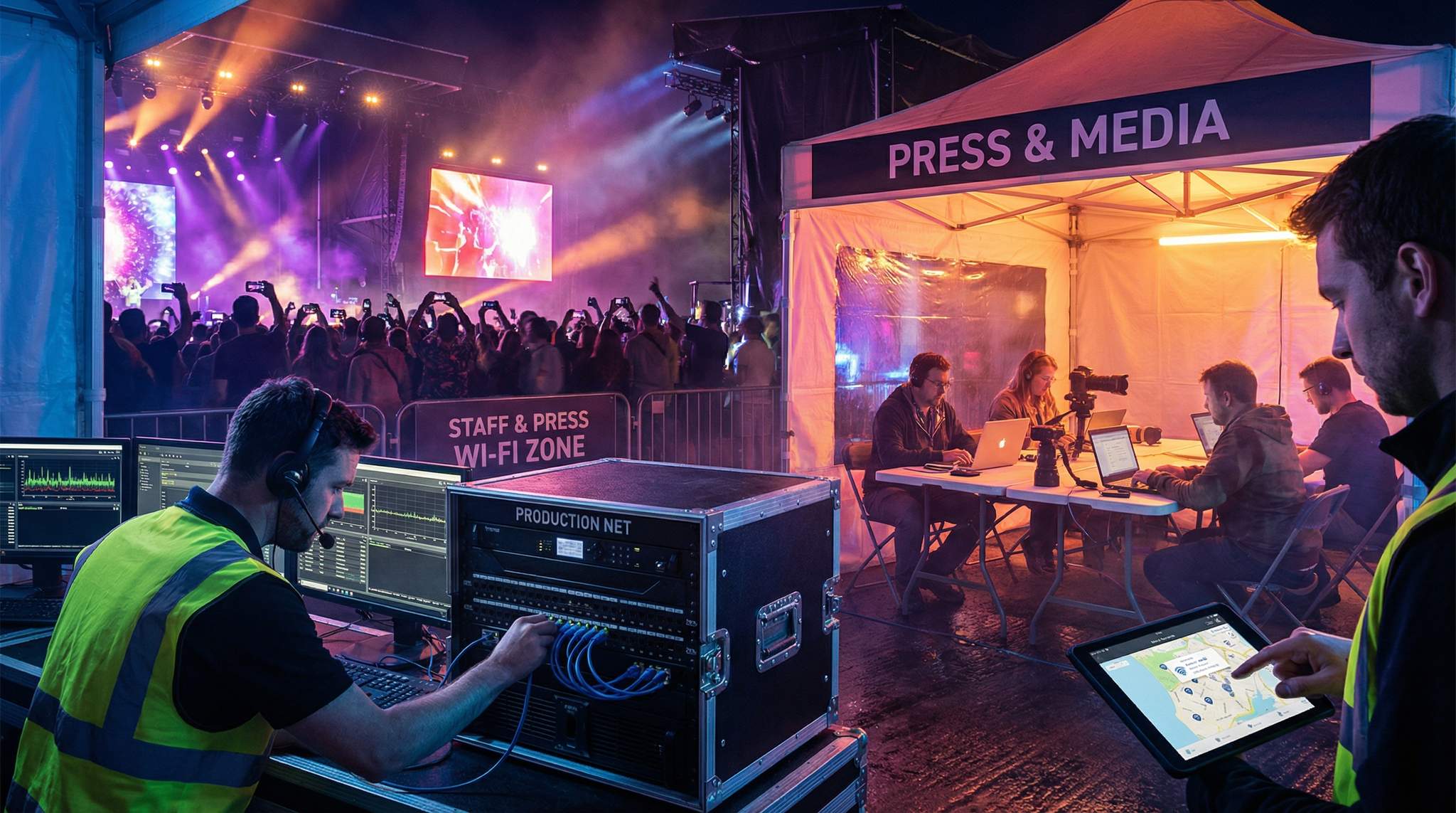
When tens of thousands of people converge on a festival, their connectivity needs differ widely. A one-size-fits-all network will inevitably falter under such varied demands. The solution is to segment your networks by user group – typically into dedicated networks for crew (staff and operations), press (media and VIPs), and the general public (attendees). By doing so, you isolate critical communications from public traffic and can prioritise important data streams.
Go Cashless With RFID Technology
Enable contactless payments, faster entry, and real-time spending analytics with RFID wristbands and NFC-enabled ticketing for your events.
Crew/Operations Network: The festival staff network is the backbone of event operations. It supports mission-critical activities like ticket scanning, point-of-sale systems for vendors, lighting and sound controls, internal communication apps, and safety systems. This network should be secure, encrypted, and given highest priority on the bandwidth allocation. For example, production teams often use a hidden or password-protected SSID that only crew devices know, or even a separate VLAN entirely. Quality of Service (QoS) rules can be applied so that essential traffic (e.g. ticketing data, emergency communications, live video feeds for security) gets guaranteed bandwidth and low latency. In practice, this means even if the public Wi-Fi is saturated, the crew network remains fast and stable. Failure to separate this traffic can be disastrous – imagine entry gates unable to scan tickets or coordinators losing contact with security teams because attendees are all streaming video. To avoid such scenarios, keep the crew network isolated from public use at all costs. Many large festivals go as far as provisioning a dedicated internet connection (or a portion of total bandwidth) solely for operations.
Press/Media Network: Members of the press, photographers, and social media influencers at your event have their own set of heavy connectivity needs. They’ll be uploading high-resolution photos, live-blogging, and streaming videos from the festival site. Providing a separate media Wi-Fi network (often via a special press SSID or a secure login) ensures that journalists and content creators can do their jobs without interruptions. This network can be prioritised just below the core crew network – press traffic is important for publicity, but it shouldn’t ever hog resources needed for safety or show operations. A good practice is to allocate a healthy upload bandwidth slice for the press SSID and possibly restrict high-bandwidth leisure usage (for instance, blocking access to Netflix or other irrelevant streaming services on the press network). Additionally, keep the press Wi-Fi coverage strong in the media center or press tent and near stages where photographers frequent. As a perk, dedicated press connectivity makes media feel taken care of – they’re more likely to speak positively about an event when the infrastructure helps them meet their deadlines. Several international festivals have adopted this approach; for instance, at major events in Europe and Asia, press are given a separate login and sometimes even wired Ethernet ports in press rooms for faster uploads.
Planning a Festival?
Ticket Fairy's festival ticketing platform handles multi-day passes, RFID wristbands, and complex festival operations.
Beyond logical network segmentation, physically designing a dedicated crew and press area with optimized connectivity infrastructure is a proven best practice. When you centralize media professionals and operational staff into specific zones—such as a combined backstage media village or adjacent production compounds—you can deploy high-density access points targeted exactly where heavy data usage occurs. This physical clustering not only makes it easier to run hardwired drops and manage secure access, but it also ensures that the specialized Wi-Fi signals for these critical teams aren’t bleeding unnecessarily into public attendee zones, thereby reducing interference and maximizing bandwidth efficiency.
Public Attendee Network: If you choose to offer public Wi-Fi for fans (and increasingly festivals do, often with sponsorship from telecom companies), treat it as an entirely separate, guest network. Public networks should be firewalled off from sensitive systems and typically run on a best-effort basis. In other words, attendees can connect to share their experiences on social media, use the festival app, or check messages – but this network should never be allowed to interfere with operational connectivity. Implement client isolation so that attendees aren’t inadvertently hacking or spamming each other on the Wi-Fi, and set bandwidth limits per user to prevent a few heavy users from clogging the service. Some events implement a captive portal for public Wi-Fi, maybe asking for an email or showing a sponsor message upon connection – this can also throttle each session or limit usage to discourage extreme bandwidth hogs. It’s wise to limit access to non-essential high-bandwidth sites on the public SSID (for example, you might block large file downloads or video streaming services) to preserve capacity. Fans primarily need access for social media and messaging, which consume relatively moderate bandwidth. Importantly, never rely on the public network for any critical festival operations. Think of it as a nice-to-have attendee amenity and marketing tool, but design your show to run even if the public Wi-Fi gets overloaded. Many festivals, like those in the US and UK, partner with mobile carriers to bolster attendee connectivity – for example, by deploying portable cell towers or high-density Wi-Fi hotspots in key areas – but these remain logically separate from the production network.
Prioritising Critical Traffic: Once networks are segmented by role, use network management tools to assign priority levels. Production (crew) data always comes first, media second, and public third. Modern event networking gear allows traffic shaping – for instance, guaranteeing that the ticket scanning system or a lighting console’s data stream is always at the front of the line. If bandwidth is constrained (as is often the case with temporary connections or rural venues), you might configure your routers to reserve a minimum bandwidth for operations no matter what. Some festivals also schedule heavy non-urgent tasks (like large media file uploads or cloud backups of footage) for overnight when attendee usage is low. In short, critical traffic needs VIP treatment on your network. An anecdote from a large festival in India illustrates this well: when general festival-goers overwhelmed the network with video uploads, the organisers noticed the press journalists struggled to send their stories. After that day, the tech team applied stricter QoS rules and the next morning the media could upload freely while the public network traffic was subtly throttled – the coverage improved and attendees still got their Instagram posts out, just at a slightly slower pace. Thoughtful prioritisation can be the difference between a smooth, connected festival and frustrated chaos.
When designing music festival Wi-Fi, organizers must account for the unique burst-traffic patterns generated by live music audiences. Unlike corporate events where data usage is steady, a music festival experiences massive spikes in demand—such as when a headliner takes the stage and thousands of fans simultaneously attempt to live-stream or upload videos. To handle these surges without crashing the core festival internet infrastructure, production teams often deploy high-density directional antennas and implement aggressive bandwidth throttling on the public tiers. Ensuring reliable Wi-Fi at festivals requires anticipating these peak moments and dynamically allocating resources so that point-of-sale systems and emergency comms remain completely unaffected by the sudden influx of fan traffic.
Free Tool: Size Your Festival Site
Zoned capacity planning for arena, campsite, parking and entry lanes — against UK Purple Guide and NFPA density standards. Finds your bottleneck zone.
Sourcing Your Festival Internet: Backhaul and ISP Solutions
Before you can distribute a reliable signal across your site, you must secure the primary backhaul—the main data pipeline that feeds your entire event. Sourcing robust festival internet in remote fields or temporary urban pop-ups requires specialized ISP (Internet Service Provider) partnerships. For greenfield sites lacking permanent infrastructure, production teams frequently rely on temporary microwave links, which beam high-capacity bandwidth from a nearby town directly to a receiver on the festival grounds. Alternatively, bonded cellular routers and low-earth-orbit (LEO) satellite systems are becoming increasingly popular for providing resilient, high-speed connections where traditional fiber isn’t an option.
When evaluating these backhaul options, redundancy is just as critical as raw speed. A single point of failure in your primary feed can take down your entire festival Wi-Fi network, halting cashless payments and ticketing. Experienced organizers typically provision a primary high-capacity circuit (such as a temporary fiber drop or microwave link) alongside a secondary, diverse path (like a 5G cellular array or satellite connection) configured for automatic failover. This multi-WAN approach ensures that even if a construction crew accidentally cuts a fiber line miles away, your core operational networks remain online without missing a beat.
Need Festival Funding?
Get the capital you need to book headliners, secure venues, and scale your festival production.
Wired Connections at Key Locations
Wireless networks are flexible, but they can be unpredictable in a festival environment packed with radio interference (from thousands of phones and radios) and physical obstacles (stages, trusses, human bodies). That’s why any connectivity plan should include wired Ethernet drops at critical locations. Running a cable may seem old-school, but when the stakes are high, nothing beats a cable for reliability and low latency. Here are the key spots where a hardwired internet connection can save the day:
-
Front-of-House (FOH) & Control Booths: The FOH position (the area where sound and lighting engineers control the show, typically in the middle of the audience) absolutely needs a stable network. At big concerts, audio and lighting consoles often connect to stage equipment via network, and many production teams use live digital mixing or send real-time data to video screens. A wired drop at FOH ensures that the production crew can run their show software, audio streaming, or pyrotechnics control without worrying about Wi-Fi drops. If the festival has a central production booth or control trailer, give it a direct wired link to the main network backbone. For example, a festival in Australia learned this the hard way when their lighting director’s control tablet kept losing the Wi-Fi link mid-show. After that night, they pulled a cable out to FOH for the rest of the weekend – problem solved. The lesson: if it controls the show, wire it up.
-
Stages and Backstage Areas: Each stage (especially main stages) should have wired connectivity for the stage manager station and performers’ needs. A hard line into the stage area allows stage crews to use show management software, update set times, or communicate via IP-based intercoms reliably. It’s not uncommon now for artists to do live streaming or coordinate multimedia elements that require internet access – a wired drop can accommodate those special requests securely. Backstage artist areas or production offices also benefit from a couple of wired outlets so that if a crucial Wi-Fi access point fails, the team can plug in a laptop and still send emails or download files. Ensure that the cable runs to stages are protected (taped down on the ground or run overhead) to avoid trips or damage from heavy equipment. Festivals in places like Germany and France, known for their precision, often run fibre-optic lines to stage towers carrying both internet and production audio/visual signals in one go, with ruggedised connectors built for outdoor use.
-
Medical Tents and Safety Headquarters: The medical team and any on-site emergency response units need dependable connectivity. Whether it’s looking up patient information, contacting local hospitals, or simply coordinating with festival operations in a crisis, a wired connection at the medical tent (and the safety/security command post, if separate) provides that extra assurance. This is especially vital in remote festival sites where even cellular service could be spotty – you don’t want first-aid communications dropping out. For instance, a large outdoor festival in Canada installed a direct network line to their first aid tents after a scare where an overloaded network delayed an EMT’s access to an online poisoning database. Now the medical staff there have no trouble getting online even when 30,000 fans are posting selfies outside.
Data-Driven Event Marketing
Track ticket sales, demographics, marketing ROI, and social reach in real time. Exportable reports give you the insights to make smarter decisions.
-
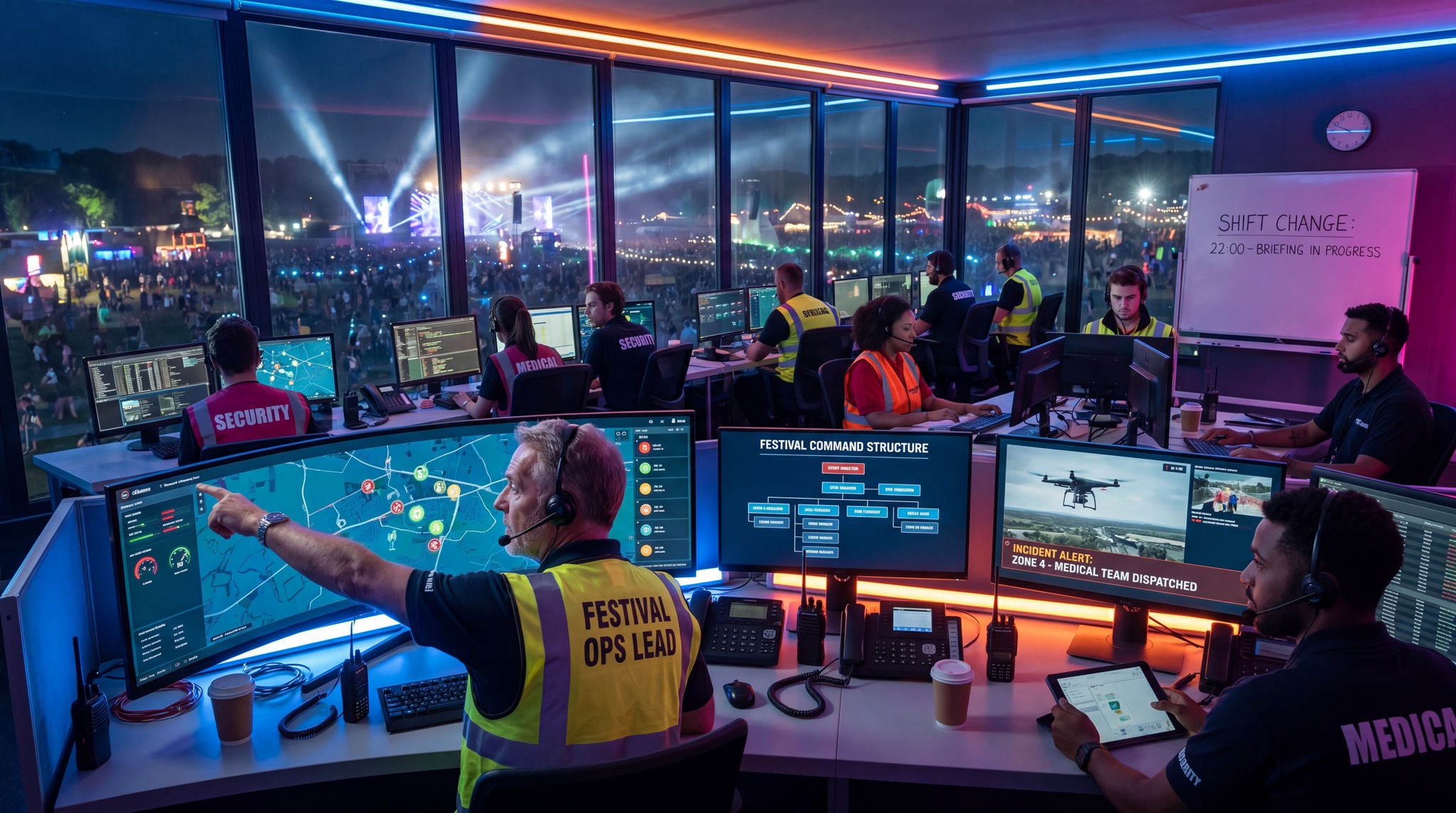
Operations Centre: The ops centre (often a production office, operations cabin, or command trailer) is the nerve centre of the event. All key departments – management, security, communications, artist liaison, logistics, etc. – usually converge here. Equip this hub with multiple wired connections into the main network and possibly even a secondary backup line. The ops team might be monitoring CCTV camera feeds, tracking weather radars, updating the schedule, and responding to incidents via shared documents – all of which demand stable internet. Because the ops centre is usually running 24/7 during the festival, wired internet backed by a UPS (battery backup) is ideal to ride through any power blips. Having a rock-solid connection at ops means the festival director and team can make decisions with live info at their fingertips. Many seasoned festival organisers from the US to Singapore insist on at least two independent internet sources for their ops HQ (for example, a primary fibre line plus a 5G backup router) to guarantee the command centre is never offline.
-
Gates and Box Offices: Don’t forget the entry points! If your festival uses e-tickets or RFID wristbands, gate scanners and box office systems will need connectivity. While handheld ticket scanners often have offline modes, being online speeds up validation and catches duplicate or fraudulent tickets in real time. Setting up wired drops (or wired-to-Wi-Fi bridges) at main entrances and box offices can ensure the admission process runs smoothly. For example, at a major festival in California, organisers placed wired access points at each entry gate so that the Ticket Fairy scanning app on staff devices always had a strong, low-latency connection for rapid entry. The result was shorter queues and an opening rush that went off without a hitch. A small investment in wiring your gate lanes can pay off in hundreds of happy attendees breezing through the entrances.
In all these locations, wired internet acts as a safety net. You might run an excellent Wi-Fi network across the grounds, but during peak moments (like when all stages go live at once or a headliner is on), wireless spectrum can get congested. By giving critical positions a physical cable, you ensure that show-critical communications and controls are insulated from wireless hiccups. Whenever possible, run cables in advance (even if you don’t immediately use them) to key points so you have a backup ready. It’s much easier to plug into a pre-laid cable than to run one in the middle of an event emergency.
On-Site Network Support and Spares
Even a well-designed network can encounter issues in the field – a rogue hardware failure, a configuration bug, or simply users needing help connecting. That’s why savvy festival organisers set up an on-site IT help desk during the event. This is essentially a dedicated tech support team and station to keep the network (and all connected systems) running smoothly. Here’s how to make it effective:
Staff a Festival IT Help Desk: Allocate a few knowledgeable technicians or network engineers to be on the ground throughout the festival. Their job is to respond quickly to connectivity problems for crew, press, or even critical vendor systems. Base them at a clearly identified location (like the production office or another accessible spot) and equip them with radios or phones so staff anywhere on the site can call in issues. Much like how you have medical and security teams standing by, think of this as the ambulance crew for your network. For a small festival, maybe one dedicated IT person can suffice; larger festivals might need a whole team working in shifts. The presence of IT staff ready to troubleshoot will drastically reduce downtime – if a router at the EDM stage goes down at 9 PM, you want someone who can sprint over and fix or swap it out immediately, not an off-site contractor who might arrive hours later.
Keep Spare Gear Handy: A festival network should have no single points of failure. Stock an arsenal of spare equipment so that any failed component can be replaced on the fly. Common spares include extra Wi-Fi access points (pre-configured for quick swap-in), additional network switches, plenty of Ethernet cables of various lengths, spare fiber transceivers if you’re using fibre lines, backup power injectors or PoE adapters, and redundant power supplies (with UPS backups) for critical gear. It’s also wise to have a couple of high-gain antennas, connectors, and mounting hardware in case an access point needs repositioning or an upgrade. Consider keeping a few mobile hotspot devices or a satellite internet kit as emergency internet backup too – if the primary backhaul goes down, a 4G/5G unit could maintain essential connectivity for ops until service is restored. Having these spares on-site and organised means a minor equipment glitch doesn’t escalate into a show-stopping outage.
Smooth Entry With Mobile Check-In
Scan tickets and manage entry with our mobile check-in app. Supports photo ID verification, real-time capacity tracking, and multi-gate coordination.
Use a Ticketing/Issue-Tracking System: During a fast-paced festival, it’s easy for support requests and fixes to slip through the cracks, especially with multiple teams radioing in problems. Implement a simple issue tracking system (even a shared spreadsheet or a dedicated chat channel can work, though proper helpdesk software is better) to log each tech problem, who’s assigned to it, and its resolution. This process ensures nothing is forgotten and helps in post-event analysis. For instance, if a particular Wi-Fi hotzone kept having problems, you’ll have notes to review and improve next time. It also helps the IT team prioritise – if there are simultaneous issues, they can see that “Crew radios not connecting at Stage 2” is higher priority than “Press Wi-Fi slow in VIP lounge” and allocate resources accordingly. (Note: Don’t confuse this with your ticket sales system; here we’re talking about support tickets for technical issues.) Many festival teams simply adapt an existing project management tool or helpdesk app for the event weekend to track these tasks in real time.
Assist and Educate Users: The help desk isn’t just there for hardware failures – often crew or press might have trouble connecting their devices (perhaps they have the wrong Wi-Fi password or a misconfigured VPN). A friendly technician who can quickly get them online is invaluable. At some festivals, the IT team does a quick orientation with press on Day 1, making sure every journalist knows how to access the Wi-Fi and who to call if they have trouble. For crew, it’s useful to distribute a brief tech guide before the event (with SSIDs, passwords, contact info for support, etc.). This proactive approach can prevent panic on show days. And if a VIP or artist suddenly requests a special connection (festival tech teams have seen cases like a guest DJ needing to download a last-minute track or a sponsor setting up a live webinar from the grounds), your IT squad can accommodate it without derailing the rest of the event.
By staffing a capable support team and having backups for all key components, you create a safety net under your festival’s tech infrastructure. The peace of mind this brings to event producers is huge – you can focus on the music, art, and experiences knowing that if any connectivity issue pops up, it will be handled swiftly and professionally.
Monitoring and Optimising Network Performance
A festival network is not a “set and forget” asset – it lives and breathes along with the event. Crowds move, weather changes, devices come and go, and what worked in the morning might strain by evening. That’s why continuous monitoring of network performance is essential, coupled with on-the-fly optimisation of your equipment (especially Wi-Fi access points). With the right vigilance, you can catch problems early or tweak the system to improve service before small issues become big headaches.
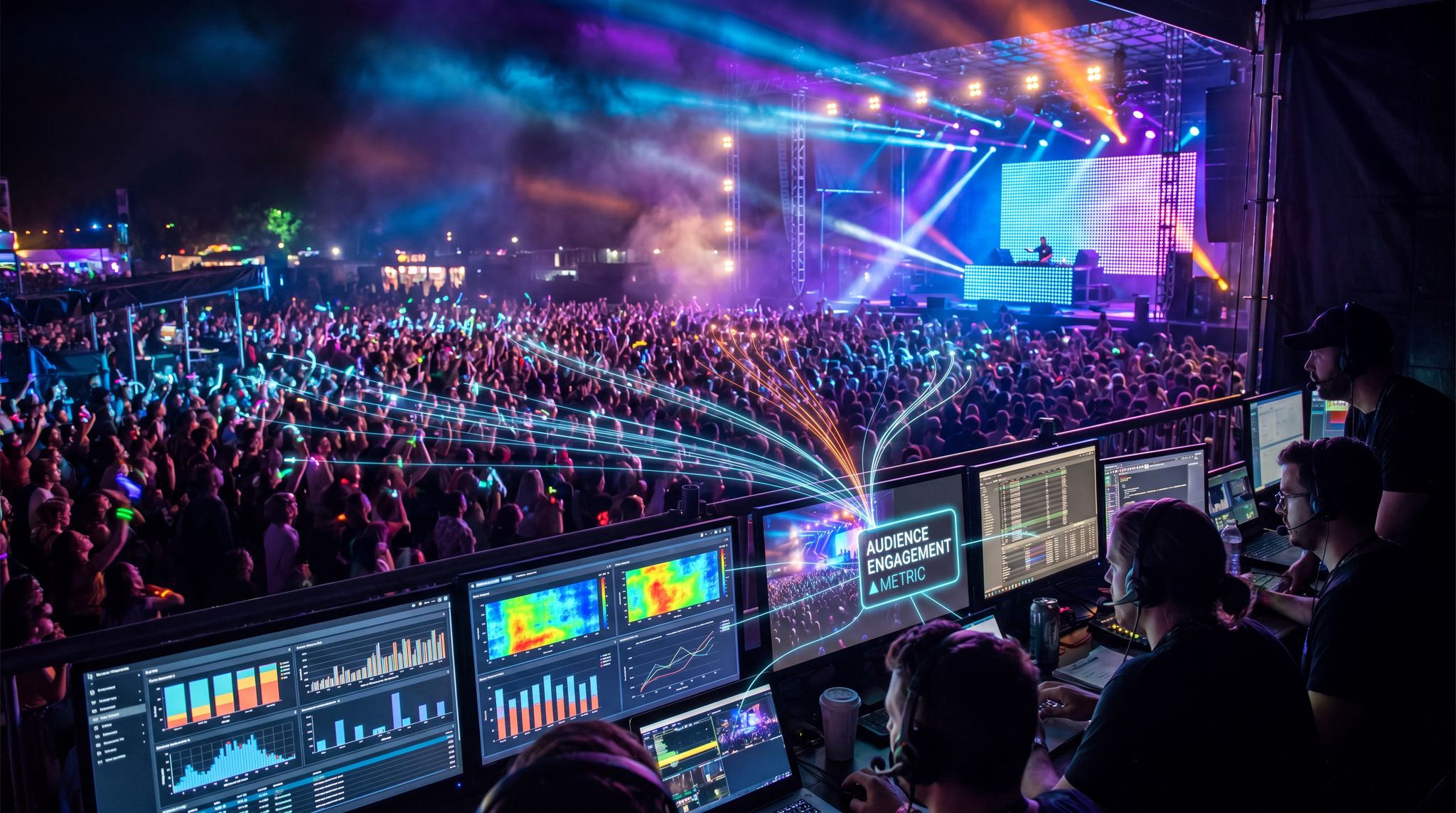
Track Key Metrics in Real Time: Make sure you have tools in place to observe network health during the festival. At a minimum, your IT team should monitor latency, bandwidth usage, and the number of connected devices on each network segment. Latency (ping time) to critical services – like ticket verification servers or payment processors – is a good early indicator of trouble; if you see latency climbing or packets dropping, it may signal network congestion or a failing link that needs attention. Keep an eye on how many users are on each access point (and how much data they’re pulling) to tell if any one area is overloaded. Many enterprise Wi-Fi systems provide dashboards showing AP loads, signal quality, and client roaming events. Use that data! For example, if you notice the access points on the west side of the main stage are each handling 300+ people while the east side APs have light loads, it could mean the crowd is clustering differently than anticipated – you might respond by tweaking antenna orientations or even suggesting attendees shift if appropriate (for instance, opening an additional viewing area or screen).
Tune Wi-Fi Access Points (APs): Festival environments often require live tuning of Wi-Fi settings to maintain optimal coverage and speeds. “Roamers” – attendees wandering around with their phones – can sometimes stick to an AP they connected to earlier, even after moving far away, leading to poor performance (this is known as a sticky client issue). Your network team can mitigate this by adjusting the transmit power and signal thresholds on the APs, encouraging devices to hop to a closer access point as people move. If you see devices frequently disconnecting or slowing down when moving between zones, consider enabling features like 802.11r/k/v (fast roaming protocols) if your hardware supports them – these help client devices roam more seamlessly. Additionally, keep an ear on the radio frequencies: if interference or noise is detected on certain Wi-Fi channels (perhaps from an unexpected source or equipment), you might need to switch channels or narrow the channel width on the fly to reduce interference. In one case, a festival in Spain found that a local wireless ISP was using a frequency band that overlapped with their public Wi-Fi; the network crew promptly reconfigured their 5 GHz channels to eliminate the clash, and attendee connectivity instantly improved.
Grow Your Social Following With Every Sale
Require social media follows, shares, or playlist adds to unlock presale access or special pricing. Turn every ticket purchase into audience growth.
Manage Load and Coverage Gaps: Monitoring will also reveal any coverage dead zones or overloaded hotspots that weren’t caught in initial planning. Maybe a new art installation turns out to be a popular gathering spot with heavy Instagram activity in a corner of the grounds that you didn’t anticipate – if so, you can deploy an extra access point or a range extender there to fill the gap (this is when those spare APs become handy). Conversely, if an access point isn’t seeing much use, you could try repositioning it or dialing down its power to avoid unnecessary overlap and interference. Some advanced systems allow dynamic load balancing – automatically shifting users from an overloaded AP to a less busy one or steering dual-band devices between 2.4 GHz and 5 GHz bands – leverage these features if available. The goal is to balance the network load so that no single radio node or frequency band is overwhelmed. Constant adjustment might sound like a lot of work, but with good monitoring tools it becomes a quick task of observation and tweaking. Think of it as fine-tuning a sound mix live – you’re always making minor adjustments to keep things harmonious.
Analyse Data for Improvements: If possible, log all these performance metrics for post-event analysis. After the festival, review which networks were most strained, when peak usage occurred, and how effective your adjustments were. These insights are gold for planning the next event’s connectivity. You might discover, for instance, that the public Wi-Fi was mostly idle except during two headliner sets – which could lead you to provide focused Wi-Fi “hotspots” near those stages next time instead of site-wide coverage. Or you might find the press network hit its limit at 4 PM each day, telling you that’s when most media were filing their stories – next time, you could allocate more bandwidth for the press at that hour or advise media to schedule uploads earlier. Continuous monitoring and learning create a cycle of improvement that keeps your festival’s tech infrastructure on the cutting edge year after year.
In essence, active network management during the event ensures you deliver the best possible experience. Fans will remember that they could send that live tweet or find their friend via the app without frustration. Press will appreciate not having to fight the network when deadlines loom. And your crew will be able to do their jobs seamlessly, often with attendees never realising how much behind-the-scenes effort goes into keeping the internet flowing.
Adapting to Festivals of Different Scales and Types
Not all festivals have the same connectivity demands. A local community food festival with 500 attendees has vastly different needs and resources than a 100,000-strong multi-day music festival. It’s important to scale your connectivity plan to fit the size, type, and audience of the event, applying the same principles with the appropriate magnitude.
Small-Scale and Niche Festivals: For a smaller festival – say a weekend craft fair, a regional music fest, or a cultural celebration – you may not need an extensive public Wi-Fi setup (or the budget to justify it). In these cases, focus on the essentials first: ensure the organisers and vendors have a reliable way to get online (even if it’s just via a couple of 4G hotspots or a modest DSL line if the venue has one). You might create a basic crew Wi-Fi for staff communications and a separate one for vendors to run card payments. Press and VIPs at a small event could possibly share the staff network with some access controls, or you can offer a simple password-protected Wi-Fi just for them. Don’t over-engineer solutions if existing cellular networks suffice – often at smaller events, vendors will use their own phone’s 4G or bring a personal MiFi device. Test cell coverage beforehand; if it’s good, your attendees might not need any extra public Wi-Fi at all. However, have a backup plan in case the local cell towers get overwhelmed (which can happen if hundreds of people try to post at once in a rural area). Something as straightforward as a Starlink satellite internet unit or a bonded cellular router can act as a temporary internet source for critical systems at minimal cost. Keep the network design simple and robust – one or two segregated Wi-Fi networks might be plenty. The key for small events is reliability over speed: a slightly slower internet that consistently works is better than promising ultra-fast Wi-Fi that crashes under load. As a rule of thumb, start modestly and build up capacity over the years as the festival grows and as you identify what attendees and press actually use.
Sprawling and Linear Events: When planning how to maintain connectivity during large events like parades, street markets, or city-wide concerts, the physical layout presents unique challenges. Unlike a contained music festival, a parade route or a sprawling night market requires a linear network topology. In these scenarios, deploying point-to-multipoint wireless bridges along the route or utilizing bonded cellular routers at individual vendor stalls is highly effective. Providing reliable festival Wi-Fi across a long stretch often means partnering with local municipalities to mount access points on streetlights or utilizing existing fiber infrastructure. For a standalone outdoor concert, a concentrated deployment of high-density access points ensures that production teams and point-of-sale systems stay online, even when thousands of fans flood the area.
Free Tool: Project Your Bar Revenue
Per-head spend benchmarks by event type turned into projected bar and food revenue, with a stock-mix estimate and gross-margin line. Free calculator.
Large-Scale Festivals: Big festivals require enterprise-grade connectivity strategies from day one. This often means partnering with specialist event connectivity providers or investing in professional networking hardware in-house. Large music festivals, for example, will deploy dozens of access points across the site, connect stages and operations offices with fibre-optic cables, and might even have microwave or dedicated fibre backhaul links brought in temporarily to handle the bandwidth loads. Segmented networks for crew, press, and fans are a must at this scale, and you may introduce even more tiers – such as separate networks for vendors/merchants, production teams, and VIP guests. Each might get its own VLAN and rules. Budget appropriately: networking can be a significant line item (tens of thousands of dollars for a big festival setup), but consider the cost of network failure – if your cashless payment system goes down or your live stream to the web fails due to poor connectivity, the financial and reputational damage could be far worse. In countries with advanced telecom infrastructure (like the UK, Germany, or Singapore), work closely with telecom companies to bring in temporary high-capacity lines or cells-on-wheels (mobile cell towers) to boost coverage. In the US and Canada, it’s common to see festivals sponsored by carriers who provide enhanced 5G service on-site for attendees – leverage these partnerships when possible, as they can significantly offset costs. Large festivals should also simulate or load-test their network if feasible: for instance, in the days leading up to the event, connect a bunch of test devices or have volunteers use the Wi-Fi like attendees would, to see how the system holds up, then adjust accordingly.
Different Audience Expectations: Consider the festival’s theme and how tech-savvy the audience is. A tech conference, gaming festival, or e-sports tournament will have attendees who expect flawless connectivity and will utilise it heavily – here you might prioritise extremely high bandwidth and ultra-low latency, maybe even provide Ethernet drops for gamers or streamers on-site. A music and arts festival with a young crowd will see intense social media use; you’d focus on widespread Wi-Fi hotspots for Instagram, TikTok, and Snapchat traffic. On the other hand, an event like a yoga retreat or a folk music weekend might intentionally encourage people to disconnect – in such cases, your connectivity plan can be minimal, just enough for operations and a bit for press, and that’s perfectly fine. Always align the tech plan with the experience narrative of the festival. For example, a major electronic music festival in Mexico found that its audience heavily used the official festival mobile app to schedule their day and locate friends – this prompted the organisers to beef up free Wi-Fi zones around the info booths and stages to support the app usage. Conversely, a heritage cultural festival in rural New Zealand cared more about reliable EFTPOS (card payment) machines for food and merch vendors than attendee Wi-Fi, so they invested in a solid crew/vendor network and skipped public internet entirely. Knowing your audience’s needs ensures you spend wisely on connectivity and deliver value where it matters.
Global Infrastructure Differences: When producing festivals across different countries, be aware of local infrastructure and regulations. In some regions, getting a temporary high-speed line to an open field might require navigating local telecom bureaucracy or booking many months in advance. Some countries have plentiful 5G coverage, while others might still be limited to 3G or 4G in rural areas. Adjust your plan accordingly: maybe you ship in portable satellite units for a festival deep in the mountains of Indonesia, whereas for a city-centre festival in France you can tap into existing fibre easily. Also consider power standards and backup power arrangements for network gear (voltage differences, generator reliability, etc., vary by region). Working with local IT partners can provide insight – for example, festival producers in India often collaborate with telecom providers who can deploy infrastructure for major events, while in the UK there are specialised event Wi-Fi companies with gear ready to cover a farm or airfield with connectivity. Each locale has its quirks, so do thorough homework during the planning phase.
In summary, the principles of segmented, prioritised networks, wired backups, support teams, and monitoring apply to festivals of any size – but scale your implementation to fit the context. Don’t under-build for a large event, and don’t overspend on an intimate one. The next-generation festival organiser will be adept at right-sizing tech solutions, ensuring that whether it’s 500 people in a park or 100,000 in a desert, everyone from crew to press to fans stays connected when it counts.
Frequently Asked Questions
Why is network segmentation important for festival connectivity?
Segmenting networks into dedicated groups for crew, press, and the public prevents attendee traffic from overwhelming critical operations. It allows organizers to prioritize essential data streams, ensuring ticket scanning and safety systems remain functional even if public Wi-Fi becomes saturated with social media uploads.
Where should wired internet connections be used at a festival?
Wired Ethernet drops are essential at mission-critical locations like Front-of-House (FOH) control booths, stages, medical tents, and the operations center. Hardwired connections provide low latency and stability for show controls and emergency communications, insulating these vital systems from wireless interference and congestion common in large crowds.
How can festivals manage public Wi-Fi bandwidth effectively?
Festivals manage public Wi-Fi by treating it as a separate guest network with client isolation and bandwidth limits per user. Organizers often block high-bandwidth services like video streaming and implement captive portals to throttle sessions. This ensures attendee usage does not interfere with critical operational or press connectivity.
What is the role of an on-site IT help desk at a festival?
An on-site IT help desk acts as a rapid response team for connectivity issues, troubleshooting hardware failures and assisting crew or press with connection problems. Staffed with knowledgeable technicians and equipped with spare gear like access points and cables, they minimize downtime for critical festival systems.
How do festival organizers monitor network performance during an event?
Organizers track key metrics such as latency, bandwidth usage, and connected device counts in real time. By observing access point loads and signal quality, IT teams can identify congestion or dead zones and instantly adjust transmit power or reposition equipment to balance the network load across the site.
Why is a dedicated network important for festival press and media?
A dedicated media network ensures journalists and photographers can upload high-resolution photos and stream video without interruption. By prioritizing press traffic just below crew operations and isolating it from public usage, festivals enable media professionals to meet deadlines, resulting in better coverage and positive publicity for the event.
How do organizers maintain connectivity during large events like parades, markets, or concerts?
To maintain connectivity during large events like parades, markets, or concerts, organizers must adapt their network topology to the event’s physical footprint. For linear events like parades or street markets, deploying point-to-multipoint wireless bridges or bonded cellular routers at key intersections ensures continuous coverage. For concentrated outdoor concerts, utilizing high-density access points and segmenting the music festival Wi-Fi into dedicated crew, press, and public networks prevents operational systems from being overwhelmed by attendee traffic.
How much bandwidth is required for reliable festival internet?
The bandwidth required for festival internet depends heavily on the event’s scale and whether you are providing public access. A baseline operational network for a mid-sized event (supporting ticketing, vendors, and crew) might require a dedicated 500 Mbps to 1 Gbps connection. However, if you are offering comprehensive music festival Wi-Fi for tens of thousands of attendees, you will likely need multi-gigabit fiber backhaul or bonded temporary microwave links to support the massive concurrent data demands.
How do you secure festival Wi-Fi for vendor point-of-sale (POS) systems?
Securing wireless connectivity for vendors requires deploying a dedicated, encrypted SSID specifically for point-of-sale devices. This network must be completely isolated from public and press traffic using VLANs, ensuring that payment processing data is protected and prioritized. Additionally, utilizing directional antennas and placing access points directly within vendor tents minimizes interference and guarantees that cashless transactions process instantly, even during peak crowd surges.
How does physical layout impact connectivity in a crew and press area?
Designing a dedicated crew and press area allows production teams to concentrate high-density access points and hardwired Ethernet drops exactly where data demand is highest. By physically clustering media professionals and operational staff, organizers can better manage secure network access, reduce wireless interference from public attendee zones, and ensure that critical bandwidth is efficiently distributed to those who need it most.