Introduction
Imagine an excited festival-goer who can’t find their ticket confirmation email the night before the event, or a fan standing at the gate with a wristband that won’t scan. How festival organizers handle these situations can make or break the attendee experience. This step-by-step guide will show festival organizers how to set up a robust ticketing customer service system from purchase to gate. By following these steps, you’ll be able to resolve common ticketing problems – from lost emails and forgotten passwords to on-site wristband issues – quickly and fairly. A smooth, stress-free ticketing experience protects your festival’s reputation and keeps fans coming back year after year.
What You’ll Achieve: By the end of this guide, you will know how to provide timely support across multiple channels (email, chat, on-site help desks), train your support team to handle any ticket issue, create self-help resources for attendees, and maintain trust through swift, fair resolution of problems.
Mastering the nuances of festival ticketing operations is essential for modern event producers. Whether you are managing a boutique gathering or a massive multi-day event, a proactive approach to customer support minimizes gate bottlenecks and maximizes attendee satisfaction.
Prerequisites
Before building your ticketing customer support system, make sure you have the following in place:
Smooth Entry With Mobile Check-In
Scan tickets and manage entry with our mobile check-in app. Supports photo ID verification, real-time capacity tracking, and multi-gate coordination.
- Reliable Ticketing Platform: Use a ticketing system (like Ticket Fairy or similar) that lets you easily look up orders, resend confirmations, and void or reissue tickets. The platform should offer real-time access to attendee data for your support staff.
- Dedicated Support Channels: Set up an official support email address (e.g., support@yourfestival.com) and consider a live chat tool on your website or ticketing page. Decide if a support phone line or text support is needed for your event size.
- Knowledge Base/FAQ: Prepare a comprehensive FAQ or help section on your festival website. This should cover common questions and troubleshooting steps for ticket issues. Ensure it’s easy to find from your homepage and ticketing pages.
- Trained Support Team: Allocate staff or trained volunteers to handle customer support. They should have access to the ticketing system and be empowered to solve issues or escalate them. Plan for enough team members especially during on-sale periods and the festival week.
- On-Site Support Setup: Plan the logistics for a ticketing help desk at the festival entrance. This includes equipment (computers or tablets with internet, barcode/RFID scanners, printers for tickets or wristbands), supplies (spare wristbands, lanyards, etc.), and a sheltered space with clear “Ticket Help” signage.
- Clear Policies & Scripts: Establish your ticketing policies in advance – e.g. refund eligibility, transfer rules, lost wristband replacement fee, ID requirements – and create reference sheets or scripts so support staff give consistent answers. Having these policies decided and documented beforehand will make training and issue resolution much smoother.
With these elements ready, you can confidently set up a customer support system that will guide attendees from their first ticket purchase all the way to scanning their wristband at the gate.
Step 1: Develop a Multi-Channel Support Plan
Timeline: Begin planning 4–6 months before the festival (or as soon as you start ticket sales).
Planning a Festival?
Ticket Fairy's festival ticketing platform handles multi-day passes, RFID wristbands, and complex festival operations.
The first step is to decide how attendees can reach you for help and ensure those channels are in place early. A multi-channel support plan means offering help through various methods so attendees can choose what’s easiest for them. Here’s how to set it up:
- Offer Multiple Contact Methods: At minimum, provide an email support address for ticket issues. Email lets attendees write out detailed problems and attach screenshots if needed. For faster help, consider implementing live chat support on your ticketing site or via your festival’s mobile app. Live chat is great for quick answers during on-sale rushes or in the days leading up to the festival. Additionally, plan for an on-site help desk at the event (we’ll cover on-site support in Step 5). Some large festivals also provide a phone hotline, but this can be resource-intensive – choose based on your team’s capacity and attendee needs.
- Staff Each Channel Appropriately: Decide who will handle each support channel and during what hours. For example, you might have one or two staff dedicated to answering support emails daily, and a small team ready to operate live chat during peak times (like the first hour tickets go on sale, or the week of the festival). Ensure your team has access to a shared support inbox or helpdesk software so nothing falls through the cracks. Using a ticketing helpdesk system (like Zendesk or similar) can help track all incoming requests in one place and assign them to team members for resolution.
- Publish Contact Info Clearly: Once you’ve set up email, chat, or phone contacts, make sure attendees know how to reach support. Post the support email and operating hours on your website’s Contact Us or Help page. Include a note in confirmation emails like “Questions or issues? Contact us at support@yourfestival.com.” Having this info readily visible will reduce attendee anxiety when an issue arises – they’ll immediately know where to turn.
- Coordinate with Ticketing Provider: If you’re using a third-party ticketing platform, clarify who handles which issues. For instance, your team might handle general inquiries and minor issues, while the ticketing provider’s support might handle technical bugs or payment problems. Establish a direct line to your ticketing provider’s support team for quick escalation of any system-related bugs (e.g., the ticket QR codes not downloading correctly). This partnership ensures that regardless of the problem’s nature, the attendee gets help fast.
- Plan for Peak Periods: Anticipate when support volume will be highest. Common peak times include when tickets first go on sale, immediately after a major ticket announcement email, and the week of the festival. Plan to extend support hours or have extra staff on duty during these times. For example, if your tickets go on sale at 10 AM local time, have your support team online and ready at 9:30 AM and expect to stay active for several hours to handle any failed payments or purchase questions. As the festival approaches, consider offering evening or weekend support hours, since attendees will be preparing for travel and might encounter issues at odd hours.
Common Mistakes to Avoid: One frequent mistake is relying on just one channel (for example, only using email) and not realizing some attendees might turn to social media or other avenues when they don’t get an immediate reply. Stay aware of your festival’s social media mentions or comments – often frustrated attendees will post on Facebook or Twitter if they’re not sure how to get help. It’s wise to have a team member monitor these and politely direct people to the official support channel. Another mistake is burying the contact information in hard-to-find pages. Make support highly accessible; a frustrated customer shouldn’t have to hunt for how to get assistance.
Pro Tips:
- 24/7 Support for Global Fans: If your festival draws an international crowd (e.g., attendees flying in from different time zones), try to offer round-the-clock support at least during the critical days before the event. For example, a traveler stuck at an airport with ticket issues can’t wait 8 hours for your office to open. Even if you can’t staff 24/7 year-round, having someone on-call overnight during the festival week can be a lifesaver for overseas attendees, ensuring travel-ready festival support channels are available. This could mean arranging shifts for your team or using an outsourced after-hours call center or chat service.
- Unified Support Tools: Use a single platform to manage multi-channel support if possible. Many helpdesk tools let you integrate email, chat, and even social media inquiries into one dashboard. This way, a team member can see the full history of an attendee’s issue regardless of how they reach out. It helps prevent duplicate work (like one person answering an email and another answering the same person’s Facebook message separately) and ensures consistency.
- Prepare for High-Tech Issues: Along with customer-facing channels, plan how to handle technical glitches on your side. For instance, if your ticketing website crashes during an on-sale, who will communicate updates to attendees and via which channels? Have a crisis plan so your support team can quickly post “We’re aware of the issue – standby for updates” on your website or social media. Transparent, timely communication during tech issues will maintain attendee trust by addressing ticket problems in festivals effectively and preparing for offline ticket verification methods.
By developing a multi-channel support plan early, you ensure that when ticketing questions or problems come up, your festival has a presence everywhere your attendees might seek help. They’ll appreciate the convenience, and you’ll catch small issues before they become big ones.
Keep Tickets in Fans' Hands
Our secure resale marketplace lets attendees exchange tickets at face value, eliminating scalping while keeping you in control of the secondary market.
Step 2: Build Self-Service Resources for Common Ticket Issues
Timeline: Create and publish your FAQ/knowledge base 2–3 months before the event, and update it continuously.
Empower your attendees to find answers on their own 24/7 by providing well-crafted self-service resources. A robust FAQ (Frequently Asked Questions) page or help center can resolve a huge portion of ticketing inquiries before they reach your support inbox. Here’s how to build effective self-help tools:
Need Festival Funding?
Get the capital you need to book headliners, secure venues, and scale your festival production.
- Identify Common problems: Think from an attendee’s perspective and list all ticketing issues that could arise from the moment of purchase until the festival gate. Common examples include: “I didn’t receive my confirmation email,” “I can’t log into my account to view my tickets,” “How do I reset my password?”, “How can I update the name on my ticket?”, “What if I lost my ticket or wristband?”, “What do I need to bring to the gate for entry?” Each of these should have a clear answer or solution in your FAQ.
- Write Clear, Step-by-Step Answers: For each question, provide a concise explanation of what the attendee should do. Use simple language and break down steps if there’s a process. For example, for lost confirmation emails, your FAQ answer might say: “First, check your spam or junk email folder. If you still can’t find your ticket confirmation, click the ‘Resend Email’ link on our ticketing page or log into your account to download your ticket. If you’re unable to retrieve your confirmation, contact our support at support@yourfestival.com and we will assist you.” By giving the attendee a couple of self-service steps (like checking spam or using a resend link) before contacting support, you reduce the number of support tickets and solve their problem faster.
- Include Visuals or Screenshots: If possible, add images to your help articles for clarity. For instance, show a screenshot of what the confirmation email looks like (so users recognize it in their inbox), or a small diagram of where to find the “Resend Tickets” button in their account. Visual aids can significantly reduce confusion, especially for less tech-savvy festival-goers.
- Cover On-Site Troubles Too: Don’t limit the FAQ to pre-event issues. Include questions like “What if I have ticket issues at the festival?” and explain the process: e.g., “If you encounter any ticket or wristband problems at the event (such as a lost or damaged wristband), visit our Ticketing Help Desk located by the main entrance. Bring a valid photo ID that matches the name on your order, and our team will assist you on-site.” This lets attendees know in advance that there will be help available at the venue, which can ease their worries.
- Make it Easy to Find: Place a prominent link to your FAQ or Help Center on your website’s navigation menu (for example, under “Info” or as a floating “Help” button). Also, include the URL in communications: if you send out a “Know Before You Go” email to ticket-holders, mention “We have a full FAQ for ticket questions here: YourFestival.com/help.” The easier it is to access, the more likely attendees will use it before reaching out directly.
- Enable Community Help (Optional):: If your festival has active community forums or social media groups, sometimes attendees help each other by answering common questions. While this is not a substitute for an official FAQ, being aware of these discussions can inform you of which issues are trending, so you can update your official help content accordingly. Just ensure that the official answers are easily available and correct any misinformation floating around online.
Common Mistakes to Avoid: Don’t create a generic FAQ that remains static. A mistake is copying a template FAQ from last year or another event and not updating it fully – attendees will notice if information is outdated or if their specific question isn’t addressed. Also, avoid overly technical jargon. If your answer sounds like IT support language, rewrite it in festival-friendly terms (“ticket ID” might be confusing, whereas “your order confirmation number” is clearer). Finally, make sure the FAQ is mobile-friendly; many users will access it on their phone while traveling to the festival.
Pro Tips:
- Interactive Help Tools: Consider implementing a chatbot or interactive help widget on your ticketing site. Modern chatbots can handle simple queries like “I lost my ticket email” and automatically respond with the relevant FAQ info or even trigger a ticket resend. This gives attendees instant answers without waiting for a human. Just be sure to program the bot with festival-specific knowledge and always offer an option to contact a human if the bot can’t help.
- Multilingual FAQs: If you anticipate attendees who speak different languages (e.g., an international music festival in Europe or Asia), provide your self-help articles in the key languages of your audience. Even if your ticketing platform is only in English, a translated FAQ shows extra care and can prevent misunderstandings. Language shouldn’t be a barrier to finding help.
- Keep Resources Updated: In the run-up to the event, update the FAQ based on real support questions coming in. If you notice multiple people asking “Where do I find my QR code?” and it’s already in the FAQ, maybe the wording isn’t clear – improve it. After the festival, review which help articles were accessed the most and which new questions arose, so you can refine the content for next time.
When attendees can solve their own ticket problems quickly, it creates a win-win situation. They’ll feel empowered and relieved to get an immediate answer, and your support team gets to focus on the more complex cases. A thorough self-service center is like giving your fans a roadmap to a smooth ticketing experience.
Step 3: Train Your Ticketing Support Team for Success
Timeline: Train staff starting 1–2 months before the festival, with refreshers closer to the event date.
Go Cashless With RFID Technology
Enable contactless payments, faster entry, and real-time spending analytics with RFID wristbands and NFC-enabled ticketing for your events.
Even the best tools and policies won’t help if the people behind them aren’t prepared. Your support team – whether full-time staff, part-timers, or event volunteers – must be well-trained and confident in resolving ticketing issues. Here’s how to build a top-notch festival ticketing support team:
- Teach the Ticketing System Inside-Out: Ensure every support team member has hands-on training with your ticketing platform. They should know how to look up an order by various methods (name, email, order number), how to check ticket status (e.g., is it valid, refunded, or transferred), and how to perform essential actions like resending confirmation emails, resetting an account password for a user, or issuing a refund or upgrade if your policies allow. Conduct practice sessions where staff can simulate common tasks in the system. For example, create a few test orders and have trainees go through the process of finding the orders and hitting “Resend Ticket Email” or “Reissue Wristband” so they get comfortable with the interface in a no-pressure setting.
- Create a Support Playbook: Develop a manual or digital document that covers all standard operating procedures for ticketing support. This playbook should include the festival’s policies (refund rules, transfer deadlines, etc.), a list of common scenarios with the appropriate resolution steps, and guidelines for tone and language. For instance, if a buyer’s ticket isn’t scanning, the playbook might outline: 1) Verify the ticket purchase in system, 2) Check if the ticket was maybe reissued or refunded, 3) If valid, politely apologize and escort them to the help desk for a wristband swap or alternate entry if scanner is faulty, 4) Note the issue in the log. Having these steps written out means your team gives consistent answers. New team members can also reference the playbook on the fly.
- Role-Play Customer Scenarios: There’s no better training for customer service than practicing it. Organize role-playing exercises where one person acts as the attendee with a problem and the support staff member practices resolving it. Cover both routine issues and stressful ones. For example, one scenario could be an angry attendee who says “I was charged twice for my ticket – this is unacceptable!” and the support member must stay calm, apologize for the concern, verify the payments, and explain the refund process for duplicate charges. Another scenario: a panicked attendee says “The festival is tomorrow and I still can’t log in to print my ticket.” The trainee should walk through reassuring them and providing a solution (such as emailing a PDF ticket directly or arranging will-call pickup with ID). Role-playing helps staff learn to diffuse tension, find the relevant information quickly, and follow policy under pressure.
- Emphasize Empathy and Communication: Train your team in soft skills, not just the technical steps. Attendees reaching out for help are often anxious – they might fear they’ll be denied entry or have wasted money. Support staff should respond with empathy first: e.g., “I understand it’s frustrating not being able to find your ticket email. Let’s sort this out together.” Teach them to reassure attendees that these issues happen and the team is there to help fix it. A calm, empathetic tone can turn a potentially negative experience into a positive one. Also, ensure staff practice active listening – letting the attendee fully explain the problem before jumping to a solution – and clear communication – avoiding jargon and confirming the attendee is satisfied with the resolution.
- Train for On-Site Dynamics: If some support team members will be working on-site during the festival (at the ticket help desk or roaming near entrances), prepare them for that environment. On-site support can be hectic – there might be a line of anxious people, loud music, and time pressure because the show is starting. Train these staff on crowd management and personal safety as well. For example, instruct them on how to politely ask someone to step aside out of line flow while you sort out their issue, or how to get security involved if a person becomes belligerent. Make sure they know the layout of the venue, where to find backup supplies (like extra wristbands or a charger for scanners), and how to contact other team leads via radio or phone if needed. On-site staff should also be identifiable (wearing a “Customer Support” or “Ticket Help” shirt or badge), so include that in preparation.
- Delegate Decision-Making Power: During training, clarify what issues support staff can resolve on the spot and what requires a supervisor. Empower the team with reasonable autonomy. For instance, you might allow support agents to approve a one-time name change on a ticket or to waive a lost wristband fee as an exception for a genuinely distressed attendee – without needing managerial sign-off each time. Define the boundaries (maybe a refund above a certain amount needs manager approval, or any VIP ticket issues go to a supervisor) and train the staff on those. Empowered team members will resolve issues faster, which means shorter wait times for attendees. It also makes your support staff feel trusted and competent.
Common Mistakes to Avoid: Don’t skip training because you assume staff “will figure it out.” Even experienced customer service reps need festival-specific guidance. Another mistake is neglecting to update the team on last-minute changes. If, for example, you decide a few days before the event to allow digital tickets when originally it was will-call only, and you email attendees about it, ensure your support staff knows too! It’s very problematic if attendees know more about a new policy than the people trying to help them. Lastly, avoid overloading support staff with other festival duties. If someone is assigned to handle ticket support, try not to also make them responsible for a totally unrelated task at the same time – multitasking during a live event can lead to errors.
Pro Tips:
- Tiered Support Structure: Implement a tier-1 and tier-2 support system. Tier-1 could be general help staff or volunteers trained to answer the most common questions or do basic ticket lookups. Tier-2 are your more experienced staff or managers who handle complex cases (like a ticket that might be counterfeit, or a VIP guest issue). Train tier-1 to gracefully hand off issues they can’t resolve by saying something like, “I’m going to escalate this to our senior team member who can assist further,” rather than making the attendee feel like they’re being given the runaround.
- Cheat Sheets and Quick References: Provide each support staff member with a quick reference sheet – could be a laminated card or a one-page printout – of ultra-common procedures and key info. For example, a mini workflow for “Attendee can’t find ticket -> Use Order Search by name/email -> verify ID -> click resend link.” Also list contact numbers for key personnel (ticketing system contact, festival director, IT support) on this sheet. In the heat of the moment on event day, having these quick reminders is incredibly helpful.
- Practice with Real Tools: If you’ll use radios at the festival or a specific chat system, incorporate those into training. Do a test where support staff has to radio the IT team saying “Scanner down at Gate 2” or use the support software to log a test ticket. Being familiar with the equipment and software beforehand means no fumbling during the live event.
A well-trained support team will not only resolve issues faster, but they’ll also project confidence and friendliness that reassures your attendees. When fans feel taken care of by a knowledgeable staff, their trust in your festival grows. Many seasoned festival producers will tell you that investing in staff training pays off immeasurably once the gates open.
Step 4: Provide Swift Support for Pre-Event Ticket Issues
Timeline: Ongoing from ticket on-sale launch up until the festival gates open (intensify support in the final 2 weeks pre-festival).
From the moment tickets go on sale, attendee issues will start popping up. How you handle ticket problems before the event can set the tone for attendee satisfaction. Swift, effective support in this phase ensures everyone shows up at the gate with their ticket problems already solved. Here’s how to tackle common pre-event issues:
Free Tool: Size Your Festival Site
Zoned capacity planning for arena, campsite, parking and entry lanes — against UK Purple Guide and NFPA density standards. Finds your bottleneck zone.
- Lost Confirmation Emails: It’s very common for buyers to miss the confirmation email – it might get caught in a spam filter or they accidentally deleted it. Prepare a standard procedure for this: have a way to quickly resend the confirmation or tickets. Ideally, your ticketing system has a “Resend Order Email” button. If not, support staff can manually send the attendee their ticket PDF or a unique pickup code. Always verify a few details first for security (for example, ask them to confirm the name and email used for purchase, or the last 4 digits of the card they used) before resending. Often, simply reassuring the attendee (“Don’t worry, even if the email got lost, we have your order on file and can resend it or check you in with ID”) immediately reduces panic. In some cases, attendees may not realize they can also log into an account to find their tickets, so mention that if applicable. The key is to resolve this long before the event – you don’t want people showing up at the gate saying “I never got my ticket email.”
- Forgotten Passwords and Account Access: If attendees need an account to download or manage their tickets, expect many “I can’t log in” requests. Ensure your website or ticketing platform has an easy “Forgot Password” flow. Test it yourself to make sure the reset emails arrive promptly. When someone reaches out unable to access their account, guide them: “Click ‘Forgot Password’ on the login page, enter your email, and you’ll receive a reset link. If you don’t see it within a few minutes, check spam or contact us again.” Some attendees may still struggle (for example, if they no longer have access to the email they used to buy tickets). Train your support team on an alternate verification method, such as confirming identity with an ID at will-call or changing the account email on the back-end after verifying purchase info. Solving login issues quickly is crucial, because it often gates their ability to do other things like printing tickets or transferring them.
- Ticket Transfer and Name Change Requests: In the months or weeks before the festival, attendees might realize they need to change the name on a ticket (perhaps they bought for a friend, or they sold their ticket if you allow resales). Make sure your support system is ready for this. If your ticketing platform supports official ticket transfers, have a help article and support ready to walk users through it or handle approvals. If name changes are allowed as a manual process, set a deadline and procedure (e.g., “Name changes are permitted until 72 hours before the event. The original buyer must email support with the order number, original name, and new name, plus a small admin fee payment if applicable”). Then ensure support staff process these requests promptly and update the tickets in the system so that the scanners/guest list are accurate. Nothing causes headaches at the gate like a mismatch between ticket name and ID – so it’s best to iron those out beforehand via support. For festivals that do not allow any name changes or transfer, instruct support staff on how to firmly but politely communicate that policy and suggest legitimate resale platforms if you partner with any. Always have a plan for genuine emergencies though – for instance, if someone cannot attend last-minute and wants to give their ticket to a sibling, even with a no-transfer policy, your support might have a procedure to handle exceptions fairly (such as requiring the original purchaser’s written permission and ID exchange at will-call).
- Payment Issues and Double Charges: During the ticket purchase phase, issues like declined cards or duplicate charges can occur. Although these are slightly more on the transactional side, your customer support should assist because they impact the attendee’s ability to secure a ticket. For a declined payment, advise the buyer to check with their bank and try another card or ensure the billing info matches. If your system shows a pending order that didn’t complete, have a protocol to release those tickets for resale after a time limit and inform the customer if possible. In cases of double charges (e.g., buyer hit submit twice and got charged twice), reassure the customer that you will sort it out. Usually one order is legitimate and the second is an error – your team can void the duplicate order and issue a refund for it. Work closely with your finance or ticketing provider’s team to confirm the refund and tell the attendee how long it will take (e.g., “It looks like your card was charged twice due to a glitch. We have canceled the duplicate order and you’ll see the extra charge refunded within 5–7 business days.”). Quick, proactive handling of money issues especially builds trust; people get very nervous when they think they’ve been overcharged.
- General Queries and Misinformation: Often, support gets questions that aren’t problems per se, but confusion: “I haven’t received my wristband in the mail yet – when will it arrive?” or “Do I need to print my ticket or can it be scanned from my phone?” Make sure your support team is armed with answers to these common queries. Many of them should also be in your FAQ, but attendees will still email or message out of convenience. Respond with clear answers and point them to any official info pages. For example: “Physical wristbands are mailed out about 2 weeks before the festival. If you don’t receive yours by [date], contact us and we’ll arrange a solution. And yes, if you have the digital ticket QR code, you can also scan that from your phone at the gate – no need to print.” By promptly answering these questions, you prevent small worries from turning into frustration. It’s also smart to compile these kinds of Q&A into an email update or a blog post (“Top 10 Ticket Questions Answered”) and send it to all ticket holders a couple of weeks before the event to preempt last-minute confusion.
- Escalating Serious Issues: In rare cases, you might encounter bigger ticketing problems ahead of the event – for example, a batch of tickets that had a printing error, or a security breach where someone’s ticket QR code was stolen. Have an escalation plan for anything unusual. If a problem affects multiple customers (like a system error), communicate proactively (mass email or at least a website notice) so people know you’re aware and working on it. If one attendee’s issue is highly sensitive (say, VIP ticket not showing up, or an accessibility accommodation not linked properly with their ticket), assign a specific team member to resolve it end-to-end and perhaps meet them at will-call if needed to ensure they’re taken care of. These white-glove treatments for special cases can prevent disasters and show that you take every concern seriously.
- Guiding Users to Official Portals: When attendees panic about missing emails, direct them to their official buyer accounts. For example, if your event uses Ticket Fairy, instruct fans to access the standard ticket fairy login page to view their order history. Reminding them to check their “my ticket fairy” dashboard or equivalent user portal often resolves the issue instantly without requiring further staff intervention.
- Managing Third-Party Reseller Complaints: Your support team will inevitably receive panicked messages stating their Viagogo tickets have not arrived or complaints that they have not received tickets from other secondary platforms. As a festival organizer, your policy must be clear: you cannot guarantee or provide support for unauthorized third-party sales. Train your staff to politely inform these attendees that because the purchase was not made through the official festival ticketing system, they must contact the reseller directly for refunds or missing inventory. To salvage the customer relationship, you might provide a link to official face-value resale platforms or remaining primary inventory.
Common Mistakes to Avoid: The worst mistake in pre-event support is delay. Time is of the essence. If a customer emails days before the event and doesn’t hear back, their anxiety skyrockets and they may start blasting your festival on social media or spamming multiple channels. Strive to at least acknowledge all inquiries within 24 hours (or faster during event week). Even if the full solution takes time, a quick “We’ve received your request and are looking into it” puts people at ease. Another mistake is telling attendees to solve an issue at the gate that could be resolved now. For instance, if someone’s ticket isn’t showing up in their account, don’t reply “Just come to the gate, we’ll figure it out there” unless absolutely necessary. It’s far better to sort it out beforehand than to deal with it in the frenetic festival environment.
Pro Tips:
- Pre-Event Checklist Communication: Send outbound communications that help prevent support issues. For example, a week before the festival, send an email to all ticket holders with a checklist: “Got your ticket ready? If not, here’s how to retrieve it. Don’t forget to charge your phone or print your ticket, bring ID matching the ticket name, and if you run into any problems, here’s how to reach us.” This friendly reminder can surface any lingering issues before people travel. It’s far easier to resend a ticket on Thursday when the person is at home than on Saturday when they’re in line at the festival.
- Track Support Metrics: In the lead-up period, keep an eye on what issues are trending. If you suddenly see 50 emails in one day about “password reset not working,” that flags a possible technical bug – get your IT or ticketing provider to investigate immediately. Or if many ask “where is my wristband?” maybe the shipping is delayed – you can then send a proactive update to all attendees about the status. Tracking metrics like volume of tickets by type of issue can help you allocate resources appropriately (e.g., we need more agents on email two days before the event due to an influx of questions).
- Maintain a Friendly Tone: Pre-event stress is real for attendees, especially those traveling or those new to the festival. Ensure every support reply (email, chat, etc.) maintains a friendly, patient tone. Phrases like “We’re here to help” and “So glad you reached out – let’s get this fixed for you” go a long way. A positive support interaction before the festival even begins will make the attendee feel good about your event’s customer care quality. That positive vibe can carry into their festival experience.
By diligently supporting your ticket holders during the pre-event phase, you’ll transition them into the festival with confidence. When they arrive on site, they’ll have their correct tickets in hand (or on phone), know the entry procedures, and trust that if something does go wrong, your team will help them. This sets the stage for a smooth admission process and happy festival-goers from the first moment.
Step 5: Set Up On-Site Ticketing Help Desks and Protocols
Timeline: Finalize on-site support plans during the last month of prep; implement on festival days from gate opening until the end of admissions.
No matter how well you handle issues remotely, you must have a solid plan for ticketing support at the festival itself. On the ground, things move fast: attendees are excited (or stressed from travel), the entry lines can be long, and problems need solving in real-time. Here’s how to ensure on-site ticketing and admissions go smoothly, even when issues arise:
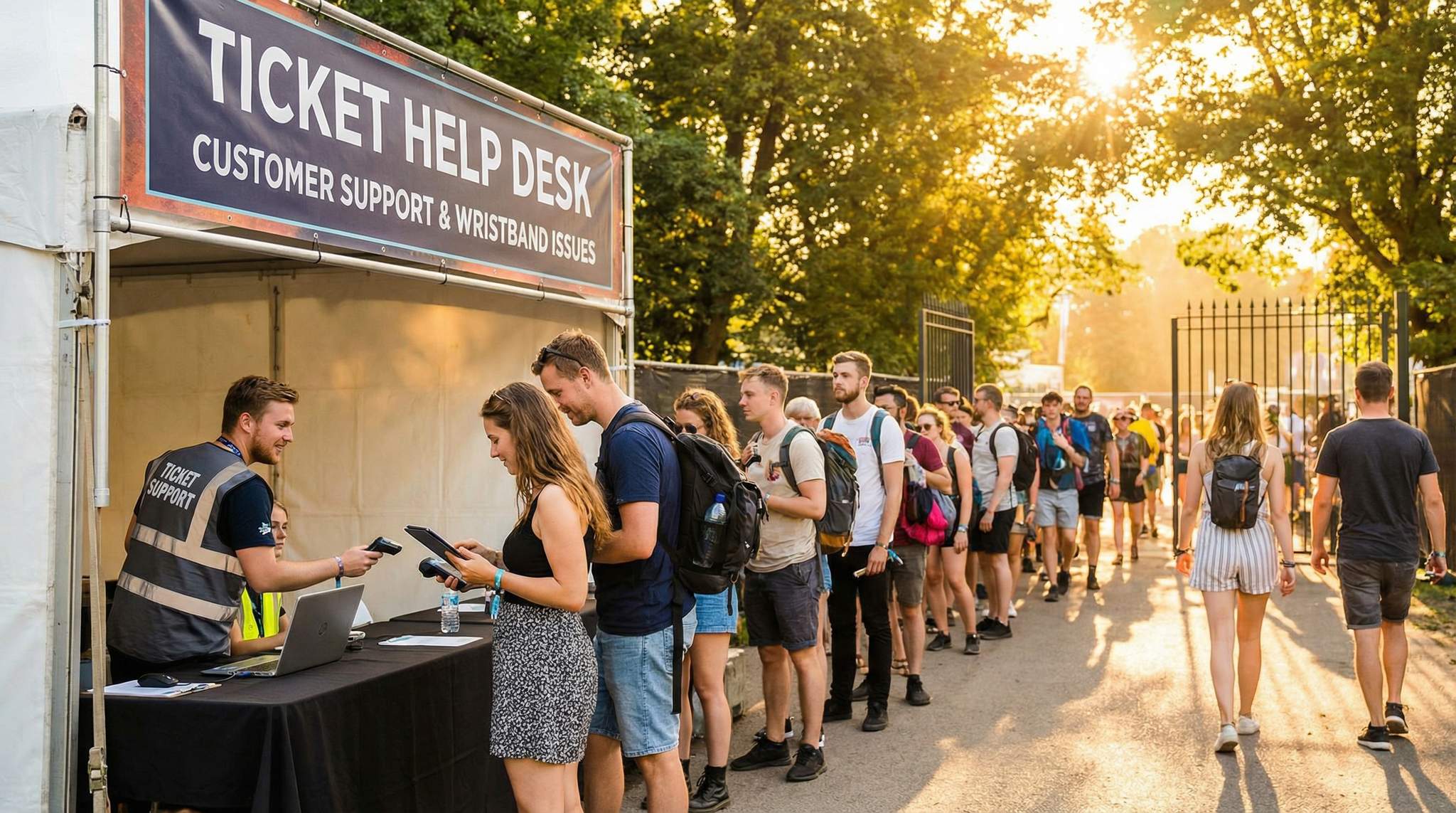
- Visible Help Desk at Entry: Designate a clearly visible Ticketing Help Desk or Customer Support Tent at the main entrance (or at each major entrance for large festivals). Mark it with banners or signs so that anyone with a ticket problem knows exactly where to go instead of clogging up the main entry line. For example, many festivals place an “Issues & Will-Call” booth to the side of the entry lanes. Make sure this area is staffed from the moment gates open (even earlier if staff can be ready, since some people show up with issues before opening). Instruct security and line staff that if someone doesn’t have the right ticket or has a problem, they should direct them to the help desk rather than turn them away or hold up the line.
- Equip Your On-Site Support Team: Your on-site ticket support staff should have all the tools they need at their fingertips. This includes:
- Hardware: Laptops or tablets logged into the ticketing system (and plenty of spare battery packs or charging outlets, since festivals can strain device battery life). Handheld scanners linked to the ticket database, in case you need to scan a QR code or RFID to validate it on the spot. A printer might be useful if you need to print replacement tickets or receipts, though many festivals can go fully digital.
- Materials: Stock of replacement wristbands (for RFID systems or fabric wristbands) and/or physical tickets. If your festival uses RFID wristbands mailed in advance, have a supply of unassigned wristbands that you can encode and activate for those who lost or never received theirs. If using purely digital tickets with no physical component, maybe have some courtesy paper printouts or laminates for special re-issues or VIPs as needed.
- Connectivity: Ensure reliable internet or offline access for your ticketing system. A portable hotspot or a dedicated Ethernet line at the help desk is critical. If the festival is in a remote field, test connectivity beforehand. Some ticketing apps (including Ticket Fairy’s scanning app) have offline modes or local device-to-device sync, so train the team on how to use those if network coverage fails. Having a contingency for connectivity means you can still verify purchases even if Wi-Fi goes down.
- Reference Info: Hard copies of the attendee list or a segment of it (maybe last names A–M with order numbers, etc.) as a last resort backup to verify someone’s purchase if all electronics fail. Also, a list of any known ticket anomalies (e.g., if some tickets were voided, or certain orders flagged by fraud checks) to watch out for.
- Lost or Forgotten Tickets: Be ready to assist attendees who show up without their ticket or wristband. Perhaps they left it at home, or in the case of physical tickets, even lost it en route. Your policy will guide how to handle this, but a common approach is: verify their identity and purchase, then issue them a new credential on-site. Verification typically means checking their photo ID against the order name, and possibly having them provide the credit card used or other order info if there’s doubt. Once verified, invalidate the old ticket/barcode in the system so it can’t be used by someone else and provide them with a new ticket or wristband. For RFID wristbands, this means immediately deactivating the missing wristband’s chip and activating a new wristband for the attendee, a key feature of festival age verification wristband systems that prevents fraud. For barcode tickets, mark the original barcode as void in the system and print a new ticket with a fresh barcode. The importance of canceling the old credential cannot be overstated – it prevents another person from finding the lost ticket/wristband and sneaking in. Document each replacement thoroughly (name, time, reason) so you have an audit trail for reissues and exceptions.
- Wristband Problems On-Site: Wristbands can present unique issues: sometimes they’re applied too tightly, get damaged, or fall off during the event. Have a clear wristband replacement policy and communicate it on-site. For example, Format Festival explicitly allows lost or damaged wristbands to be replaced once for a $20 fee, only for the original purchaser, and they require a government ID and the original order confirmation for verification, similar to how Format Festival’s wristband replacement policy requires government ID. This kind of policy (a) ensures people don’t abuse the system by intentionally giving their wristband to friends and claiming it lost, and (b) sets attendee expectations that losing the wristband has consequences, but help is available. Train the help desk staff to follow the policy strictly but kindly. Usually, the steps are: verify the person’s ID and that they are the rightful owner of that ticket, remove or void the old wristband, and securely fasten the new one on their wrist. If the old wristband is physically present and damaged, keep it or at least its RFID tag if possible. If it’s lost entirely, make sure the old one’s code is noted as lost. Some festivals put a special marker on replacement bands (like a different colour) or “void” stamp the old one if recovered, to identify if someone tries to use it later, a tactic discussed in forums on lost ticket procedures. Whatever your method, the goal is that only one wristband per ticket is active at any time.
- Handling Scanning or Tech Failures: Be prepared for the scenario where an attendee’s mobile ticket won’t scan at the gate. Maybe their phone screen is cracked, or the barcode just isn’t reading. Instruct entry staff that if a ticket won’t scan after a couple of tries, the attendee should be escorted to the side (to not hold up the line) and have a supervisor or help desk staff manually look up the ticket. Often, a manual check-in by name or email can confirm the ticket is valid, and then you can allow entry, perhaps issuing a quick on-site pass or wristband. If the scanning devices or system goes down entirely (it happens – perhaps the wireless network fails), switch to contingency mode: use the printed attendee lists or an offline scanner mode if available, utilizing offline ticket verification methods to keep lines moving. Announce to those waiting that you have a temporary issue and that your team is checking people in manually, thanking them for their patience. It’s also smart to have one of your tech staff or a ticketing provider rep on-call during the festival in case a system reboot or fix is needed urgently.
- Fraud and Ticket Discrepancies: Occasionally, someone might show up with a counterfeit ticket or one that has already been used. Train your on-site team to handle this delicately but firmly. If the scanner says a ticket is already redeemed, quietly take the attendee to the help desk to investigate. It could be a mistake (they printed the same ticket twice and a friend entered earlier with a copy, etc.) or it could be fraud (they bought from a scalper who duplicated tickets). Check your system records – see who is the legitimate owner of that ticket. If it truly appears fraudulent, your policy might be that the attendee cannot be admitted on that ticket. Empathize that they may have been scammed by an unofficial seller and explain that’s why you encourage buying only through official channels. Depending on your capacity and policy, you might offer them a chance to purchase a real ticket on the spot (if the event isn’t sold out and you have a box office) – this at least salvages their experience, though they won’t be happy about paying twice. Always involve a manager or security if a situation escalates here. The goal is to prevent anyone unchecked from sneaking in, without causing a scene that disturbs other guests.
- Special Scenarios: Have a plan for VIP, artist, or staff ticket issues at the gate. These groups often have separate processes (e.g., ID check against a guest list, then wristband issuance). Still, problems occur – a VIP’s name might be missing from the list, or an artist’s tour manager forgot to pick up passes. Make sure your VIP check-in staff have a supervisor contact who can authorize on the fly if needed (“Yes, add this person to VIP list”). For general attendees, if someone shows up saying “I’m supposed to have a ticket from a contest/radio giveaway” and you have no record, treat them kindly but verify with your team internally – maybe call someone from marketing who handled contests. It’s better to briefly hold them at the help desk while checking than to flatly refuse and later find out it was a mistake on your end.
Real-World Example: One notable example of efficient on-site support is Tomorrowland festival. They use high-tech RFID bracelets and advise attendees to take a photo of the unique code on the back of their wristband when they receive it. This way, if someone loses their bracelet during the event, the support team can quickly locate the entry in the system using that code and deactivate it, then issue a new bracelet, as outlined in Tomorrowland’s lost bracelet guidelines. Attendees who followed this advice often get a replacement in minutes. It’s a smart idea that any festival using RFID or barcoded wristbands can adopt – you can even suggest this tip to your guests via a pre-event email or during wristband pickup.
Free Tool: When Should You Announce?
Pick your event date and genre — the free planner outputs a recommended announce, presale, on-sale and reminder schedule anchored to how your audience actually buys.
Another example: at some major festivals like those in the UK, if a ticket was lost in the mail or there was an issue with delivery, the festival will perform an identity check at the gate and then “double-wristband” the attendee, a method noted in discussions on lost ticket arrivals – meaning they give a standard wristband for entry plus a second distinctive band to mark that this person was let in without the original ticket (to prevent anyone else from using that lost ticket later). It’s an old-school solution that helps security teams spot any potential duplicate entries. The takeaway is to have some system in place for exceptions, and communicate with your security team about what those markers (if any) mean.
Common Mistakes to Avoid: One mistake is under-staffing the on-site help desk. If you expect 50,000 attendees and only have one person at the support tent, you’re asking for long waits and frustrated crowds. Scale up based on festival size (e.g., a team of 4–6 for a large festival, with multiple windows if possible). Another mistake is lack of authority at the help desk – if the staff there can’t fix a problem on the spot and have to “call the manager” for every little thing, it will create delays. Empower your on-site support lead to make important decisions (within guidelines) like honoring a ticket that looks valid even if there’s a tech glitch, etc. Finally, don’t locate your help area in a chaotic spot. If it’s smack dab in the middle of the entrance gauntlet, the person with an issue will feel everybody’s eyes on them and noise everywhere. Try to position it off to the side where you can have a somewhat calmer conversation with attendees who need help.
Pro Tips:
- Staff Rotations: Working the gate in the sun (or rain) for hours can exhaust your support staff. Rotate team members in and out if possible, so they can take breaks. A tired staffer is more likely to make a mistake like giving someone the wrong wristband or missing a verification step.
- Morning Briefings: At the start of each festival day, have a quick huddle with all entry and support staff. Share any new info (“FYI, we authorized two name changes overnight – here are the updated names to allow entry” or “Our scanning system had an update, here’s how to refresh the app if it glitches”). Also, encourage staff to share any issues they saw the previous day. This continuous improvement loop can catch patterns – for example, if many people had trouble finding the will-call tent, you might add more signage for Day 2.
- Customer Service Recovery: Equip your on-site team with a few goodwill gestures for cases where someone’s entry was a big hassle (even if you solved it). This could be drink vouchers, merch coupons, or an upgrade to a better viewing area. It’s not something to advertise, but if you had, say, a family miss half a show due to a ticketing mix-up, giving them a small perk can turn their narrative around. Instead of “the festival messed up our tickets,” the story becomes “there was a problem but they went above and beyond to make it right.” That’s the kind of customer service that builds loyalty.
- Off-Site Early Troubleshooting: For destination festivals, here’s an advanced tip – set up off-site will-call or help desks at key locations like the airport or partner hotels a day before the event. This way travelers can pick up tickets or resolve issues (like an incorrect name or a missing confirmation) before even heading to the festival venue, implementing access control for travelers at hotels and airports. It’s a great strategy to reduce gate-day chaos. If this is feasible, coordinate with your ticketing provider to have a portable setup and send a couple of support staff to those locations.
With a well-organized on-site support system, you’ll be able to handle any last-minute ticket issues smoothly. Most attendees will never need to visit the help desk, but those who do will be grateful for the efficient assistance. By the time the headliner hits the stage, even the folks who had ticket troubles will be inside enjoying the show – thanks to your team’s preparation.
Conclusion
A stress-free ticketing experience doesn’t happen by accident – it’s the result of careful planning, training, and a commitment to customer care from start to finish. By setting up robust support across channels, you ensure that no matter how an issue pops up – be it an email weeks in advance or a wristband glitch at the gate – your festival is ready to handle it.
For festival organizers, the payoff of great ticketing customer support is huge. Attendee trust and satisfaction remain high when problems are resolved quickly and fairly. Fans remember how you handled their issue. The attendee who couldn’t find her confirmation but got a prompt reply with a new link will tell her friends about it. The group that almost missed the opening act due to a ticket scan problem will appreciate that your team got them in with minimal fuss. These positive stories protect and boost your festival’s reputation. In contrast, if ticketing issues are common and support is slow or unhelpful, attendees could lose confidence in the event and be hesitant to come back next year.
Easy Ticket Transfers & Name Changes
Let buyers transfer tickets to friends or update attendee names with one click. New QR codes generated automatically, originals invalidated.
Keep in mind that every ticket issue is an opportunity to impress your customer. Treat each person with patience and fairness, and you can even turn initial frustration into gratitude. As you refine your support processes year over year, you’ll likely see fewer issues to resolve (because your preventive measures and communications improve). Many successful festivals make a point to review all support tickets and attendee feedback after the event. Use those insights to continuously improve – update your FAQ, adjust your training, maybe even tweak your ticketing system features (for instance, adding an easier ticket transfer option if that was a pain point).
In the end, smooth ticketing and admissions support contributes directly to an awesome festival experience. When fans breeze through from purchase to gate, they start the event on a high note. By implementing the strategies outlined in this guide – from multi-channel support planning and self-service resources to team training and on-site preparedness – you’re not just solving problems, you’re building loyalty. Attendees who feel cared for will trust your festival brand and return year after year, confident that no matter what hiccup comes up, your team has their back.
Remember, the music (or art, or food, or culture – whatever your festival celebrates) is the reason people come, but it’s the customer experience that determines how they feel about it afterward. Protect that experience by making ticketing hassles a thing of the past through excellent customer support. Here’s to packed gates, happy faces, and a festival reputation that shines!