Why LinkedIn Ads Are a B2B Event Marketer’s Secret Weapon
Access to Decision-Makers at Scale
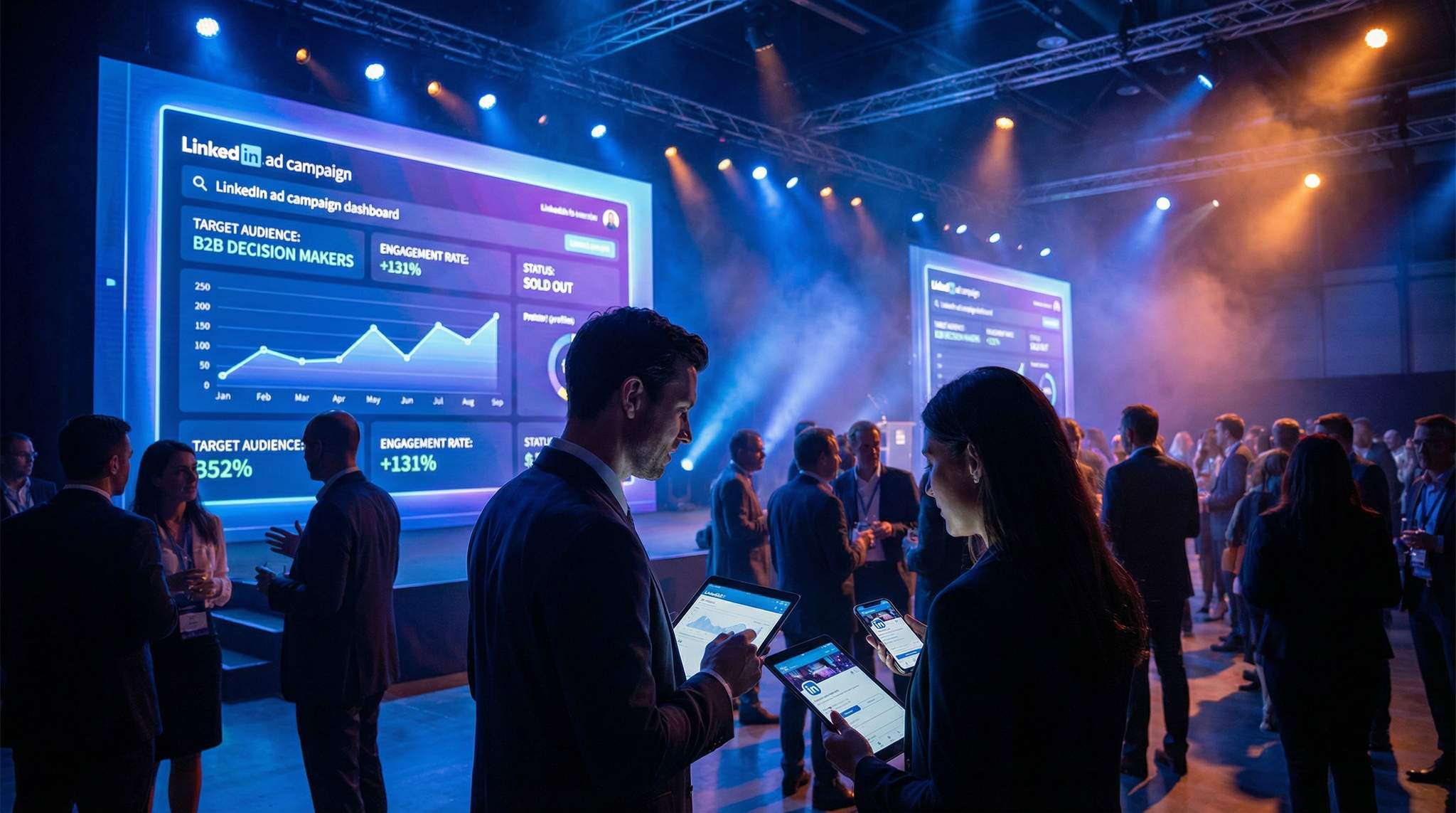
LinkedIn has evolved into the world’s largest professional network, boasting over 1 billion members, including roughly 67 million decision-makers among them, a figure highlighted in ALM Corp’s ultimate LinkedIn ads guide. For event promoters targeting business audiences – from industry conferences to trade expos – this means unparalleled reach to the exact people who have the authority and budget to attend. In fact, 85% of B2B marketers prioritize LinkedIn for advertising and consider it their most valuable social platform for reaching prospects, as reported by Radiate B2B’s advertising statistics. Unlike casual social networks, LinkedIn users log in with a business mindset. They’re actively seeking industry insights, networking opportunities, and professional development – fertile ground for promoting events that offer those very benefits. It’s no surprise that an estimated 80% of B2B leads from social media come through LinkedIn, according to Social News Daily’s infographic data, making it a critical channel to fill your attendee list with qualified professionals.
High-Quality Leads (Even at a Higher Cost)
It’s true that LinkedIn’s cost-per-click (CPC) tends to be higher than platforms like Facebook or TikTok – often averaging $2–$6 per click in 2025 and rising for niche targets, based on Postiv.ai’s advertising cost analysis. But seasoned event marketers know cost doesn’t matter if the ROI is there. LinkedIn’s audience quality often means conversion rates about 2× higher than other social networks, a trend noted in ALM Corp’s 2026 guide. In other words, you may pay a bit more per click, but those clicks are far more likely to turn into actual ticket purchases or sign-ups. One internal analysis found LinkedIn boosts purchase intent by 33% compared to other platforms, according to internal analysis cited by ALM Corp. Event organizers consistently report that LinkedIn yields attendees who are more relevant, engaged, and valuable – the kind of attendees who become repeat customers or high-value clients after the event. When you’re promoting a professional event with a high ticket price or long-term business payoff, spending $100 to acquire a qualified attendee can be a bargain if that person’s attendance (or eventual business) is worth thousands. Experienced promoters focus on cost-per-acquisition, not just cost-per-click. They understand that a small, well-targeted campaign can outperform a massive generic blast on a cheaper channel because LinkedIn finds the right people.
A Platform Built for Business Engagement
LinkedIn is purpose-built for professional content. Users scrolling their feed are primed to see posts about industry trends, case studies, and yes – upcoming events in their field. That means your event ads aren’t awkward interruptions; they’re often seen as valuable opportunities. A recent LinkedIn report noted that event-related promotions on LinkedIn achieved click-through rates 131% higher than standard ads, as reported by LinkedIn Marketing Solutions, likely because they align with what the audience is looking for. Attending a conference or webinar feels like a natural extension of the content they already consume on LinkedIn. Moreover, LinkedIn offers unique social proof features perfect for event promotion: users can see which of their colleagues or connections are “interested” or attending a LinkedIn Event, and event posts often spark discussion among industry peers. This dynamic creates FOMO in a professional sense – if “people like me” or leaders I admire are involved in an event, others are more inclined to register. The network effect on LinkedIn is powerful for events. Contrast this with consumer social media: a viral TikTok dance might sell out a music festival to Gen Z fans, a contrast highlighted in LinkedIn’s discussion on ad costs and activity, but a data analytics conference is far more likely to gain traction from a LinkedIn post by a respected industry analyst. The bottom line: LinkedIn is where business-minded attendees discover and evaluate events, so it should be a cornerstone of any B2B event marketing plan.
Key LinkedIn Ads Updates for Event Promoters (January 2026)
Staying ahead of the curve means adapting to the latest platform changes. The recent LinkedIn ads updates in January 2026 introduced several features specifically beneficial for B2B event organizers. Most notably, the platform rolled out enhanced predictive audiences for event registrations, allowing the algorithm to better identify users who have historically attended similar industry conferences. Additionally, the January 2026 update refined how native Event Ads display on mobile, increasing the prominence of the “Register” button and integrating more seamlessly with users’ professional calendars. Promoters should ensure their campaign setups leverage these new AI-driven targeting expansions to maximize early-bird ticket sales.
Data-Driven Event Marketing
Track ticket sales, demographics, marketing ROI, and social reach in real time. Exportable reports give you the insights to make smarter decisions.
Setting Clear Campaign Goals and KPIs on LinkedIn
Aligning Objectives with Event Outcomes
Before diving into LinkedIn’s Campaign Manager, be crystal clear about what you want to achieve. Different events and situations call for different objectives. Are you trying to drive immediate ticket sales/registrations, or is the goal to build brand awareness for a new conference so that attendees warm up to the idea? LinkedIn offers campaign objectives like Brand Awareness, Website Visits, Engagement, Lead Generation, and Website Conversions. Choosing the right one will align LinkedIn’s optimization AI with your goal. For instance, a trade show looking to maximize registrations might choose a conversions objective (tracking sign-ups on your site), whereas a brand-new summit in its early promotional phase might start with an awareness or engagement objective to build buzz. Experienced event marketers often set layered goals – e.g., run an awareness campaign early to drive visits to the event info page and build a remarketing pool, then a conversion-focused campaign closer to the event to drive ticket purchases. The key is to map LinkedIn’s objectives to your event’s sales funnel. If you’re hosting a free webinar or meetup, lead generation (using LinkedIn’s built-in Lead Gen Forms) could be ideal to collect RSVPs. For a paid conference, you might optimize for website conversions so that LinkedIn’s algorithm finds users likely to complete the ticket purchase on your site. Always define what a “conversion” means for your event (a ticket sold, a registration completed, a lead captured, etc.) before launching ads.
Defining Key Performance Indicators (KPIs)
Once objectives are set, determine which metrics will gauge success. On LinkedIn, common event promotion KPIs include:
– Click-Through Rate (CTR) – How compelling your ad is to your target audience. A higher CTR (LinkedIn average is around 0.4–0.6% according to AdBacklog’s 2025 industry benchmarks) indicates your messaging and targeting are resonating. For event ads, aim for 1%+ CTR by highlighting attractive hooks (e.g., a famous keynote speaker or limited early-bird pricing).
– Conversion Rate – The percentage of people who clicked an ad and then completed the desired action (registration, ticket purchase, etc.). This might range from ~2% for cold audiences up to 10%+ if using LinkedIn’s Lead Gen Form with a low-friction sign-up. B2B conversion rates of 3–5% are considered strong on LinkedIn for event sign-ups, based on AdBacklog’s software industry data. Track both the on-platform form conversions and on-site conversions if you drive traffic to an external landing page.
– Cost Per Click (CPC) – How much you pay for each click. LinkedIn’s CPC can vary by audience and ad quality; you might see anywhere from $3 to $8 per click on average, as detailed in ALM Corp’s guide. If your CPCs are dramatically above benchmark, your targeting could be too narrow or your ads not engaging enough. Keep an eye on this, but remember a higher CPC is not bad if those clicks convert.
– Cost Per Lead (CPL) or Cost Per Acquisition – This is critical: how much ad spend it takes to get one ticket sold or one registration. Event marketers will calculate CPL by dividing spend by number of registrations/tickets. LinkedIn CPLs might be higher than Facebook – often ranging from $80 up to $200+ for high-value B2B events, consistent with ALM Corp’s cost per lead estimates – but those leads could be far more qualified. Compare your CPL to the value of an attendee. For a conference with a £500 ticket, a CPL of £50–£100 is very acceptable. If you’re promoting a free event intended to generate sales leads, assign an approximate value to each lead (based on what a converted customer is worth) to judge if the CPL is reasonable.
– Return on Ad Spend (ROAS) – Especially for paid ticket events, track revenue directly attributed to LinkedIn ads versus cost. For example, if you spend £1,000 on LinkedIn ads and directly attribute £5,000 in ticket sales, your ROAS is 5x (500%). Many event marketers consider 3-5x ROAS a solid success on cold audience campaigns, knowing that there are also ancillary benefits like brand exposure. If your event has longer-term payoffs (like leads for B2B sales), you might instead track ROI over a sales cycle.
Ready to Sell Tickets?
Create professional event pages with built-in payment processing, marketing tools, and real-time analytics.
Other useful metrics include Engagement Rate (for awareness campaigns), Lead Form open and completion rates (if using Lead Gen Forms – aim for a completion rate above 20% of opens, a target suggested by ALM Corp’s performance metrics), and Attendance rate (how many who register actually attend, if free). Set up a dashboard or spreadsheet to monitor these KPIs throughout your campaign. Being data-driven will help you pivot when needed – for example, if CTR is strong but conversion rate is low, that signals your landing page or form might need improvement.
Benchmarking LinkedIn Ad Performance
It helps to know what “good” looks like on LinkedIn. Below is a quick benchmark table for LinkedIn Ads performance in event marketing contexts, based on industry data and campaign experience:
| Metric | Typical Range on LinkedIn | Good Benchmark to Aim For |
|---|---|---|
| Click-Through Rate (CTR) | ~0.4% – 0.6% (average) (AdBacklog) | > 1.0% (strong interest/creative) |
| Cost Per Click (CPC) | $3 – $8 (varies by audience) (ALM Corp) | <$5 for broad targets (or use as relative metric) |
| Conversion Rate (Click?Reg) | ~2% – 5% (cold audience) (AdBacklog) | > 5% (with warm traffic or optimized forms) |
| Cost Per Lead (CPL) | $80 – $150 (professional events) (ALM Corp) | Within target (e.g., <$100 if ticket is $500) |
| Lead Form Completion | ~10–20% (of opens) (ALM Corp) | > 20% (with short, easy forms) |
(Sources: LinkedIn benchmark reports and industry case studies)
Use these as rough gauges. For instance, if your CTR is only 0.2%, that’s a flag that your ad creative or targeting might be off. If your CPL is sky-high relative to ticket price, you may need to refine your audience or offer. Continuously compare your campaign stats against these benchmarks and against your own past campaigns. The beauty of LinkedIn Ads is that everything is trackable – so let the data inform your decisions.
Smart Promo Codes & Presale Access
Create percentage or flat-rate discount codes with usage limits, date ranges, and ticket type restrictions. Plus unlock codes for private presales.
Understanding LinkedIn Events Registration Benchmarks for B2B
When utilizing the platform’s native event features, organizers often ask how their numbers stack up against standard LinkedIn events registration benchmarks for B2B campaigns. Because native registrations remove the friction of navigating to an external landing page, conversion rates here typically skew higher. A strong benchmark for native B2B event sign-ups is a 15% to 25% click-to-registration rate. However, event marketers must account for the “easy RSVP” effect: while registration numbers might inflate, the actual attendance rate for free virtual or hybrid events often hovers between 30% and 40% of total registrants. For paid, in-person conferences, tracking the secondary conversion—from a native LinkedIn RSVP to a completed ticket purchase on your primary ticketing platform—is crucial. Top-performing B2B campaigns aim for a 10% to 15% conversion rate from that initial social RSVP to a finalized, paid attendee.
Laser-Focused Targeting: Reaching the Right Professionals
Leveraging LinkedIn’s Professional Targeting Filters
Precise targeting is where LinkedIn truly outshines other platforms for B2B events. Instead of guessing at people’s interests, you can target users by their actual professional attributes. Start by defining your ideal attendee profile for the event. Ask: What job titles or functions do they have? What industry are they in? What level of seniority? LinkedIn lets you target all of these. For example, if you’re promoting a FinTech conference aimed at senior executives in banking, you might target Industry = Banking & Financial Services, Job Seniority = Senior/VP/CXO, and Job Function = Finance or IT (depending on the theme). You can get even more granular with Job Titles (e.g., “Chief Technology Officer”, “Head of Innovation”) or Skills listed on profiles (e.g., “blockchain”, “payment technology”). An important 2026 update is LinkedIn’s improved AI expansion: if you enable it, LinkedIn’s algorithm can find professionals with similar profiles to your targets (e.g., it might include “Head of Digital Banking” even if you only listed “Head of Innovation” because it detects overlap). However, be cautious – use Audience Expansion sparingly, and only when you need scale beyond a very narrow niche. Generally, it’s best to start with tightly defined criteria and then broaden gradually if needed. Experienced event marketers often run separate campaigns for different segments – say, one targeting C-suite executives and another targeting mid-level managers – because the messaging to each might differ. This segmentation approach ensures your budget is spent on the right people with the right message, rather than a one-size-fits-all ad that might not resonate universally, as discussed in Ticket Fairy’s guide on segmenting your event marketing strategy and avoiding the pitfalls of generic advertising.
Grow Your Events
Leverage referral marketing, social sharing incentives, and audience insights to sell more tickets.
Company and Account-Based Targeting
For many B2B events, it’s not just about who you reach, but where they work. LinkedIn’s Company-based targeting is a goldmine if you have a list of target accounts or sponsors. You can filter by Company Size (e.g., 500+ employees if you only want folks from big enterprises, or conversely <50 if you’re targeting startups) or by Specific Company Names. Hosting a niche industry summit with a dream list of 100 companies you want in attendance? You can actually upload those company names or use LinkedIn’s list upload feature to target employees of those firms. For example, a cloud computing expo might target architects and CTOs at companies like Google, Amazon, Microsoft, etc., to attend or speak. One pro tip: Account-Based Marketing (ABM) on LinkedIn allows you to reach decision-makers at specific companies with tailored ads (“Join your peers at [Event Name] – 5+ executives from {{Company Name}} attended last year”). This personalized approach can dramatically increase relevance. Keep in mind, if you target specific companies, your audience size may be smaller, driving up CPM/CPC costs. To manage this, many marketers will layer in broader criteria as well – for instance, targeting a list of 100 companies plus similar industries to not limit reach entirely. LinkedIn also has Matched Audiences where you can upload lists of individual contacts (emails) – useful if you have a database of past attendees or leads. The platform will match those to LinkedIn users (typically match rates range from 30-70% depending on data quality). This way, you can specifically re-invite last year’s attendees or contacts to your new event via LinkedIn ads, ensuring your message is in front of people who already know your brand.
Retargeting and Matched Audiences
Don’t forget the warm audiences! A well-rounded LinkedIn ad strategy for events uses retargeting to stay on the radar of people who have already shown interest. With the LinkedIn Insight Tag (the platform’s version of a pixel) installed on your event website or Ticket Fairy page, you can build audience pools of people who visited your site. For example, you can create a segment of users who viewed your “Ticket Pricing” page or who started registration but didn’t complete – these are high-intent prospects to re-engage. LinkedIn allows you to retarget by specific page URL visits, so you could target everybody who visited the event’s homepage but did not reach the “Thank You for Registering” page. Likewise, you can retarget video viewers: if you run a video ad highlighting last year’s event highlights, you can later serve follow-up ads to those who watched, say, 50% of that video (implying interest). Experienced promoters often use a multi-touch sequence: an initial ad to cold audiences (e.g., a general event promo), then retarget those who clicked or watched with a second ad (e.g., “Only 2 weeks left to register!” or a case study of an attendee success story). Additionally, LinkedIn’s Lead Gen Form retargeting is useful – people who opened or submitted your form can be retargeted with different messages (perhaps upselling them to a paid workshop if they registered for a free expo). Matched Audiences also let you create Lookalike Audiences of your best customers or past attendees. If you upload a list of, say, 500 known attendees (or use a segment of your Insight Tag for “converters”), LinkedIn can algorithmically find other members who share similarities with them. This can expand your reach to folks you might not have identified but who fit the profile of your ideal attendee. It’s a powerful way to scale once you’ve optimized your core targeting.
Geo-Targeting and Localization
Even though LinkedIn is a global platform, events are often location-specific. Use ** Geographic targeting to focus your budget on the right regions. For a conference in Sydney, you might target Australia or even narrow to New South Wales if most attendees are local. LinkedIn allows targeting by city, state/region, country, and even by metro area. Be mindful of your event’s draw – a niche B2B conference might pull internationally, so you could target multiple countries (e.g., an AI Summit in London might target attendees across Europe and North America). If so, consider creating separate campaigns per region to tailor the language and scheduling (e.g., ads in German for German-speaking prospects vs. English for others). Adapting your event marketing to local cultures and languages can significantly boost engagement. Also, remember to schedule your ads smartly: professionals are typically active on LinkedIn on weekdays during business hours. You might reduce spending on weekends or off-hours if your audience is less likely to engage then (LinkedIn’s Campaign Manager allows day-parting and week-parting to some extent through budget scheduling). One more tip: Language targeting – if your ad copy is in French, you can target users with their profile language set to French, which is handy for marketing in bilingual regions. All these targeting moves ensure your message hits the right people at the right place and time**, maximizing the chances that a busy professional sees your event invite when they’re in “work mode” and receptive.
Crafting Compelling Ad Creatives & Messaging for Professionals
Messaging That Resonates with Business Audiences
When advertising to a professional crowd, your copy and messaging should align with their motivations and pain points. Ask yourself: why would this person attend your event? Maybe they want to learn the latest industry trends, gain a competitive edge, network with peers, or find solutions to business challenges. Your ad text should explicitly speak to those drivers. Lead with the value proposition of your event. For example: “Ready to level up your supply chain strategy? Join 500+ logistics leaders at the 2026 Global Supply Chain Summit for two days of expert insights and networking.” This kind of copy immediately tells a prospective attendee what they’ll get (expert insights, networking) and who else will be there (500+ peers, implying it’s a must-attend for “logistics leaders”). Keep the tone professional but not bland. It’s okay to instill urgency or excitement – e.g., “Early-bird discount ends Friday” or “Last few seats for the CMO Roundtable!” – but do so in a way that feels relevant, not gimmicky. Focus on outcomes: what will they learn, who will they meet, what problem might it help them solve? Business audiences also respond well to data and social proof. If you have a strong stat, use it: “80% of past attendees reported achieving ROI within 3 months.” Or drop big names: “Featuring speakers from Google, Microsoft, and Amazon.” These concrete details build credibility. Avoid overly broad or hyperbolic claims (“This will be the best event ever!!!”) – that might work on a casual audience, but professionals often have a BS-detector. Be clear, specific, and benefit-oriented. And always include a clear call-to-action (CTA) like “Register Now,” “Reserve Your Spot,” or “Download Agenda.” On LinkedIn, the default CTA buttons (like “Learn More” or “Register”) can be chosen when you create the ad – pick one that matches your desired action.
Choosing the Right Ad Format
LinkedIn offers several ad formats, and the right choice can significantly impact your campaign performance:
– Sponsored Content (Single Image Ad): The bread-and-butter of LinkedIn feeds. This looks like a regular post with an image, text, and a link. It’s great for general event promotion with a striking image and headline. E.g., an image of a past event crowd or a speaker on stage, with a headline like “Join Us at Marketing Innovators Conference 2026 – Oct 12, London.” These ads typically have broad reach. The average CTR is ~0.5%, but with compelling creative you might exceed 1%, according to AdBacklog’s industry benchmarks.
– Carousel Ads: A swipeable series of cards (images) in one ad. These can tell a story or highlight multiple topics. For events, you could dedicate each card to a key aspect: one card per headline speaker, or “Learn – Network – Discover” with each card elaborating a benefit. Carousel ads often see higher engagement (CTR 0.8%–1.1% in some cases) because they’re interactive, a figure supported by ALM Corp’s carousel ad data. They’re perfect if you have multiple big selling points to showcase at once.
– Video Ads: Video in LinkedIn feed can be very engaging – especially to showcase event highlights, attendee testimonials, or a personal invite from a keynote speaker. Keep videos short (15-30 seconds recommended) and ensure the message is clear even without sound (use captions, since many watch on mute, a best practice highlighted by ALM Corp’s video ad tips). A video showing last year’s event energy or a montage of speakers can create excitement. LinkedIn users are 20x more likely to share a video than other content, according to TryStirling’s analysis of high-converting ads, so a compelling event teaser video could even get organic traction. Just be mindful of production quality – professional audience expects a certain polish.
– Sponsored Message Ads (Message and Conversation Ads): These deliver a message directly to a user’s LinkedIn inbox (and trigger a notification). It’s like email marketing within LinkedIn. For high-value events or targeted lists (say you have 500 target execs), a Sponsored Message with a personalized invite can work wonders. For example: “Hi Jane, as the Head of Marketing at Acme Corp, you’re invited to an exclusive Marketing Leaders Forum on June 5.” These feel personal and can have high open rates (often 40-50%+ open, since it lands as a message). Keep the tone conversational and consider offering something exclusive (a VIP code, a personalized agenda). Note: LinkedIn has frequency caps for messages to avoid spamming users – and you pay per send, so use this format for smaller, highly targeted outreach rather than mass blasting.
– Event Ads: A newer format specifically designed to promote LinkedIn Events. If you’ve created a LinkedIn Event page for your conference or webinar (which you should, to tap into LinkedIn’s organic virality), you can sponsor it. Event Ads automatically display key event info (date, location, whether it’s virtual, and a “Attend” or “Register” button). They even dynamically update – before the event it might show a banner image, during a LinkedIn Live event it can show the live stream, after it can show a recording, as detailed in LinkedIn’s Event Ads help documentation. LinkedIn has found that Event Ads can drive higher click-through and engagement than standard ads for event promotion, according to LinkedIn Marketing Solutions. Use Event Ads especially if you host a digital event or a hybrid event where you’ll stream via LinkedIn.
– Text Ads and Dynamic Ads: These are the small ads that appear in the sidebar (text ads) or the ones that can show personalized info like “Your colleague John Doe attended [Event]” (dynamic ads). They have lower engagement and are only visible on desktop. These are lower priority for most event campaigns, but text ads can be a cheap way to get extra impressions for awareness if you have leftover budget. Dynamic “Spotlight” ads can be interesting if you want to target specific companies with a personal touch, but creation is more involved.
Often, a mix of formats works best. For example, you might run a video ad for general awareness, a single-image ad with a direct call-to-action for conversions, and a message ad to a narrow list of VIP prospects – all in parallel. Monitor performance of each; you may find, for instance, carousel ads getting a better CTR but message ads yielding higher direct registrations. Adjust budget allocation to the formats delivering results. LinkedIn’s reporting will break down leads or conversions by ad creative, so you can see which ad format and message is most effective.
Maximizing ROI with Dedicated LinkedIn Event Ads
When deploying native LinkedIn Event Ads, organizers can capitalize on the platform’s built-in social proof. Because these ad units pull directly from your established LinkedIn Event page, they automatically display which of a user’s connections are already attending. To maximize the effectiveness of this format, ensure your event page is fully optimized before launching the campaign. This includes a high-resolution banner, a comprehensive speaker list, and a clear, compelling description. Furthermore, pairing these native promotional units with a retargeting strategy—serving standard sponsored content to users who clicked “Attend” but haven’t yet purchased a ticket on your primary ticketing platform—often yields the lowest cost-per-acquisition for B2B conferences.
Designing Professional yet Eye-Catching Creatives
Visuals matter on LinkedIn just as much as on any social platform – but the style should fit the professional context. Think of LinkedIn as a virtual trade show booth: you want to stand out in a feed full of posts about promotions, industry news, and self-congratulatory posts. Here are design tips for event ads:
– Use High-Quality Images: Blurry logos or cheesy stock photos will undermine your credibility. Use photos from past events if available – a wide shot of a packed conference hall, a candid of a speaker on stage, or attendees networking. Such imagery implicitly says “this event is legit and well-attended.” If it’s a new event, use high-quality graphics or illustrations related to your theme (e.g., a collage of industry-related visuals). And always ensure you have rights to the images.
– Incorporate Branding: Include your event logo or the colours/theme of your event branding in the ad creative. This establishes consistency, especially if someone clicks through to a landing page with the same branding. It also builds recognition if they see multiple ads. However, avoid making the ad look too much like an obvious banner – it still should feel like content. A subtle logo in a corner or on a speaker image is good.
– Highlight People: Faces draw attention. For professional events, featuring speakers or well-known attendees can boost engagement. For example, an ad with the headshots of keynote speakers (especially if they are recognizable in the industry) often performs well. Tagline could be “Meet the Speakers: [Name 1], [Name 2]… and more at [Event].” People are more likely to stop scrolling if they see someone they know or admire.
– Keep Text on Images Minimal: Most of your text should be in the post copy or headline, not overlaid on the image. LinkedIn doesn’t have a strict text-on-image rule like Facebook used to, but visually, simple images with maybe a short title overlay perform best. For instance, you might just put the event name/date on the image as text if anywhere. The goal of the image is to catch the eye; the goal of the text (post and headline) is to persuade and inform.
– Match the Creative to the Audience: If you have multiple segments, tailor the imagery. Advertising a tech conference to engineers? Maybe show a relevant tech image or a past scene with coding on screen. Targeting HR professionals for an HR summit? Perhaps an image of a roundtable discussion relevant to HR topics. This creates an instant connection that “this event is for people like me.”
– Mobile-Friendly Design: Over 60% of LinkedIn’s traffic is mobile, a statistic from ALM Corp’s optimization guide, so ensure any text on your image is legible on a small screen. High-contrast colors and uncluttered visuals help. Also, if using video, make sure it’s optimized for mobile viewing (clear without sound, not tiny text, etc.).
Optimizing Your LinkedIn Event Image Size for 2026
To ensure your creatives look sharp across all devices, adhering to the correct LinkedIn event image size specifications is non-negotiable for B2B promoters. For a native LinkedIn Event page, the recommended banner image dimensions are 16:9 ratio, specifically 1600 x 900 pixels. If you are running standard Sponsored Content (single image ads) to drive ticket sales, the optimal size is 1200 x 627 pixels (1.91:1 ratio) for horizontal displays, or 1080 x 1080 pixels (1:1 ratio) for square formats, which often perform better on mobile feeds. Always keep critical text and speaker headshots centered to prevent awkward cropping on smaller screens.
Writing Copy Like a Pro (Literally)
Your copy should be concise, yet packed with value. LinkedIn gives you a couple of text fields: the intro text (above the image/video), the headline (below the image), and a description (which often doesn’t show unless the ad is expanded, except maybe in certain formats). Focus on the intro text and headline. Best practices for LinkedIn ad copy:
– Lead with a Hook: The first line of your intro text might be all someone sees before clicking “…see more”. Start with a question or bold statement that hits a pain point or goal. E.g., “Struggling to keep up with cybersecurity threats?” or “Calling all data science leaders –”. Questions, action words, or provocative statements can encourage clicks.
– Convey Urgency or Scarcity if Relevant: Business folks are busy and procrastinate like anyone. Remind them of deadlines: “Early bird pricing ends in 3 days” or “Limited seats – 75% sold out”. This can spur action, especially in the final weeks. However, always be truthful – false scarcity will backfire and harm trust.
– Include Key Details: In one or two sentences, convey the who, what, when, where of the event. For example: “Join 300 CTOs and tech innovators on March 3, 2026 in San Francisco for the annual AI & Cloud Summit. Two days of expert keynotes (from IBM, Google), hands-on workshops, and networking.” This gives a lot of info compactly. The reader should immediately know if it’s relevant to them.
– Tone: Professional and Positive: Write as if you’re personally inviting them to something that will benefit them, in a collegial tone. Avoid jargon overload or acronyms that outsiders wouldn’t know (unless you intentionally only want a niche). But also, don’t be too casual or meme-ish; that doesn’t usually resonate on LinkedIn for event ads. Think friendly conference organizer voice.
– Social Proof & Credibility: If you have a testimonial or impressive stat, use it. A short quote from a past attendee like ““The best networking event I attended all year.” – 2025 attendee can be gold in an ad (perhaps in the description or as the second sentence). Or mention number of years running (“10th annual summit”), number of countries represented, etc. Anything that shows this event is established and valuable to peers.
– CTA in Text: Even though you have a CTA button, it doesn’t hurt to reinforce it in text. For example, end your intro text with something like “? Register now to secure your spot.” The little arrow draws attention and it’s a direct instruction. Many will click the ad image or headline, but some respond to that text nudge as well.
Using Urgency and Incentives (The Smart Way)
Business audiences respond to urgency and incentives, but it must feel legitimate and relevant. Common tactics done right:
– Early-Bird Deadlines: If your event has tiered pricing (which most do), promote the deadline. “Register by May 1 to save 20%” is a simple and effective message. It gives a clear reason to act now rather than later. You can run specific ads counting down to price increases. For example, a week before an early-bird ends, an ad reading “Final week to save €100 on your TechXpo Europe pass – early bird ends Friday!” can spike conversions. This isn’t creating artificial urgency – it’s a real deadline.
– Limited Capacity Notices: For smaller events or high-demand workshops, let people know if spots are limited. “Only 50 seats available” or “Limited to 200 attendees for an intimate experience” can push those on the fence to decide. Scarcity, when true, is a motivator. Just don’t falsely claim “only a few left” if that’s not the case.
– Special Offers for Groups or Referrals: A professional audience might appreciate a group discount (e.g., “Bring your team – 4 for the price of 3 available”) or a referral perk (“Refer a colleague and both of you get a free VIP lunch upgrade”). These incentives can be mentioned in ads targeting previous attendees or people in the same company (LinkedIn can target by company, remember). Turning attendees into ambassadors through referral programs can amplify your sales without huge ad spend, as explained in LinkedIn’s guide to event ad mechanics. If you have a referral program article or link on Ticket Fairy, you might mention it, but likely you’d integrate referrals via separate channels too.
– Highlight Time-Sensitive Content: If your event has a big announcement (e.g., finalizing the keynote speaker or agenda release), use that as an excuse to run a fresh ad. “Just Announced: CEO of Tesla to keynote at AutoTech 2026 – register now to hear the news first.” Timely news can renew interest and add urgency (“don’t miss this!”). It’s about keeping the momentum.
One caution: maintain credibility. B2B attendees are often more skeptical of marketing fluff. So any urgency or offer should be factual and not overhyped. Use urgency as a nudge, not a crutch – the core value of your event should still carry the decision.
Budgeting and Bidding Strategies for LinkedIn Ads
Navigating LinkedIn’s Higher CPC Environment
When planning your ad budget, prepare for LinkedIn’s costs to be higher than some other platforms. It’s common to see CPCs in the $5–$10 range for many B2B audiences, whereas on Facebook you might pay $1–$3 for a broader consumer target. Don’t let that scare you off. Instead, budget according to the lifetime value of an attendee or the importance of reaching that niche audience. For example, if one ticket sale is worth £300 and you estimate a 5% conversion rate from click to purchase, you might be willing to spend up to £15 per click (because 20 clicks x £15 = £300 for one sale, breaking even). In practice, you aim for better – but this kind of calculation grounds your expectations. A good practice is to allocate a portion of your overall event marketing budget specifically to LinkedIn for B2B events. Many promoters in 2026 allocate anywhere from 20% to 50% of digital ad spend to LinkedIn for professional conferences, with the rest on search or other channels. If you have a small budget (say £5,000 total), you might still dedicate £1,000+ to LinkedIn for that critical reach to professionals, while using cheaper channels for broader awareness. And if you’re on a shoestring budget, then LinkedIn spend needs to be laser-focused: low-budget event marketing is all about prioritizing channels and tactics that directly drive sales. In such cases, you might only target your highest-value segment on LinkedIn (e.g., target the C-suite in key companies) and use email or organic tactics for others. Remember, LinkedIn minimum daily budgets are typically around $10 per campaign, so plan your campaign structure accordingly (if you have 5 campaigns, that’s $50/day minimum to run them all). Consolidate audiences if needed to meet budget.
Smart Budget Allocation by Campaign and Time
Break your budget planning into phases and audience segments. One approach is to use roughly 60-70% of your LinkedIn budget for core prospecting (new audience reach) and 30-40% for retargeting. Prospecting ads get new eyeballs on your event; retargeting ads nudge the interested to convert. Why so much for prospecting? Because to have enough people to retarget, you must first reach them! As the event date approaches, you can re-balance – by the final 1-2 weeks, you might spend 70% on retargeting and only 30% on new outreach, since you’re focusing on converting those already aware. Also consider front-loading vs. back-loading your budget. For a typical conference, a lot of serious professionals register early (especially if there’s early pricing) and then another surge comes right before the event (the procrastinators). So, you might spend big in the first month of ticket sales, ease off in the middle, and then ramp up spending in the last few weeks. Here’s an example timeline of budget allocation for a 3-month campaign:
| Campaign Phase | Timing | Focus & Budget Allocation |
|---|---|---|
| Early Promotion | Launch to 8 weeks out | ~50% of budget. Heavy prospecting to build awareness. Promote early-bird offers. Capture broad relevant audience into funnel. |
| Mid-Campaign | 8–4 weeks out | ~20% of budget. Lighter spend. Maintain presence with prospecting but lower frequency. Focus on content (speaker announcements) to keep interest. Use retargeting for those who showed interest, reminding them of next price increase. |
| Final Push | Last 4 weeks | ~30% of budget. Heavy retargeting to all engagers (site visitors, video watchers, etc.). Ramp up prospecting again with urgency messaging (e.g., “last chance”). Ensure daily budget is higher now to capture last-minute deciders. |
This is a general guide – adjust to your event’s specifics. A short-lead event might condense this timeline. The key is don’t spend your whole budget too early and have nothing left when urgency kicks in. Conversely, don’t save it all for the last minute either – you need to build awareness first. Experienced marketers also leave a small reserve budget unallocated to deploy tactically (e.g., if one ad set is doing exceptionally well, you can boost it, or if you secure a new big-name speaker, you have funds to promote that breaking news).
Bidding Strategies: Auto vs. Manual
LinkedIn Ads offers different bidding strategies. By default, Automated (Max Delivery) is common – you let LinkedIn decide bids to get the best results for your objective within your budget. This is simplest and often effective, especially for conversion campaigns (LinkedIn will try to get you the lowest cost per conversion). However, automated bidding can sometimes overspend if not monitored, especially on a limited budget. Alternatively, you can set Manual bids for CPC or CPM. For example, you might manually bid $10 CPC maximum. LinkedIn will give you a suggested bid range based on your targeting – pay attention to it. If it says suggested $3-6, and you bid $1, likely your ads will get very little exposure. A good rule is to start manual bids around the middle or high end of the suggested range to win impressions, then adjust. If you’re under your budget and not getting enough impressions, your bid may be too low. If you’re hitting your budget early each day and CPI (cost per impression) seems high, you might lower bids. Cost Cap is another strategy (if available in 2026): you can tell LinkedIn essentially “aim for this average cost per result.” It’s somewhat between auto and manual – LinkedIn will auto bid but try to keep the average near your cap. It’s useful if you have a strict CPL target you need to hit.
For most event marketers, starting with Automated bidding while closely watching results is a good approach. LinkedIn’s machine learning can often optimize who sees your ads and when. Give it a few days to “learn.” If after a week your CPL is too high, you might then switch to manual or cost cap to control it. Be cautious of constantly tweaking bids – LinkedIn’s algorithmic campaigns can reset into a new learning phase if you make big changes too often. A tip from veteran campaign managers: if you go manual, avoid drastic bid changes. Modify in 10-15% increments and observe for a couple of days, a strategy recommended in ALM Corp’s bidding advice. Also, remember that LinkedIn’s auction has a relevance score component – ads with higher engagement get cheaper delivery. Sometimes the best “bid strategy” is actually improving your ad creative to boost CTR, which in turn lowers your effective costs (LinkedIn rewards you for ads people engage with by charging you a bit less per click).
Controlling Costs and Maximizing ROI
To get the most from your budget, employ tactics that improve efficiency:
– Frequency Capping (Indirectly): LinkedIn doesn’t let you set a hard frequency cap for sponsored content, but you can monitor frequency (in campaign reports) and use your judgement. If your relevant audience is small and you’ve been running for weeks, people might see the same ad many times, causing fatigue. Solution: refresh your ad creatives regularly (introduce new images or copy every 2-3 weeks, or sooner if frequency creeps above ~5). Also consider rotating multiple ads in the campaign so one person doesn’t see the exact same ad repeatedly.
– Dayparting: While not an official LinkedIn feature for always-on campaigns, you can achieve it by running shorter campaigns or pausing during off-hours. If you notice most conversions come during weekdays 9-5 (likely for B2B), you might lower budgets on weekends. Some marketers manually pause campaigns on Friday evening and resume Monday to avoid spending when the target audience is off work. But use with care – if your audience engages on weekends or different time zones, you could miss out. Analyze your campaign by time if possible.
– Exclude Irrelevant Audiences: Use LinkedIn’s exclusion options to prevent budget wasters. For example, if you’re promoting an in-person event in Canada, exclude countries other than Canada (no sense paying for clicks from abroad). Or if you only want practitioners, exclude seniorities like “Unpaid” or “Training” if they don’t fit. Also, exclude your “converter” audience (people who already registered) from prospecting campaigns – no need to show ads to folks who’ve signed up (instead, maybe include them in a separate upsell campaign or just omit entirely to save dollars).
– Leverage Remessaging in Cheaper Channels: Here’s a clever cost-saver – use LinkedIn for what it’s best at (initial targeting of professionals), then follow up via other channels which might be cheaper. For instance, drive clicks to your website via LinkedIn, capture those visitors (with consent, maybe via a sign-up or just via cookie), then retarget them on Google Display or Facebook which have lower CPMs. Or if you get leads via LinkedIn Lead Forms, export those and do an email nurture campaign. Essentially, you can let LinkedIn bring folks in at the top of funnel, and do some middle-funnel marketing elsewhere to reduce dependency on LinkedIn’s higher costs for multiple touches. This cross-channel approach often yields a better overall CAC (customer acquisition cost). Many savvy event marketers orchestrate campaigns this way – it requires a bit more coordination but can stretch a budget further.
– Monitor Placement and Network: LinkedIn sometimes offers an Audience Network option (showing your ads on partner sites/apps). Check if it’s on – these clicks can be cheaper but often lower quality. Consider turning off Audience Network to spend on LinkedIn placements only, especially if concerned about quality. Conversely, if you need volume and don’t mind casting wider, it can be left on. Watch performance by placement in reports.
Finally, always be testing small optimizations – a slightly different target criteria, a new image, a tweak in the headline – to incrementally improve your cost per result. When marketing on a tight budget, continual testing and refinement are the secrets to punching above your weight. LinkedIn’s higher costs put pressure on getting the strategy right, but with careful management, you can achieve excellent ROI. Many event campaigns have managed to, for example, halve their CPL after a round of optimizations and testing different approaches, turning an initially expensive channel into a profitable one.
Advanced Tactics: Implementing LinkedIn Ads Dayparting
While the platform’s native scheduling tools have historically been rigid, mastering LinkedIn ads dayparting is a critical strategy for event marketers looking to stretch their budgets. Dayparting involves manually or programmatically pausing your campaigns during low-engagement hours—such as weekends or between midnight and 6:00 AM—and surging spend during peak professional browsing times (typically Tuesday through Thursday, 8:00 AM to 10:00 AM and 12:00 PM to 2:00 PM local time). By applying strict LinkedIn dayparting rules, B2B conference organizers can prevent their daily budgets from being exhausted by low-intent, off-hours scrolling. If you are promoting an international summit, remember to segment your campaigns by time zone so your dayparting schedule aligns perfectly with the local business hours of your target attendees.
Launching, Monitoring, and Optimizing Your LinkedIn Campaign
Timing Your Campaign Launch
Successful event promotion on LinkedIn is all about timing. Start early enough to build awareness, but don’t fire all your shots too early or people might forget. For large conferences, promotions often begin 4-6+ months out, whereas a local workshop might only need 4-6 weeks. A good rule: launch LinkedIn ads as soon as you have a compelling reason for people to take action (e.g., tickets on sale, early-bird available, agenda announced). Many experienced promoters sync the LinkedIn campaign with their ticket on-sale day to capitalize on launch buzz – a strategy similar to mastering your ticket on-sale launch across all channels. If you have a teaser phase (like announcing “Save the Date” or unveiling a headliner), you can definitely use LinkedIn for that too, but perhaps with a lighter budget or just organic posts. One approach is to do a soft launch: run a small LinkedIn campaign to past attendees or your top targets to get initial sign-ups and testimonials, then ramp up to a broader audience with those early success stories in hand.
It’s also important to consider when during the week to launch or make big changes. Professionals are most active Tuesday through Thursday on LinkedIn. Launching a campaign on a Monday or Tuesday can be wise so you capture mid-week engagement out of the gate. Conversely, if you launch on a Friday evening, those ads might sit with low engagement over the weekend and the algorithm won’t get strong signals initially. Also plan around holidays or big industry events when your audience might be less attentive to LinkedIn.
Phased Campaign Strategy
Treat your LinkedIn advertising like a mini campaign in phases: Awareness ? Consideration ? Decision. Early on, focus on Awareness: ads that simply put your event on the radar, highlight the big value props, drive clicks to learn more. As the campaign progresses, shift to Consideration: perhaps content-driven ads (like “See the full agenda” or “Check out our speaker interview with ___”) which deepen engagement for those who already know the basics. Finally, Decision phase as the event nears: heavy on urgency and CTA – “Don’t miss out,” “Secure your ticket by X date.” On LinkedIn you can implement this by either sequential retargeting (show different ads to people who interacted before) or just by timeline (changing your messaging approach month by month to everyone). For instance, one could start with ads that have more informational tone (“Learn what’s coming in 2026 at [Event]”) and later switch to ads like (“Last chance to join 1,000 of your peers at [Event] – Register today”). This mirrors the natural journey someone might take from hearing about the event to deciding to attend.
Also, keep in mind the content of your campaigns can evolve. Early phase might use more educational or thought leadership content to attract interest (like promoting a free webinar or a report related to your event, as a lead magnet). Later phase becomes pure event promotion once people are warmed up. Many event marketers incorporate content marketing and even AI tools to generate content to keep audiences engaged during the long promotion cycle, a tactic explored in ALM Corp’s content marketing insights – for example, sharing an AI-generated industry trend article via LinkedIn that subtly plugs the event.
Live Monitoring: Know Your Numbers Daily
Once your LinkedIn ads are live, the work isn’t over – it’s monitoring and optimizing time. In the first 48-72 hours of a campaign, check in frequently (at least once a day). Watch for:
– Delivery Issues: Are your ads getting impressions? If one campaign isn’t spending at all, you may need to broaden targeting or raise the bid/budget. Sometimes LinkedIn flags ads for review; ensure your ads are approved and running.
– Early CTR and CPC: After a day or two, you’ll see which ad creatives are drawing clicks. If one ad has a very low CTR (say 0.1%) while another is 0.6%, consider pausing the low performer and reallocating budget to the better one. Similarly, note CPC – if one segment’s CPC is astronomical (maybe you targeted too narrowly), you might pause that segment.
– Conversion Tracking: Verify that conversions (registrations, etc.) are being recorded properly in LinkedIn (or via your tracking setup). There’s nothing worse than running a campaign and later realizing the tracking tag was not firing – you’d have no idea which ads worked. Test a conversion yourself if possible (fill out the form, etc., and see if it logs).
As you collect a week or two of data, identify trends. Perhaps you see that engagement is strong among mid-level managers but weak among C-levels – that might tell you to adjust messaging (the C-suite might need a different hook, or maybe try a personal invite via InMail for them). Or you may find one geography is clicking but not converting (could indicate interest but maybe logistic issues for them attending?). This is the intel to fine-tune your targeting or creative.
A/B Testing and Optimization
LinkedIn has a built-in A/B testing (called LinkedIn Experiment or you can just run two ads and compare). Always test something. Good tests for event ads include:
– Creative A vs B: Two different images (e.g., one with people vs one with product or abstract graphics). See which draws more clicks or conversions. In one campaign, a tech conference tested a speaker collage image against a simple logo graphic – the speaker collage got 2X the CTR and 50% more sign-ups.
– Headline or Text Variations: Try different value props. For example, Ad Copy A: “Join 300 marketers at X Conference – learn 2026 trends” vs Ad Copy B: “Get ahead of marketing trends at X Conference – limited seats”. You might find one phrasing clearly outperforms. An actual case study from a marketing summit showed an email-style list of bullet benefits in the ad text led to significantly higher engagement than a generic paragraph – you can test formats like that on LinkedIn too.
– Audience Split Tests: If budget allows, run the same ad to two different audience definitions. For instance, test targeting by Job Function (e.g., Marketing Professionals) vs targeting by Skill (e.g., people with “Marketing Strategy” skill). See which yields better CPL – sometimes one targeting approach brings a better subset. Another example: test City-based targeting vs Industry-based targeting if you’re not sure which slice is more responsive.
– Format Experiments: Try a single image ad against a video ad, if you can produce a video. Or test a Lead Gen Form ad vs a Website click ad. For example, a trade show might test: sending people to a registration landing page versus using a LinkedIn Lead Gen Form that says “Get your free Expo Pass – fill to claim”. The form might get more leads but those leads might be less committed than someone who went through the site – it’s worth testing to see quantity vs quality trade-offs.
When running tests, change only one variable at a time per test so you know what made the difference. Run the test until you have enough data to be confident (LinkedIn’s tool can help determine significance, or you can use your own judgment – e.g., at least 100 clicks per variant). According to LinkedIn, you typically want 95% confidence for a winner in a formal test, according to ALM Corp’s testing protocols. If one ad is clearly leading and you have substantial data, don’t be afraid to declare a winner early and iterate again with a new variant to continually improve.
Adapting to Mid-Campaign Performance
It’s common to see an initial spike of interest when your campaign is new, then a lull in the middle, and another spike near the end. That mid-campaign slump can be challenging – but there are ways to overcome the mid-campaign slump. One strategy is to inject new content or offers mid-way. For example, around the midpoint of your sales cycle, announce something catchy: a new speaker added, a partial agenda reveal, a “win a free upgrade” contest, etc. Create a fresh LinkedIn ad around that news to reignite interest among those who saw earlier ads but didn’t act. Essentially, you’re giving them a new reason to pay attention. Another tactic during slow periods is to narrow focus to the most engaged audiences to convert them. If general targeting has slowed, shift budget to your retargeting of those who clicked or visited before – give them an extra push (like “Spaces are filling up, don’t miss out”). Often, that can nudge indecisive prospects.
Be prepared to also adjust spend. If LinkedIn is performing well (say you’re getting a great CPL), you might allocate more budget from other channels to LinkedIn mid-flight to capitalize on that success. Conversely, if LinkedIn isn’t delivering as hoped, see if it’s an optimization issue or truly the channel – e.g., is Google Ads or email doing better? High-intent search campaigns on Google might yield more immediate ticket buyers, so perhaps you reduce LinkedIn spend and divert funds to search if that’s outperforming. Ideally, though, you refine LinkedIn rather than abandon it, since it reaches people search and Facebook might miss.
Finally, keep stakeholders in the loop with progress. If your team or client knows that LinkedIn ads have generated, say, 50 quality B2B registrants already, they’ll be more confident when you ask for more budget or time. Use LinkedIn’s demographic reporting to your advantage here – you can show, for example, “Look, 60% of our LinkedIn ad conversions so far are from Director-level and above titles – we’re clearly attracting the senior attendees we want.” That kind of insight not only proves the campaign’s worth but can also guide on-site preparation (e.g., if many CFOs are signing up, perhaps tailor some event content to them).
Proving ROI: Tracking and Measuring LinkedIn Ad Success
Implement the LinkedIn Insight Tag ASAP
To measure ROI accurately, you need to capture the conversions driven by LinkedIn. The LinkedIn Insight Tag is a small piece of code you add to your website (or Ticket Fairy page) that tracks visitors and conversions from LinkedIn ads. It’s analogous to the Facebook Pixel. Make sure this tag is installed on key pages – especially the registration confirmation or ticket purchase completion page (so it can count a “conversion” when someone buys). If you’re using Ticket Fairy or another ticketing platform, check if it allows adding third-party tracking scripts; many do. By implementing tracking pixels correctly, you’ll collect precise data on user actions and advertising effectiveness and steps in the ticket purchase process. Once the Insight Tag is live, configure conversion events in your LinkedIn Campaign Manager. For example, set a conversion for “Ticket Purchase” that triggers when the confirmation URL loads or when a specific JavaScript event fires. This way, LinkedIn will record how many conversions each ad/campaign generates and the cost per conversion. It also allows LinkedIn to optimize for that action (if you chose a conversions objective). Without the Insight Tag, you’re flying blind and LinkedIn’s algorithm can’t optimize beyond the click.
Verify and Cross-Check Conversions
While LinkedIn’s reporting will show you conversions, it’s good practice to cross-check with your own analytics or ticketing reports. Sometimes, due to browsers blocking cookies or other privacy settings, not all conversions get attributed properly (welcome to the cookieless world), where attribution in a privacy-first era becomes complex. You might see what’s known as “dark” conversions, where a ticket sale happened but wasn’t tied to an ad click because tracking was lost. To get a fuller picture, use UTM parameters in your LinkedIn ad URLs so that Google Analytics (or your analytics tool) can also track visitors from the campaign. For example, tag the URL with utm_source=LinkedIn&utm_medium=cpc&utm_campaign=EventName2026. Then, in analytics, you can see total conversions from LinkedIn (even if the LinkedIn interface missed a few due to tracking issues). If there’s a big discrepancy, investigate if something’s broken in tracking. In a privacy-first era with iOS and browsers limiting cookies, expect LinkedIn (and all platforms) to underreport some conversions in the privacy-first era. This is where attribution models come in. Perhaps LinkedIn drove the first click, but the user later converted via a Google search – LinkedIn might not count it, but it definitely contributed. Use a multi-touch attribution approach or at least look at assist metrics (LinkedIn’s dashboard can show “view-through” conversions which happen after someone saw an ad but didn’t click it – those are part of LinkedIn’s influence too).
For high-stakes B2B events (where a single ticket might be thousands of dollars or a lead could become a big client), consider offline tracking too. For example, use unique discount codes in your LinkedIn ads (like LINKEDIN10 for 10% off) and track how many registrations use that – this can capture people who might have seen the ad and later signed up via desktop or another method without a direct click. Post-event, you could even survey attendees on how they heard about the event – if a significant number say LinkedIn or a colleague on LinkedIn, that is qualitative ROI evidence to pair with your quantitative data.
Calculating ROI and Building the Case
At the end of the campaign (and during, for optimization), you’ll calculate metrics like CPL (Cost per Lead) and CAC (Customer Acquisition Cost) specifically for LinkedIn. Say you spent $5,000 on LinkedIn ads and got 50 ticket purchases directly attributed – that’s a CAC of $100. If the ticket price was $400, you made 4x the ad spend in revenue – an ROAS of 4.0 or 400%. Additionally, perhaps those 50 attendees include 10 VIP passes or potential future clients for your business – consider the broader value. It’s good to track the quality of the attendees acquired via LinkedIn too. Did they match the job titles you wanted? (LinkedIn’s conversion demographics report can show breakdown of converters by job title, company, etc., which is awesome for seeing if you hit your target audience.) For example, you might find that although LinkedIn drove fewer total sign-ups than another channel, those sign-ups were predominantly senior-level professionals, making them more valuable to your event’s objectives (networking, upsell potential, etc.).
In reporting to your team or stakeholders, highlight both the quantitative ROI and some qualitative wins. Quantitative: “LinkedIn ads brought in 120 registrations at an average CPL of $85, and $50,000 in ticket revenue, which is a 5x return on ad spend.” Qualitative: “These LinkedIn-driven attendees included people from 30 different Fortune 500 companies and 15% were C-suite execs, significantly boosting the caliber of our attendee list.” If you ran any experiments, report those learnings too (e.g., “Our A/B test showed that showcasing the keynote speaker in ads doubled the CTR – a useful insight for future campaigns”). This not only proves this campaign’s success but also builds institutional knowledge.
For events that aren’t purely ticket revenue driven (like free events aimed at lead gen), ROI might be assessed over a longer term. In that case, you’ll track how many LinkedIn leads converted to opportunities or sales down the line. Make sure to tag those leads in your CRM as coming from LinkedIn ads. Many CRMs allow source tracking; if integrated with your Ticket Fairy registration or via manual import, do log the source. Then you can say, for example, “LinkedIn ads generated 200 leads, of which 50 became marketing-qualified and 5 turned into sales deals worth $200k.” That’s huge ROI beyond the event itself.
One more advanced tip: use LinkedIn’s Brand Lift or Conversion Lift studies (if your budget and LinkedIn account rep allow) to measure the incremental impact of your ads. This involves splitting your audience and seeing what lift in awareness or conversion occurs among those exposed to ads vs. not. It’s more used by big advertisers, but even a simple before-and-after website traffic analysis or search volume increase after running LinkedIn ads can indicate that your event’s buzz grew thanks to the LinkedIn campaign.
Ultimately, by closely tracking and thoughtfully interpreting results, you build trust in LinkedIn as a channel within your marketing mix. When your boss or client asks, “Was it worth advertising on LinkedIn?”, you’ll have a data-backed story: Yes – it reached the right people and drove X value, and here’s the proof. That will justify using LinkedIn for events in the future and perhaps even scaling up the budget knowing it can deliver.
Real-World LinkedIn Event Marketing Success Stories
Case Study: Niche Trade Show Finds Its Audience
To illustrate the power of LinkedIn ads, consider Elite Exhibitions, an event organizer in the highly specific niche of cruise ship interior design. Promoting their “Cruise Ship Interiors Expo Europe”, they used LinkedIn ads to target professionals in cruise lines, marine architecture, and hospitality design. Instead of casting a wide net, their campaign homed in on job titles like “Interior Designer”, “Fleet Design Manager”, and specific companies in the cruise industry. The results were outstanding. Over the campaign, their LinkedIn ads delivered about 438,000 impressions and 25,000 clicks, and – most importantly – 394 conversions (registered attendees), as reported in Vixen Digital’s case study. With roughly £10,000 spent, that worked out to a cost per lead of just £26 on LinkedIn, showcasing low cost per acquisition. Achieving a sub-£30 CPL for a niche B2B expo is impressive, especially given those attendees were very specialized and hard to reach elsewhere. The key to their success? Ultra-focused targeting (they knew exactly which companies and roles to go after) and compelling creative that spoke directly to that industry’s needs (their ads highlighted that the expo was “the premier event for cruise design professionals”). By aligning content and audience so tightly, they turned LinkedIn into a conversion machine, even on a modest budget. The high relevance likely contributed to an unusually low CPC (around £0.43 per click), according to Vixen Digital’s campaign data, as LinkedIn’s algorithm saw strong engagement and lowered their costs. This case underscores that LinkedIn can deliver cost-efficient results when your targeting and message are spot on – even if you’re not a household-name event.
Case Study: Global Tech Conference Scales with LinkedIn
A large international tech conference in Europe (think along the lines of a Web Summit or SaaS conference) leveraged LinkedIn to drive both ticket sales and virtual attendance for its hybrid event. Their approach was multi-pronged: one campaign targeted software engineers and product managers for the technical tracks, another targeted startup founders and investors for the business tracks, and a third used LinkedIn Event Ads to promote the live-stream to a broader audience after the in-person tickets sold out. During the campaign, they saw differences in each segment. The ads aimed at engineers (with copy about “deep-dive workshops and coding challenges”) had a solid CTR of ~0.7% but somewhat lower conversion rate (many engineers clicked to check it out, but some needed employer approval to attend, causing delays). The founder/investor ads (emphasizing networking and pitch opportunities) had a slightly lower CTR (~0.5%) but a higher conversion rate – those who clicked were seriously interested and many bought premium passes. By the end, LinkedIn accounted for 30% of total paid ticket sales, at an average CPL of around $120. For a €1000 ticket price, that’s an excellent result. Moreover, the Event Ads promoting the virtual component achieved a 33% lower cost-per-view of the live-stream compared to their previous year’s approach using only email invites. LinkedIn’s own data from that campaign showed a ~30% reduction in cost per 5+ minute view of the live content, based on LinkedIn’s Salesforce event ad case study, meaning more people tuned in and watched substantial portions at a lower cost. The conference organizers noted that LinkedIn was the #1 source of VIP attendees (CXOs and VPs) – more of those came via LinkedIn than any other channel, proving its value for quality. Their takeaway: by customizing messaging for each professional subset and taking advantage of new features like Event Ads and even Thought Leader Ads (they boosted posts from their CEO inviting people to the conference), they were able to significantly boost both the scale and the caliber of their attendee base through LinkedIn.
Case Study: B2B Networking Meetup Goes from Local to Regional
Not every success requires thousands of pounds in budget. A small B2B marketing professionals meetup in Melbourne wanted to grow its attendee base from just local city marketers to the broader region. With a limited budget of $2,500, the organizers ran a LinkedIn campaign targeting “Marketing Manager, Marketing Director, CMO” within a 300km radius. They used Sponsored Message Ads to send a personalized invite to marketing leaders at dozens of mid-sized companies, and Sponsored Content ads highlighting that “Melbourne Marketing Innovators Meetup” was a chance to share knowledge and network. The message ads had an open rate of ~55% and click rate of 5%, resulting in many personal conversations and goodwill even among those who couldn’t attend. The feed ads reached roughly 8,000 targeted professionals with a CTR of 0.8%. End result: an event that used to attract ~50 people in Melbourne saw 150 sign-ups including professionals traveling from other cities – a 3× increase in attendees. Cost per attendee came to about $16. Even more, several attendees mentioned on-site that they came because the LinkedIn invite made it feel “official” and relevant to their career (versus a Facebook ad which they’d have been more likely to ignore). Off the back of this, the organizers secured sponsorship from a marketing software company for future meetups – the sponsor was impressed by the caliber of attendees (lots of marketing managers from recognizable firms) and that was largely thanks to LinkedIn’s precise targeting. This goes to show that even with a modest spend, LinkedIn can elevate a niche event’s profile and draw in the right crowd, which in turn opens up new growth opportunities (like sponsorships and expansions).
Lessons from the Case Studies
Across these examples – a niche trade show, a major tech conference, and a local meetup – some common themes emerge:
– Precise Targeting is King: Each event succeeded by clearly defining who they wanted and using LinkedIn’s tools to zero in. Whether by job title, company, or region, they avoided waste and spoke directly to their audience.
– Tailored Messaging Wins: The campaigns didn’t use a one-size-fits-all pitch. They highlighted the aspects of the event most appealing to each subgroup (technical vs business, designer vs manager, etc.). Relevance drove higher CTRs and conversions.
– LinkedIn Delivers Quality Attendees: In all cases, the attendees acquired via LinkedIn were high-value – be it senior decision-makers, specialized professionals, or simply more engaged participants. This often justifies the spend, as one engaged, high-level attendee can influence many others or drive post-event business.
– Optimization and New Features Pay Off: Employing LinkedIn’s latest features like Event Ads or Thought Leader Ads, and continuously testing (as Elite Exhibitions did with A/B tests, where they split-tested audiences)), gave an edge. These marketers didn’t “set and forget” – they refined campaigns mid-flight (adding speakers, adjusting bids, etc.) to improve results.
– ROI can be Proven: Each of these teams measured results meticulously – from direct CPL and ROAS to softer metrics like attendee seniority and engagement. That allowed them to celebrate wins and make a case for doing it again. As a result, LinkedIn has become a staple channel for their event promotion year after year.
Aspiring event marketers can take confidence from these stories: LinkedIn ads, when executed with a strategic mindset, can lead to sell-outs and successful events even in challenging niches. It’s about leveraging the platform’s strengths – professional data and context – and applying all the best practices we’ve discussed.
Frequently Asked Questions About LinkedIn Event Promotion
What is the most effective format for LinkedIn event promotion?
For B2B organizers, the most effective format for LinkedIn event promotion is often a mix of native Event Ads and Sponsored Content. Utilizing the platform’s native event features reduces friction for RSVPs, while single-image or video ads are excellent for driving traffic directly to your primary ticketing page.
How does LinkedIn ads news in 2026 impact event marketing strategies?
Following LinkedIn ads news for 2026 is vital because platform algorithm shifts directly affect cost-per-acquisition. For instance, recent updates to predictive audiences and mobile display layouts mean promoters must continuously refresh their ad creatives and refine their targeting parameters to maintain high conversion rates.