A Flood of Event Tech in 2026: The Innovation Overload
The Event Tech Boom – Endless Tools & Gadgets
The event industry in 2026 is awash with new technology solutions. Every week brings a shiny new app, gadget, or platform promising to revolutionize events. From AI scheduling assistants and facial-recognition entry systems to AR gaming activations and NFT ticketing, the choices are endless – and overwhelming. It’s a far cry from a decade ago when organizers might have a single ticketing platform and a basic event app. Now, there’s a specialized tool for every task. This tech boom has benefits – powerful capabilities and data insights – but it also poses a question: at what point do too many tools become too much of a good thing?
This rapid proliferation isn’t happening in a vacuum. The broader event technology expansion and hiring surge seen throughout 2025 and 2026 has fundamentally reshaped the vendor landscape. As event tech companies secure new funding and scale their operations, they are aggressively expanding their product lines and hiring specialized talent to build more complex integrations. For festival producers and venue operators, this industry-wide growth is a double-edged sword. On one hand, you have access to unprecedented innovation; on the other, the sheer volume of new platforms requires organizers to either upskill their existing teams or participate in the hiring surge themselves by bringing on dedicated in-house event technologists to evaluate and manage these sprawling systems.
Innovation vs. Chaos – When More Tech Backfires
It’s easy to assume that adding more tech will automatically improve an event. But seasoned event technologists caution that more tech isn’t always better. Piling on every innovation can create chaos instead of improvement. For example, one major festival tried introducing five different attendee-facing technologies in one year – a dedicated mobile app, interactive AR displays, cashless payment wristbands, a networking social platform, and AI chatbots. Instead of a futuristic paradise, they ended up with confused attendees, overloaded networks, and staff scrambling to troubleshoot glitches. The lesson: each new system adds complexity that must be managed. Without a coherent strategy, tech overload can undermine the very experience it was meant to enhance.
Recognizing Tech Overload at Events
How can you tell if an event is suffering from tech overload? There are some telltale signs:
– Disjointed attendee journey: Guests juggle multiple apps or devices – one for tickets, another for event schedules, another for payments – resulting in confusion and frustration.
– Underused gadgets: Costly technologies (like AR photo booths or fancy wearable devices) sit largely ignored because attendees either don’t know about them or don’t see the value.
– Staff IT panic: Behind the scenes, event staff spend more time logging into dashboards and rebooting devices than actually running the event. The team feels stretched thin keeping dozens of systems running.
– Data silos: Information is scattered across platforms that don’t integrate, leaving organizers with fragmented analytics and duplicate data entry.
If any of these symptoms sound familiar, your event might be experiencing technology overload. In the sections below, we’ll dive into why this happens and how to prevent the excitement for innovation from turning into operational headaches.
Behind the Scenes: Too Many Tools Strain Organizers
Integration Nightmares and Data Silos
From an organizer’s perspective, managing a bloated tech stack can be a nightmare. Each platform – ticketing, registration, mobile app, RFID access control, attendee engagement software, etc. – might work well on its own, but if they don’t play nicely together, huge inefficiencies arise. Data ends up trapped in separate silos: the attendee info collected at registration doesn’t automatically sync with the mobile app or the RFID system. This means manual exporting and importing of spreadsheets, or worse, inconsistent data across systems. Veteran producers often warn: juggling too many disconnected tools creates more work than it saves, leading to integration issues when managing multiple solutions and increased complexity for event staff. For example, an event team might find themselves updating attendee lists in three different systems because there’s no single source of truth. The result is wasted time and greater risk of error.
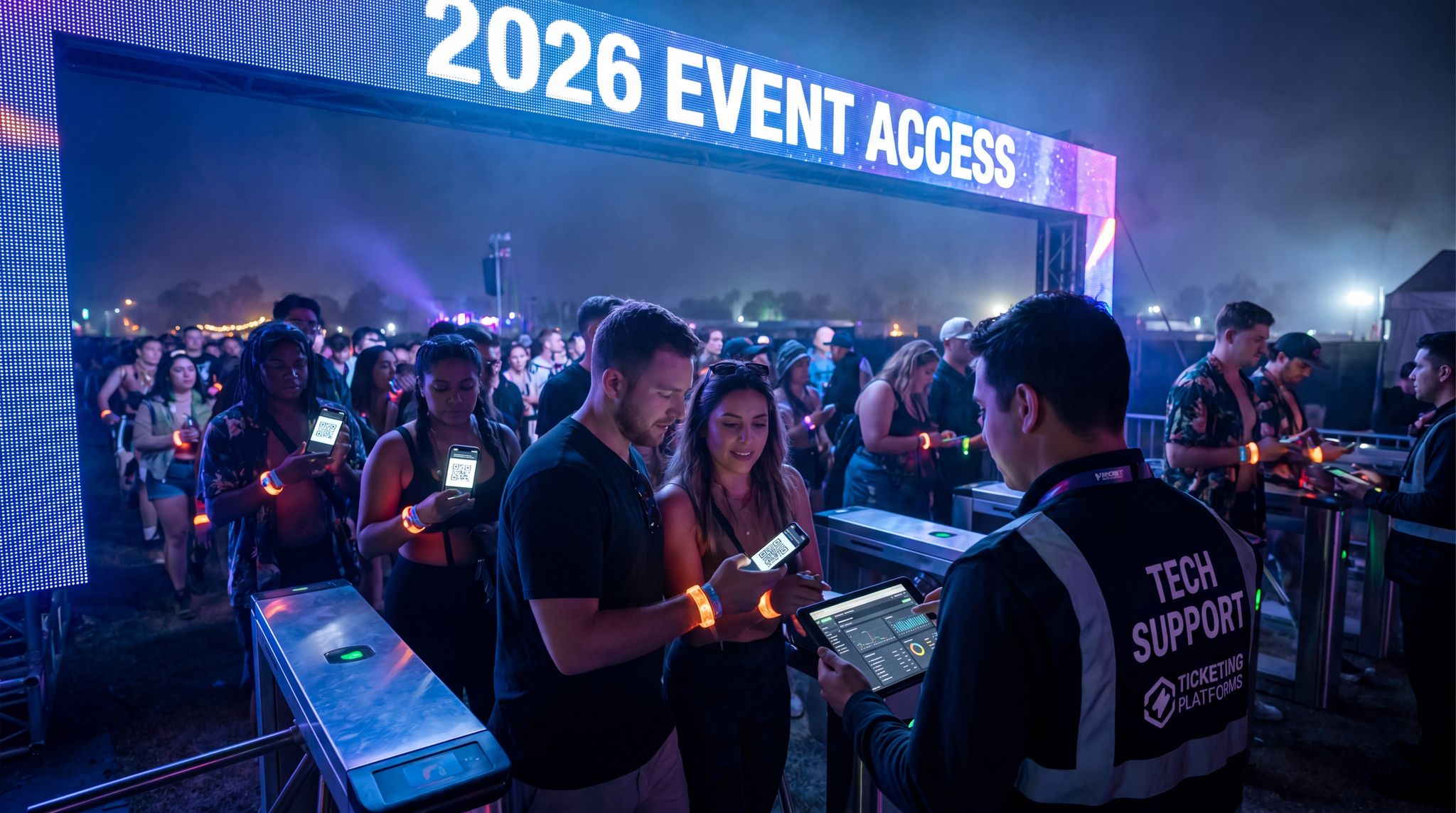
Integration challenges also extend to real-time operations. Imagine a situation where your ticketing system doesn’t integrate with your access control scanners – if a ticket is refunded or flagged for fraud, but that update doesn’t reach the door scanners, you have a serious security hole. Or consider a sponsor lead capture app for exhibitors that isn’t connected to the main attendee database – sponsors won’t get the full value and you’ll face angry partners post-event. Without integration, more tech can mean more problems. It’s critical to choose solutions that offer open APIs and integration capabilities, or better yet, to consolidate platforms where possible so data flows seamlessly. Many organizers are now managing multiple event tech vendors through a unified integration strategy, ensuring their various systems communicate effectively rather than functioning in isolation.
Ready to Sell Tickets?
Create professional event pages with built-in payment processing, marketing tools, and real-time analytics.
Training Overload for Staff and Volunteers
Another hidden cost of tech overload is the burden it places on the team. Each new system comes with its own interface, equipment, and procedures that staff need to learn. When you deploy several new technologies at once, the training requirements skyrocket. Your registration staff might need to learn a new ticket scanner and a separate RFID encoding device. Your operations team might need to master both a volunteer management software and an incident reporting app. Volunteers might be asked to monitor an event app’s live Q&A feed on top of their normal duties. It’s a lot to take in.
Event professionals recall horror stories of poorly trained staff on event day: security personnel not understanding the new e-ticket verification, or volunteers at info booths who can’t navigate the complex event app to help attendees. Overloading on tech without sufficient training is a recipe for mistakes and frustration due to increased complexity for staff and attendees. Each tool typically requires not just initial training but practice to become fluent. If staff are switching between five different software during an event, the chance of errors (like pressing the wrong button or misreading data) increases. There’s also mental fatigue to consider – people can only retain so much at once. One strategy to avoid this is to roll out technology gradually and invest heavily in training your team on any new systems well before the event to avoid festival tech overload and overwhelm. Simpler tech stacks are obviously easier to train; but if you do need multiple tools, plan a thorough training program and perhaps designate specialist roles (each staffer focuses on mastering one system rather than all).
Budget Drain from Overlapping Features
Every piece of technology in your event arsenal comes with a price – whether it’s licensing fees, hardware purchases, or support costs. When you accumulate many tools, the budget impact can be huge. What’s worse, you often end up paying for overlapping features. For instance, your all-in-one event management platform might include a basic live polling feature, yet you’ve also subscribed to a separate specialized live Q&A app. Or you’re paying for two different audience engagement tools because each has one feature you like, even though 80% of their functionality is similar. These redundancies add unnecessary expense. Experienced event managers emphasize cost-efficiency: it’s better to fully leverage one robust platform than to pay for three that each do a bit of the job.
Overloading tech can also incur indirect costs. More devices mean more IT infrastructure – renting additional tablets, buying more networking equipment, higher internet bandwidth packages to support all the connected gadgets, etc. You might need extra IT support staff or premium support plans from vendors to be safe. All of this can strain an event budget, often without a proportional increase in ROI. A smart approach is to audit your tech stack for redundancies and consolidate. For example, if your ticketing provider also offers built-in marketing tools, use them rather than paying for a separate email marketing service. (Many promoters have saved money by switching to an integrated platform – one reason festival organizers often prefer ticketing solutions with marketing and analytics built-in rather than piecing together many single-purpose services.) Ultimately, cutting the extraneous tools can free up budget that’s better spent on enhancing the core event experience.
Go Cashless With RFID Technology
Enable contactless payments, faster entry, and real-time spending analytics with RFID wristbands and NFC-enabled ticketing for your events.
Support and Logistics Logjam
With each additional system, there’s also an increased support burden. Consider an event using 10 different tech products – that might mean coordinating with 10 different vendor support teams. If something breaks, who do you call? During a live event, chasing multiple vendors to resolve an issue is the last thing you want. We’ve seen events where a simple problem (like a forgotten admin password or a server glitch) turned into a 3-hour outage because staff weren’t sure which company was responsible for that piece of tech and how to reach them fast. Too many tools can also mean too many points of failure. The more complex the ecosystem, the higher the chance that one of them malfunctions at a critical moment, putting reputation on the line when systems fail and causing chaos when event tech goes wrong.
Logistically, deploying lots of tech means more equipment to set up: extra kiosks, more cables and battery packs, more network configuration. A great example is wireless frequency management – if you have Wi-Fi for staff, Wi-Fi for attendees, RFID scanners, wireless mics, maybe IoT sensors – all these wave-emitting devices can interfere with each other if not carefully coordinated. Improperly managed, a tech-heavy event can encounter signal interference and connectivity dropouts. This is why experts stress the importance of taming the airwaves by managing Wi-Fi channels, radio frequencies, and RFID systems together. It’s entirely doable, but it requires planning and expertise. The takeaway? Each new system adds to the support and logistics workload – so don’t introduce technology lightly without ensuring you have the capacity to handle it.
Attendee Experience at Risk: The Overload Effect on Crowds
App Fatigue: Too Many Apps, Too Little Adoption
From the attendee’s viewpoint, tech overload often shows up as “app fatigue.” If event-goers are expected to download an event app, plus a separate networking app, plus use an AR filter on Instagram, plus carry an NFC wristband, they may simply opt out of engaging with these tools. User adoption drops sharply the more apps you pile on. In fact, industry data shows that on average only about half of event attendees even download the official event app, as nearly half of event attendees adopt mobile apps on average. Now imagine having two or three different apps – realistically, most people will stick to maybe one (or none at all). Attendees have limited phone storage, limited attention, and often skepticism about “yet another app” that might not be worth it. For example, a corporate conference once proudly launched three separate apps: one for agenda, one for venue navigation, one for networking. The result? Many guests didn’t install any of them, and those who did were confused about which app to use for what. The conference ended up printing paper schedules on the fly because the digital plan proved too convoluted.
The lesson is do not assume attendees will embrace every tech offering – you must earn their adoption with clear value. If you do provide an app or other digital tool, make sure it consolidates functions into one place whenever possible. One well-designed app or web portal is far better than a constellation of niche apps. Organizers debating whether to invest in a native app should consider whether a dedicated event app is truly necessary or if a mobile web solution would suffice. Often, a responsive website or a simple PWA (progressive web app) can deliver the key info without forcing attendees to download anything. The easier you make it, the more attendees will engage. Conversely, every additional download or login is an adoption barrier that thins your user base.
When you do decide that a dedicated event app is necessary, the secret to high adoption lies in utility over novelty. A successful mobile application should serve as the ultimate digital multi-tool for your attendees. Instead of cluttering the interface with underused social feeds or heavy AR games, focus on frictionless access to core features: personalized itineraries, interactive venue maps, and real-time push notifications for schedule changes. By positioning your primary application as the indispensable guide to the festival or conference, you naturally incentivize downloads without resorting to gimmicks.
Cognitive Overload and Frustration
Even when attendees do use your tech tools, too many features can overwhelm them. There’s a cognitive load to navigating complex apps or interactive experiences, especially in a live event environment where people are trying to focus on content or have fun. If your event app is packed with dozens of menu options, VR mini-games, social feeds, scavenger hunts, etc., it can feel like an “escape room designed by a bored software engineer,” as one event tech CEO quipped. Attendees might open the app to find basic info and instead confront a maze of features. This can lead to confusion (“Where do I find today’s schedule?”) and feature fatigue, where users disengage because it’s just too much.
Smooth Entry With Mobile Check-In
Scan tickets and manage entry with our mobile check-in app. Supports photo ID verification, real-time capacity tracking, and multi-gate coordination.
We’ve also seen how technical hiccups directly impact attendee emotions. Imagine a concert where entry is via digital tickets on an app, but the app glitches at the gate – frustration levels soar. Or consider a large convention where the only way to ask questions is through a live Q&A app, but the Wi-Fi is spotty – attendees feel unheard and annoyed. When tech fails, it’s not just a minor inconvenience; it can tarnish the whole experience in attendees’ eyes. People attend events for enjoyment or education, not to troubleshoot technology. If they spend more time grappling with a malfunctioning tool than enjoying the show or networking, you’ve missed the mark. This is why the usability and reliability of any tech you introduce must be rock solid. It’s often wiser to provide fewer, well-executed tech features than an abundance of half-baked ones. A straightforward example: many conferences find that attendees really value a simple live poll or Q&A feature during sessions; but layering on extra gimmicks (like an AR game in the conference hall) can actually distract and detract from the core content. Keep it simple is a mantra that often leads to higher attendee satisfaction.
Inclusivity Concerns: Tech Barriers for Some Audiences
When rolling out high-tech solutions, it’s crucial to remember that not all attendees have equal access or comfort with technology. Overloading an event with gadgets and apps can inadvertently exclude certain groups. Older attendees, for instance, may not be as smartphone-savvy or may simply prefer traditional methods. International attendees might face language barriers if your app’s content isn’t translated. Attendees with disabilities could struggle if the tech isn’t designed with accessibility in mind (e.g., a visually impaired guest navigating an app without proper screen reader support). Even something seemingly universal like a smartphone app assumes everyone’s device is compatible and charged – which isn’t always true.
By relying on too many high-tech elements, you risk creating a two-tier experience: one for the tech-savvy and one for everyone else. Experienced event planners recommend always providing a low-tech alternative. For example, even if you have a fancy interactive map in your app, also have printed maps or clearly visible signage for those who don’t use it. If networking is done via a digital platform, consider also hosting an old-fashioned meet-and-greet session for folks who prefer face-to-face. The goal is to enhance the experience for all, not just the gadget enthusiasts. A famous anecdote comes from a 2025 food festival that introduced a robot concierge (more on that later) – many visitors, particularly older ones, found it intimidating and avoided interaction, preferring a human volunteer’s help. That festival learned to meet attendees where they are, technologically speaking, rather than forcing everyone to interact with a robot or app.
Privacy and Trust Backlash
Another subtle but critical aspect: attendees’ comfort with technology hinges on trust. The more tech you deploy that collects data or monitors behavior, the more you must reassure attendees about privacy and security. In recent years, there’s been pushback on technologies like facial recognition at events due to privacy concerns. In fact, over 40 major music festivals (including Coachella, Bonnaroo, and SXSW) publicly pledged in 2019 not to use facial recognition at their events, a significant facial recognition music festival campaign victory, responding to fan and artist concerns about surveillance. This underscores that just because a tech exists (and even if it might improve entry speed), it doesn’t mean your audience will accept it.
We see similar hesitancy with biometric payments (like palm or fingerprint payments) – some attendees love the convenience, others feel it’s too invasive to link their fingerprint to a concert purchase. If you introduce such tech without gauging attendee sentiment, you could face a PR problem or low uptake. Transparency is key. If you are using new technology that involves personal data, be upfront about how it works and what you’re doing with the data. Give opt-out options where feasible. Sometimes avoiding a controversial tech altogether is the wiser move if it might do more harm than good to attendee trust. In short, honor the attendee perspective: they want tech that clearly benefits them with minimal risk or hassle. Anything that feels like it’s primarily serving the organizer (data collection, cutting costs at the expense of convenience) will be viewed skeptically. Prioritize technologies that offer a clear win-win – like fast cashless payments or quick digital ticket scanning – but implement them in a transparent, privacy-conscious way.
Start with Strategy: Identifying What Tech You Actually Need
Define Clear Goals and Pain Points First
When planning your event’s technology, flip the script: instead of starting with “What cool tech can we use?”, start with “What problems do we need to solve?” Experienced event directors always emphasize needs over novelties. Before getting seduced by flashy demos, sit down with your team and list the core goals and pain points of your event. Is your top goal to reduce entry lines? Improve audience engagement during sessions? Boost on-site spending? Gather better attendee data? By identifying these priorities, you can then evaluate which technologies (if any) directly address them. This prevents the common trap of adopting technology for its own sake. For instance, if the problem is long bar queues at a festival, solutions might include a cashless payment system or more efficient point-of-sale devices – targeted tech to fix a specific issue. On the other hand, if your problem is lack of attendee networking, you might explore a simple matchmaking app or a designated networking lounge (tech isn’t always the only answer!). The key is every piece of tech should have a justified purpose. As one veteran producer put it, “Don’t implement tech unless you can clearly say what benefit it brings to the event and to the attendee.”
Starting with goals also helps you measure success. If you know why you implemented something (e.g., a new live polling app to increase session interactivity), you can later assess whether it achieved the goal (did session Q&A engagement rise?). This strategic approach keeps the tech stack lean and purposeful. A practical tip: write a one-sentence justification for each technology on your list, like “We are using X because it will accomplish Y.” If you struggle to articulate the value of a tool, that’s a red flag it might not be needed.
Match Technology to Audience and Event Type
No two events are exactly alike – and the tech that’s appropriate for one might be overkill or insufficient for another. Consider the nature of your event and the profile of your audience when choosing tech solutions. A music festival crowd of 21-year-olds is generally more eager to play with a new AR festival app than a conference of 60-year-old professionals, for example. A high-security finance conference might prioritize secure check-in and communication tools, whereas a comic convention might focus on interactive fan engagement platforms. The culture and expectations of your audience should guide your tech picks. If your attendees are mostly local community members or families, they might appreciate simple improvements like better parking apps or text-message updates more than cutting-edge VR experiences. On the flipside, a tech expo with early-adopter attendees might actually expect some high-tech bells and whistles (and be disappointed if your event feels too low-tech!).
Grow Your Events
Leverage referral marketing, social sharing incentives, and audience insights to sell more tickets.
For instance, when evaluating fandom convention event technology, organizers must balance high-engagement fan activations (like interactive schedules and photo-op booking systems) with the reality of massive, densely packed crowds. A reliable event platform that handles complex ticketing tiers—such as VIP meet-and-greets alongside general admission—is far more critical than a dozen disconnected novelty apps.
Beyond ticketing, the right tech stack for a fan-centric expo must handle sudden traffic spikes. When a highly anticipated celebrity guest is announced, your chosen software needs the server elasticity to process thousands of simultaneous photo-op and autograph purchases without crashing. Furthermore, specialized features within your official event app—such as customizable panel schedules, push notifications for main stage capacity limits, and digital cosplay prop-check registries—can drastically reduce physical bottlenecks. By focusing on these high-utility functions, organizers ensure the technology serves the unique logistical demands of a passionate, high-volume crowd.
Align tech with event format as well. A multi-stage festival spread over a huge grounds might need robust solutions: RFID wristbands for access and cashless pay, a feature-rich mobile app for schedules and maps, maybe even crowd density sensors for safety. By contrast, a one-day industry seminar at a hotel might thrive with just online registration, a simple event agenda app or website, and standard A/V – anything more could complicate a fairly straightforward gathering. In short: know thy event. Think about scale, venue, duration, and content style. Are attendees moving around a lot or mostly seated? Is there free time to explore tech activations, or is the schedule tightly packed? Use these factors to determine which technologies genuinely enhance the specific experience you’re crafting. An expert tip is to create an “event profile” document capturing these factors and let it inform a custom-tailored tech plan, rather than adopting a one-size-fits-all tech stack.
This principle is especially relevant when evaluating highly immersive production styles. For instance, many promoters are currently wondering if a technology-heavy approach to festivals—like those pioneered by PHNTM—has any downsides, or if it could be too much for certain music events. While spatial computing, massive drone swarms, and hyper-immersive AR visuals can elevate an EDM or pop mega-festival, they can easily overshadow the core performance at a folk, indie, or acoustic-driven gathering. The downside of such a heavy tech approach is that it risks sensory overload, distracting attendees from the music itself and inflating production budgets unnecessarily. Conversely, when selecting event technology for comedy shows, the requirements shift entirely. A comedy club or theater tour demands zero visual distractions, prioritizing crystal-clear audio distribution, strict no-phone enforcement, and a frictionless festival ticketing system for rapid entry. Applying a massive, visually heavy tech stack to a stand-up routine would ruin the intimate timing and crowd work that comedy relies on.
Turn Fans Into Your Marketing Team
Ticket Fairy's built-in referral rewards system incentivizes attendees to share your event, delivering 15-25% sales boosts and 30x ROI vs paid ads.
Small Events: Minimal Tech, Maximum Impact
For smaller-scale events (say a few hundred attendees or less), it is often wise to keep the technology simple. In intimate settings, personal touch and direct human management can matter more than fancy tools. Common advice for small event organizers: focus on a few basics that deliver clear value. For example, an online ticketing platform that handles registration smoothly (with mobile QR codes for check-in) might be your main tech investment. You might not need a dedicated mobile app at all – a well-designed website with the schedule and venue info could suffice. Communication with attendees can be handled via emails or a simple text alert system for any urgent updates, rather than a full-blown real-time app. On-site, small events can often rely on classic solutions: a spreadsheet or mobile app for guest check-in, portable credit card readers for sales, and rented projectors or sound systems from the venue.
Crucially, adding complex systems to a small event can actually introduce more points of failure without much benefit. If you have a meetup of 100 people, do you really need an RFID badge system and a custom event app? Probably not – scanning a list or using basic QR codes will be faster and less prone to issues. In small events, each staff member likely wears multiple hats, so simpler tech ensures they aren’t overwhelmed. As one guide on scaling event technology from small gatherings notes, at the low end of the scale scaling event technology from small gatherings to mega festivals means the focus is on essential tools that won’t overwhelm a small team or budget. The priority is flawless execution of a few core functions, not a laundry list of features. Nail the basics like quick check-in, audible sound, visible slides, and easy ways for attendees to get information. If those are smooth, your event will feel high-quality even without high-tech flash.
To illustrate, here’s a quick comparison of an appropriate tech approach for a small community event versus a large festival:
| Function/Tool | Small Local Event (e.g. 300-person meetup) | Large Festival (e.g. 50,000 attendees) |
|---|---|---|
| Ticketing & Entry | Simple online ticketing with emailed QR codes; a single check-in scanner or printed guest list at the door. Minimal queueing tech needed. | Enterprise ticketing with RFID wristbands for fast entry/re-entry, multiple lanes with scanners or turnstiles, real-time entry tracking & anti-fraud alerts. |
| On-Site Payments | Basic payments: cash accepted and a couple of mobile card readers (e.g. Square) for credit cards. No complex cashless system – simplicity for vendors, but with cash handling procedures. | Fully cashless payments (RFID or mobile wallet) across all vendors, requiring robust network coverage and offline backup. Centralized top-up stations or apps for attendees to add funds. |
| Communications | Low-tech comms: pre-event info emails, printed programs or simple signage on-site. Maybe a WhatsApp group or SMS alerts for urgent notices. | Dedicated event app for live updates, interactive maps, personalized schedules; push notifications for changes. Large LED info screens and audio announcements throughout the venue. |
| Attendee Engagement | Personal touch: organizers and speakers interact directly; maybe a simple live poll via hand-raising or a QR code link. Focus on human connection over tech. | High-tech engagement: live polling and Q&A through the app, AR photo booths or filters for social media, gamified challenges with prizes. Multiple digital touchpoints to keep tens of thousands engaged. |
| Staff Coordination | Small team can coordinate via phone or walkie-talkies; schedules on a shared Google Sheet; in-person briefings. Very little specialized software. | Advanced crew management: workforce management software scheduling hundreds of staff/volunteers, RFID or app-based check-in for shifts, real-time incident reporting apps, and dedicated radio channels for various departments. |
As the table highlights, what’s “overkill” for a small event is often essential for a huge one. Using an appropriately scaled tech stack ensures you’re not burdening a small event with unnecessary complexity, nor under-powering a big event with simplistic tools.
Large Events: Complex Systems Without the Chaos
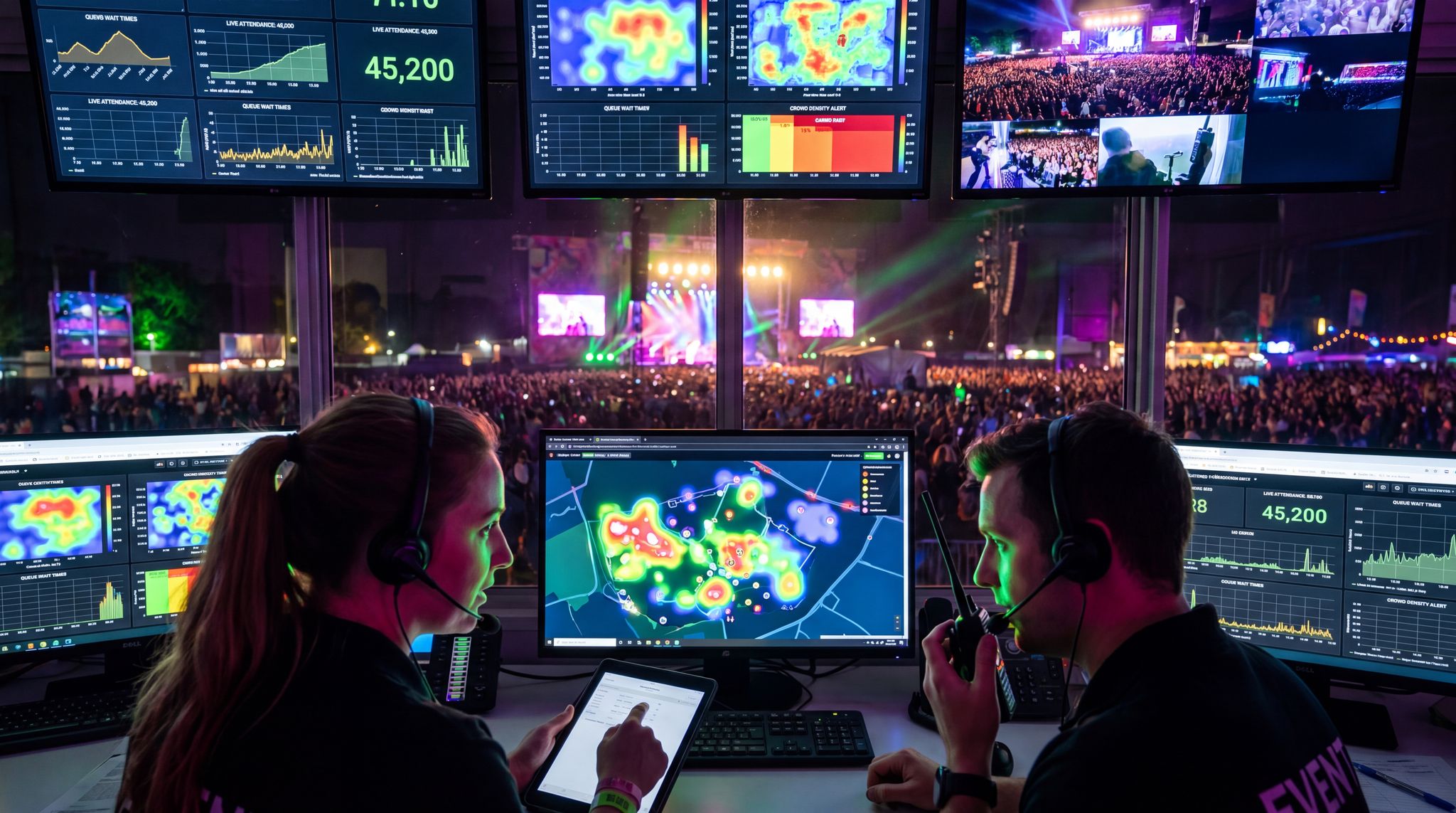
For large events – multi-thousand attendee conferences, major festivals, stadium sports – technology often is the backbone that enables things to run at scale. The key is deploying complex systems in a cohesive, well-managed way so that it doesn’t devolve into chaos. Big events absolutely may require advanced solutions: access control that can handle tens of thousands of entries per hour, robust crowd management tools, high-density attendee Wi-Fi, sophisticated event apps, and extensive cashless payment networks. But successfully implementing these at scale means significant planning, vendor coordination, and expertise. Organizers of mega-events stress the importance of integration and testing. At a 50,000-person festival, for example, the RFID wristbands for entry might also be tied into the cashless payment and even the VIP area access. That integration provides a seamless one-wristband experience. However, if each system (entry, payment, VIP gating) had separate credentials or databases, attendees would be confused and staff overwhelmed. So, large events need a unified approach – either via a single platform that covers multiple functions or custom integrations bridging systems. One large festival organizer described their approach as building a “central nervous system” where all tech feeds into one monitoring hub – ticket scans, security cameras, point-of-sale transactions, all visible to command center staff in real time. This level of coherence turns a complex tech stack into a smoothly functioning machine.
Another consideration for big events is robust infrastructure. High attendee counts mean you can’t cut corners: you’ll likely need professional-grade networking (dedicated fiber lines, distributed antenna systems for Wi-Fi/cellular, backup servers on-site, etc.), redundant power for all critical tech, and on-call technical support teams. All these ensure the fancy systems don’t collapse under load. Many large venues and festivals even bring in network engineers and IT specialists on-site to manage these systems throughout the event. Yes, it’s more tech – but with the right support, it stays invisible to attendees (who just enjoy short lines and fast service). We delve more into execution in a later section, but the takeaway here is: for large events, embrace the tech you truly need to handle scale, but coordinate it tightly. Use enterprise-grade solutions and insist that vendors work together on integration (or choose a comprehensive solution that covers multiple bases). That way, even a high-tech mega-event can avoid overload and instead deliver a unified great experience.
Data-Driven Event Marketing
Track ticket sales, demographics, marketing ROI, and social reach in real time. Exportable reports give you the insights to make smarter decisions.
Know Your Audience’s Tech Comfort Level
A final strategic check: evaluate how tech-savvy and willing your particular audience is. This can vary widely by demographics such as age, profession, and even geography. If you’re running an esports gaming convention, your attendees will likely expect cutting-edge tech and be patient with certain tech requirements (like creating online profiles, using in-app schedules, etc.). In contrast, a charity gala aimed at older donors might need to keep tech minimal and extremely user-friendly (perhaps just digital ticketing and a simple text message donation system), because that audience might not embrace a complex app or interactive tech activations. Surveys and past event data can be insightful here. If 90% of last year’s attendees downloaded your app and loved it, you can confidently expand on that. If only 10% did, maybe investing further in that app isn’t wise.
Also consider cultural expectations. In some countries, QR codes and mobile payments are second nature; in others, they’re still novel and untrusted. Knowing this can inform what technology to deploy at international events. Always ask: will using this tech feel natural and beneficial to my attendees, or will it confuse and possibly alienate them? Sometimes, it might be worth offering opt-in tech: for example, a conference might provide a cutting-edge AR experience for those who want to try it, but not hinge any critical aspect of the event on it (so those who skip it don’t miss out). By aligning tech to the comfort level of your audience, you not only improve adoption rates – you show respect for your attendees’ preferences, which ultimately leads to a better overall reception of your event. A great event is one where technology feels like a helpful friend to the attendee, not an obstacle.
Quality Over Quantity: Picking High-Impact Tools
Do Your Homework – Research & Reference Real Deployments
Once you know your objectives and constraints, it’s time to choose the specific tech solutions – but do so deliberately and informedly. With so many vendors and products on the market, thorough research is a must. Don’t just fall for the first sales pitch or the trendiest product on social media. Instead, seek out demos, case studies, and peer feedback. For instance, if you’re considering an RFID cashless payment system, look for examples of events that successfully used it (and those that struggled). What do global case studies of cashless implementations show regarding attendee spending and network reliability? If you’re interested in a new event app feature, perhaps talk to another conference organizer who tried it last year.
Industry reports and reviews can also be invaluable. Publications like Event Tech Brief, Conference News, or TPi Magazine often showcase real-world stories: e.g., how a certain festival’s use of crowd-tracking AI actually improved safety, or how a particular registration software saved an expo 40% in admin time. By arming yourself with these insights, you can separate hype from reality. In 2026, there’s still a lot of hype swirling around technologies like AI and VR in events – some of it is promising, some is smoke and mirrors. One might read about a festival using VR and think “we need that to be innovative,” but further research could reveal that the VR activation saw little engagement on-site (a common outcome if not executed perfectly). So, vet each tech through the lens of evidence: ask vendors for references and data, attend webinars or trade show demos, and don’t be shy to ask blunt questions about failures and support.
Staying updated with the latest event tech news in 2026 is a great way to spot these trends before committing your budget. Whether you are reading a comprehensive event technology news January 2026 roundup or following specialized B2B tech blogs, look for objective reviews of how a specific event platform performed under pressure, rather than just reading the vendor’s press release.
Furthermore, as the landscape shifts rapidly, subscribing to curated industry newsletters and attending virtual summits can help you filter the noise. When reviewing event tech news throughout the year, prioritize publications that feature interviews with actual festival producers and venue operators. These firsthand accounts provide the critical context needed to determine if a newly announced software update or hardware release will genuinely streamline your operations or simply add unnecessary complexity.
Accept Payments Across 13 Countries
Local currency processing via Stripe, Razorpay, Xendit, Paystack, and OXXO across 13 countries with region-specific payment methods.
When digesting early-year industry updates—often the busiest season for software announcements as vendors release their Q1 roadmaps—it is crucial to separate foundational upgrades from fleeting trends. A major platform update announced at the start of the year might promise revolutionary AI scheduling, but organizers must evaluate if these features will be stable enough for a summer festival rollout. Savvy producers use the first quarter to benchmark these new releases against their existing operational bottlenecks, ensuring that any newly adopted system has ample time for beta testing before peak event season begins.
Additionally, keeping a close eye on dedicated venue tech news can provide early warnings about which hardware systems are becoming obsolete and which new infrastructure standards are taking hold. Venue operators who regularly monitor these specialized news sources are better positioned to future-proof their spaces before a major festival season begins.
Show Me the Data – Focus on ROI and Impact
When evaluating event tech tools, a critical selection criterion should be expected ROI (Return on Investment) or at least ROE (Return on Experience) if not directly financial. In other words, what are you getting out of this tool relative to what you’re putting in (money, time, complexity)? Smart event pros increasingly demand numbers: Will this registration upgrade cut check-in time by 30%? Has this engagement platform been shown to boost attendee satisfaction scores? If a vendor cannot provide convincing metrics or you can’t identify how it will tangibly improve your event, be wary. Technology overload often comes from adding “nice to have” features that don’t move the needle significantly. On the flip side, focusing on high-impact tech means picking tools that solve a big problem or unlock significant value.
For example, implementing a well-proven cashless payment system might increase your event’s food & beverage revenue by 15–30% due to faster transactions, a benefit seen when implementing the right payment tech for seamless transactions. That’s a solid ROI case if true for your context. Or adopting a sophisticated ticketing/marketing platform with referral incentives might boost ticket sales noticeably – again, clear impact. In contrast, spending a hefty sum on a fancy VR lounge that only 50 people use yields poor ROI and possibly detracts from other experiences. Look for tech that has broad usage and benefit. A good measure is the adoption rate and frequency of use: e.g., at a conference, maybe 80% of attendees will engage with live polls if offered (high impact on engagement), whereas only 5% might try an AR scavenger hunt (low impact, more of a novelty). By prioritizing tools that many attendees will find useful, you ensure resources are spent where they matter. As one Ticket Fairy festival tech trends article put it, cut through the hype and focus on innovations that actually improved events versus those that flopped. Case studies ranged from AI tools that legitimately boosted efficiency to VR gimmicks that failed to captivate audiences. Use such lessons – they often come “written in blood” from predecessors’ experiences – to guide your choices.
Another prime example of high-impact ROI is leveraging your core software to actively drive ticket sales. Promoters frequently ask how to maximize their audience reach—or as our international partners often phrase it, cómo aumentar la asistencia a mis festivales con tecnología de boletos (how to increase festival attendance with ticketing tech). The answer lies in deploying a sophisticated festival ticketing system that goes beyond simple transaction processing. By utilizing built-in marketing automation, peer-to-peer referral rewards, and deep data analytics, a modern event platform transforms your ticketing infrastructure into a proactive growth engine, directly boosting attendance numbers without requiring a massive external ad spend.
Must-Haves vs. Nice-to-Haves – Ruthless Prioritization
When planning an event, it’s easy to end up with an aspirational tech wish list that’s a mile long. However, budget and bandwidth are finite – not everything can be implemented, nor should it be. It’s crucial to distinguish core must-have technologies from the nice-to-have extras. Must-haves are the technologies that if removed would fundamentally diminish the event experience or operation. For a ticketed event, a reliable ticketing and entry system is clearly a must-have. If your event spans multiple days and stages, a scheduling and communication mechanism (whether an app or printed guide) is a must-have to guide attendees. Nice-to-haves, meanwhile, are those that add some value or novelty but aren’t critical. For instance, a festival might classify a basic cashless payment system as must-have (to handle crowds at vendors), but an AI-powered chatbot that answers attendee questions could be a nice-to-have – useful, but if it disappeared, attendees could still get info by other means.
Interactive Seating for Every Venue
Let fans pick their perfect seat with interactive venue maps. Supports reserved seating, section-based pricing, and real-time availability.
How do you decide what falls into which bucket? Return to your event goals and attendee needs. Identify the handful of tech elements that directly support those goals – those are your essentials. Then list the ones that are more about “wouldn’t it be cool if…”. Challenge every item on the nice-to-have list to justify its existence. If it’s hard to find a justification beyond “it’s trendy” or “our competitor did it,” that’s a sign it’s not truly needed. Sometimes doing this in a group meeting helps; get input from different departments (ops, marketing, finance, customer service). They might remind everyone that, for example, investing in better Wi-Fi (must-have for crowd satisfaction) is more important than a fancy 3D hologram stage effect (which might wow some but isn’t integral). An important outcome of this must-vs-nice exercise is that it helps you allocate budget smartly. You channel funds to ensure the must-haves are absolutely solid (no skimping on those), and only then do you spend on an extra or two if budget permits. Seasoned organizers often say: it’s better to do a few things 100% right than do many things at 50%. By prioritizing, you guard against stretching your resources too thin trying to do it all.
Avoid Redundancy – One Tool, Multiple Purposes
Another principle in picking the right tools is avoiding redundant capabilities across your tech stack. Sometimes less is more simply by virtue of consolidation. If one platform or product can accomplish multiple needs, it might be smarter to use that single solution, rather than adopting three separate tools that overlap in functionality. Consolidation reduces the number of systems to manage and often provides a more seamless experience. For instance, if your ticketing platform (like Ticket Fairy or similar) includes built-in marketing tools (referral programs, email blasts) and analytics, you might not need a separate marketing automation system and a separate analytics dashboard – using the integrated features can cover those bases in one place. This not only saves cost, as mentioned earlier, but also means fewer logins, fewer data transfers, and a more unified view of your event data.
Be cautious, however: ensure that the consolidated tool truly meets your needs in each area. Sometimes an all-in-one platform might do one thing really well but be mediocre in another aspect. You wouldn’t want to give up a best-in-class solution for a jack-of-all-trades if it compromises critical functionality. The trick is to evaluate whether the benefits of consolidation outweigh any minor trade-offs in features. In many cases – especially for small to mid-sized events – they do. The convenience and clarity of one system can far surpass the marginal gains of specialized niche tools. A useful approach is to map out features you need and see how many boxes a single platform can tick. If you can go from five vendors down to two by leveraging broader platforms, that can dramatically simplify your tech operations. Modern event software providers are increasingly offering modular ecosystems (for example, a core registration system with optional add-ons for mobile apps, floor plans, lead retrieval, etc.), allowing you to pick and choose under one umbrella. Adopting such an ecosystem can be a strategic way to keep technology manageable. It’s telling that many event tech RFPs now ask about “platform breadth” – organizers want to know if a single product can handle multiple tasks, precisely to avoid tech overload by vendor sprawl. In short, embrace solutions that are powerful multi-taskers and you won’t have to juggle as many separate tools.
Building a Cohesive Tech Stack: Integration and Simplicity
Make Your Systems Talk – The Integration Imperative
A cohesive tech stack means that each component is not a lonely island but part of a connected whole. After you’ve selected your major tools, plan deliberately how they will integrate. Sometimes this is through direct native integrations (e.g., your registration system might directly push data to your event app platform), other times via middleware like Zapier or custom API work. The effort is worth it: integrated systems prevent data bottlenecks and inconsistent info. Attendee name corrections, schedule changes, access permissions – all these should propagate automatically wherever needed. It’s embarrassing and harmful when, say, an attendee updates their details in one system but another system (like the badge printer) has the old info. Or if a session time changes but the change only appears on the website, not in the mobile app schedule. Attendees experience that as disorganization.
To achieve integration, work with vendors that prioritize interoperability. During procurement, ask about open APIs and integration success stories. Some newer event tech companies tout their ability to be “plug and play” with common platforms. For example, if you use Salesforce or a CRM for your attendee data, see if the event system has a connector for that. If you have a marketing automation tool, check if it can sync with the registration data so you’re not importing/exporting lists. A cohesive stack often follows a hub-and-spoke model: one central database (the “hub”) like the main registration/ticketing CRM, and other tools are spokes that read/write from it. This prevents those dreaded silos we discussed. On the front end, integration yields a smoother attendee experience too. Many events now implement single sign-on for attendees – one login gains access to the event app, session enrollment system, networking platform, etc., instead of separate accounts for each. Achieving that might require some IT work, but it pays off in higher usage and less attendee confusion.
In practical terms, map out integration use cases: e.g., “When someone checks in at the gate, their status should update in the conference app’s networking list as ‘onsite’.” Then confirm your systems can make that happen. If not, you might reconsider the combination or see if a custom bridge can be built. Always test integrations well before the event. Nothing is worse than assuming two systems sync, only to find out on event day that half your attendee data is missing in one of them. Veteran tech architects will run simulations – for instance, doing a test registration, printing a badge, scanning it, using the app, and verifying all steps reflect correctly across systems. Integration is the glue that holds a multi-tech event together. Without it, you effectively have multiple separate events (one per tool) overlaying each other in a messy way.
When transitioning to newer software, maintaining these integrations becomes a delicate balancing act. To modernize your event’s digital infrastructure smoothly, consider utilizing API middleware or temporary data bridges. These tools allow legacy databases to communicate with newly adopted platforms during the transition period. This ensures that historical attendee data and vendor records remain fully accessible, preventing any operational hiccups while your team adapts to the upgraded systems.
Consolidate Interfaces – Less Complexity for Users
Integration on the back-end is crucial, but so is consolidation on the front-end. Think about the user interfaces your staff and attendees will interact with. Simplify those touchpoints as much as possible. If staff have to bounce between five dashboards during the live event (one for ticket scanning, another for customer support ticketing, a third for social media wall, etc.), they’ll be prone to error and slow response. Look for ways to centralize control panels. Some event management suites offer an “all-in-one” admin view where different modules (tickets, app content, analytics) are tabs in one interface. Even if you have distinct systems, maybe you can use a single device or computer to host multiple logged-in tabs, with some monitoring software to bring all statuses in one place. It might be worth having a custom dashboard built that aggregates key metrics (number of check-ins, stream viewers, transactions processed) from all systems into one screen for leadership to monitor. The easier it is for your team to see the overall status, the quicker they can react to issues.
For attendees, consolidated interface often means providing one primary portal for interaction. Ideally, an attendee shouldn’t need to wonder “where do I go for X.” If your event app or website is the go-to hub for information, stick with that and incorporate other features into it if possible. Many modern event apps allow embedding of web pages or have APIs to integrate external functions. For example, if you use a separate platform for virtual meeting scheduling at a conference, see if it can be accessed via a link or widget inside your main app — so attendees perceive it as one coherent system. If you are using both a mobile app and a web platform concurrently, ensure they mirror each other to avoid confusion (any feature or update on one should be on the other). The goal is to minimize the learning curve: attendees should have one login, one familiar menu, one set of notifications. Achieve that, and they’re far more likely to use the tech and appreciate its benefits.
Also, consider branding and design consistency. If every tool has a different look and feel, attendees will not realize they’re all part of your event’s offerings. It can be jarring to click a link and be taken to a completely different UI/page that doesn’t resemble the rest of your event. Use white-label options or at least theme the tools to your event branding where possible, to give a sense of continuity. Platforms like Ticket Fairy, for instance, allow full custom branding on ticketing and even in the event app environment, which helps maintain that cohesive vibe. When systems are well-integrated and interfaces unified, the technology becomes almost invisible – attendees just experience a smooth journey, and staff navigate systems naturally. And that is the sweet spot: technology supporting the event quietly, rather than drawing attention to itself through clunky, disparate user experiences.
Consolidate Vendors and Support Channels
It’s worth reiterating how simplifying the vendor management aspect contributes to a cohesive tech stack. If you can source multiple needed solutions from a single vendor, you not only get better integration (usually their products are made to work together), but also streamline support and training. Many event tech providers have expanded suites – e.g., a ticketing provider might also offer a volunteer management add-on, or an event app company might have a live streaming module. While one should evaluate each piece on its merits, there is real convenience in having a one-stop shop. Fewer vendors means fewer contracts, fewer kickoff meetings, and clearer accountability. If something goes wrong, it’s easier to pinpoint responsibility (no “Vendor A says it’s Vendor B’s fault” scenarios). That said, be cautious of putting all eggs in one basket if that vendor is not strong in all areas – a modular approach with the ability to substitute parts is healthy.
Integration also extends to operations and emergency planning. For example, ensure that your various systems share a common time reference and are in sync – something as simple as different clock timing on systems can cause data mismatches. If you use separate systems for ticketing and access control, double-check they align on ticket formats and security protocols so that a ticket generated by one is flawlessly recognized by the other. In building your cohesive tech environment, develop a master tech ops plan that documents how everything interrelates: which data flows where, which triggers cause what actions, and who is monitoring each part. This clarity will pay dividends on show day when the pressure is on. Essentially, you’re building a tech ecosystem rather than a random collection of tools. Every component should have a defined role and relationship within the ecosystem.
Don’t Skimp on Infrastructure – Network and Power
A cohesive stack can still crumble if the underlying infrastructure can’t support it. All your fancy tech relies on power and connectivity – two things that can be easily overlooked until they fail. To avoid a scenario where tech overload leads to system crashes, invest in robust infrastructure design. That means calculating how much internet bandwidth your event needs (accounting for thousands of device connections if attendee Wi-Fi is provided, plus all your staff and vendor systems). It means deploying enough Wi-Fi access points or wired connections for critical stations (registration, POS, etc.) to avoid dead zones. And crucially, it means having backup solutions: redundant internet lines (if one goes down, another takes over) and backup power (generators, UPS units for servers) for essential equipment.
Interference management is a part of this too. As we touched on, multiple wireless technologies in one space can conflict. A cohesive plan involves coordinating frequencies – e.g., ensuring your RFID system and your wireless mics operate on different bands, or that your event Wi-Fi is tuned not to interfere with the venue’s systems. Professionals will do a spectrum scan before a big event to identify any potential noisy frequencies. If this level of detail sounds intense, remember that major events treat connectivity and power as mission-critical utilities, akin to water and electricity in a building, because when event tech goes wrong, reputation is on the line. It’s wise to have dedicated IT/network specialists either on your team or contracted for the event who take ownership of this domain. Their job is to keep the tech backbone solid so that all the integrated systems we’ve discussed can function.
Finally, consider offline or low-tech backups as part of integration. If all systems fail, does your team know the manual process? A truly cohesive strategy has contingency: e.g., if scanners go down, you can switch to a printed attendee list or use offline scanning modes (many RFID/cashless systems now have offline caching so they continue working if the network drops temporarily). Rehearse these backups. The confidence of having a Plan B makes you feel less pressure to implement every whiz-bang tech – you know that even without them the event can carry on. That knowledge can actually guide you to only keep the tech that’s really value-adding, because you have a clear picture of what each system’s absence would mean. If canceling a tool doesn’t actually break your event operations in a dry-run scenario, maybe you didn’t need that tool after all. It’s a thought exercise that helps enforce simplicity.
Executing with Excellence: Implementing Tech Smoothly
Pilot and Phase New Tech Deployments
Once you’ve decided on a leaner, high-impact tech stack, how you implement it can make or break success. A best practice is to pilot any major new technology in a low-stakes environment first. This could mean testing it at a smaller event or a private demo with actual users. For example, if you plan to use a new RFID attendee tracking system at a 20,000-person festival, try it at a 1,000-person event first or set up a mock gate at the office with team members simulating attendees. This kind of trial run can surface unexpected issues (software bugs, user confusion points, integration glitches) without the pressure of the real event. If a full pilot isn’t possible, at least do a thorough on-site test during setup days. Many experienced teams run scenario drills: “What if scenario A happens?” then watch how the tech responds. Refine configurations as needed. Phasing in tech gradually is also wise. Rather than introducing five new systems all on day one of the event, perhaps roll out one or two per day (if event spans multiple days), or limit initial use to a subset of users. For instance, you might initially open a new event app to VIPs or staff only, incorporate their feedback, then launch to all attendees.
Phased rollout also applies to staff adoption: introduce technology well ahead of the event and progressively increase its use. This way, by event time, it’s not “new” to the team – they’ve been living with it for weeks or months. An example: implement the new volunteer scheduling software for a small portion of your volunteer crew for a test event, while others remain on old methods, to compare outcomes and tweak processes. These approaches require some planning and patience, but they drastically improve the likelihood that the tech will deliver as promised when widely deployed. Crucially, they also prevent the scenario of event-day surprises – nothing derails an event faster than a unvetted system behaving unpredictably in front of thousands of people.
A common question among veteran producers is: how can I modernize event technology without disruption? The secret lies in shadow-testing and parallel runs. When migrating to a new event platform or rolling out an updated event app, run the new system alongside your legacy tools during a smaller pre-event or a minor venue activation. This allows your team to upgrade their tech stack incrementally, ensuring that core operations—like scanning and box office sales—remain completely undisrupted while the new tools are vetted.
Another effective strategy for upgrading your infrastructure is the modular replacement approach. Rather than executing a risky “rip-and-replace” of your entire tech stack, swap out individual components one at a time. For instance, you might integrate a modern cashless payment gateway while keeping your existing ticketing CRM intact for another season. By isolating these upgrades, organizers minimize operational risk and ensure that if a new tool underperforms, it doesn’t bring down the entire festival network.
Thorough Training and Iron-Clad SOPs
We touched on training earlier, but it cannot be overstated: comprehensive training is the linchpin of smooth tech implementation. Even the best technology will falter if the people operating it are unsure or inconsistent in its use. By the time your event goes live, every relevant staff member and volunteer should feel comfortable and confident with the tools they need to use. That means more than just a quick orientation. Ideally, set up hands-on workshops where staff practice performing their actual event tasks using the tech. Registration teams should rehearse checking in attendees with the scanners, resolving a QR code that won’t scan, printing a badge on the new printer model, etc. Floor managers might practice sending alerts through the staff communication app or logging an incident report. Make these trainings mandatory and track who has completed them. Some events create simple certification quizzes or checklists to ensure each person reaches a baseline competency.
Beyond individual training, establish Standard Operating Procedures (SOPs) for tech-related workflows. SOPs are step-by-step guides on how to perform common actions and how to handle known issues. For example, “If an attendee’s RFID wristband doesn’t scan, do X, Y, Z” or “If the live stream begins buffering, here’s the protocol to switch to backup.” Distribute these SOP documents (printed lanyard cards or a quick-access digital doc) and brief the team on them. The combination of training and SOPs means that when under pressure, staff have both the knowledge and a reference to act correctly. It’s also wise to train some super-users or champions – those are staffers deeply versed in a particular system who can help others on the fly. On a show day, these champions act as first-line support to troubleshoot before escalating to vendor support.
Anecdotally, events that excel in tech usage often have multiple all-team run-throughs prior to doors opening. For instance, a large conference might do a simulated attendee day – people walk through registration, attend a mock session, try all the app features, etc., with staff in place as if it’s real. While time-consuming, it’s incredibly effective at revealing any rough edges and instilling confidence. By event day, your team should feel like they’ve “been there, done that” with the tech, so they can focus on guests, not fumbling with devices. As one seasoned event tech manager puts it, “No tech, no matter how advanced, will save you if your people aren’t prepared to use it.” Training ensures the tech enhances rather than hinders your operations, emphasizing the need for training your team and vendors.
Communicate Changes and Tech to Attendees
Bringing new technology to an event isn’t just an internal change – it often requires attendee education too. Part of avoiding tech overload is ensuring that when you do introduce a tool, attendees understand what it is and how to use it to their benefit. Well before the event, communicate any essential tech instructions. For example, if you’ve gone fully mobile tickets, remind ticket buyers in advance that they’ll need to download tickets to their phone and that no paper tickets will be accepted. If you’re using an event app, send an email with links to download it and highlights of why it’s worth using (“Find your personalized schedule and receive real-time updates through our official app!”). Some events create short tutorial videos or how-to guides for attendees – these can be extremely helpful. Imagine a quick 60-second video demonstrating how to top up a cashless wristband and pay for a drink, if you’re introducing cashless payments. That can alleviate confusion on-site and reduce the burden on support staff.
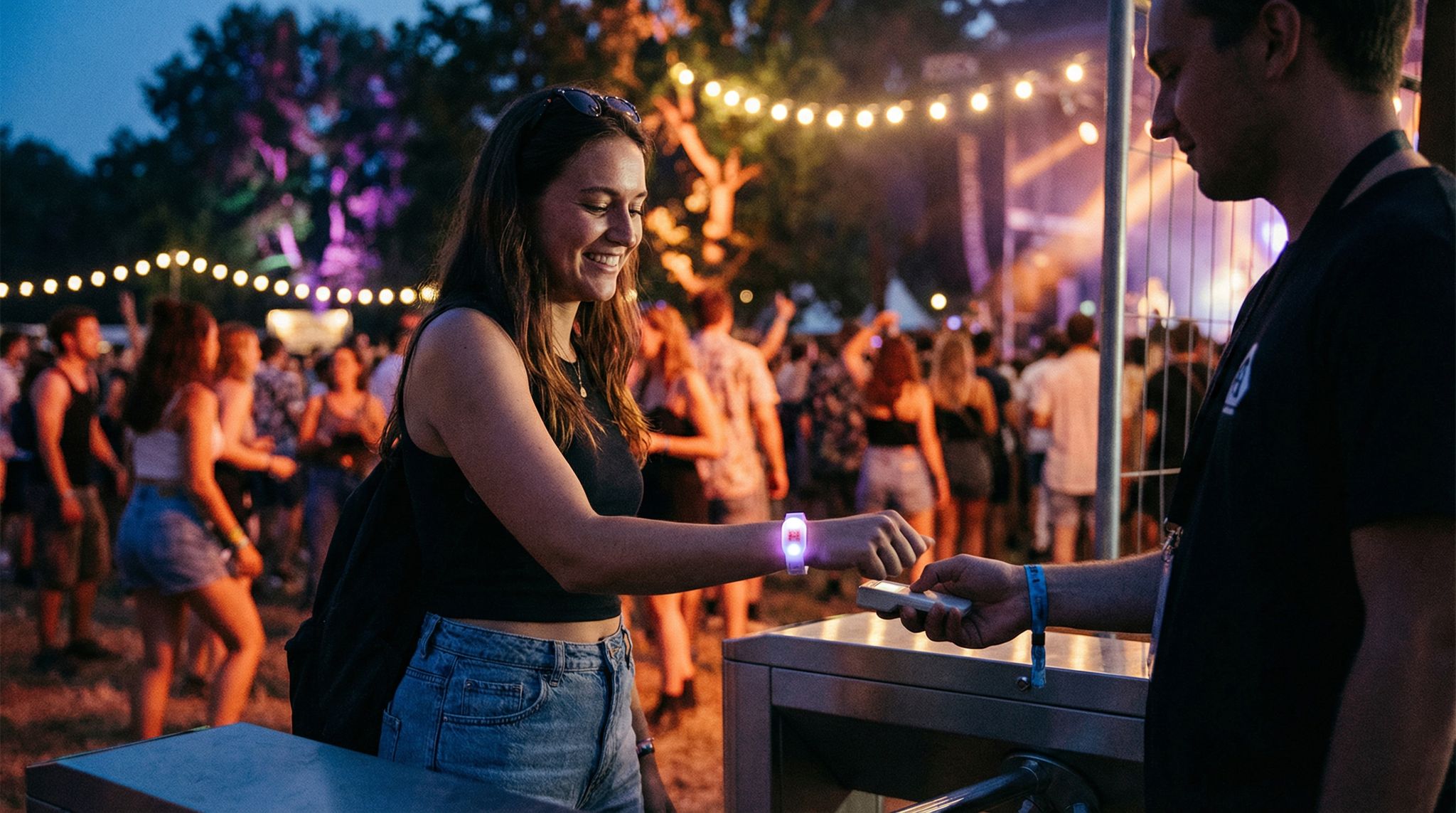
During the event, make sure signage and announcements support the tech rollout. At entrances, signs can remind people “Download the app for interactive map and alerts” with a QR code. Emcees or MCs can do a quick plug at opening (“Take out your phones and join our live poll – just open the event app!”). The tone of communications should always emphasize benefit to the attendee – frame tech as something that will make their experience smoother or more fun, not just as an arbitrary requirement. Also, clarify any steps they need to take. If using RFID wristbands for the first time, you might need to instruct, “Put on your wristband snugly and do not remove it until you exit for the final time. Tap it at the gate to enter hands-free.” These little tips can prevent a lot of first-timer errors.
Be prepared to offer in-person tech help for attendees too. Have a clearly marked help desk or roaming “tech ambassadors” who can assist those struggling with the app or any device. Sometimes a 30-second explanation in person resolves an attendee’s issue and turns them from frustrated to delighted once they see the value. Conversely, ignoring confused attendees will breed negativity toward the tech. Communication is also about setting expectations. If you are trying something experimental, it’s okay to say so: “We’re piloting a new interactive badge system – bear with us if there are hiccups, and let us know what you think!” Attendees tend to be more forgiving if they understand the context and see transparency. Overall, clear and positive communication ensures your carefully chosen tech tools are actually embraced and used, rather than ignored or resented.
Always Have a Plan B (and C) for Tech Failures
No discussion of event tech implementation is complete without addressing contingency planning. Even the best tech can fail, and a hallmark of a professional, tech-savvy event team is preparing for failure scenarios so that a tech glitch doesn’t derail the whole event. We already mentioned having SOPs for what to do if something breaks. Here we expand on backups and fail-safes. First and foremost, identify which systems are mission-critical (e.g., ticketing/check-in, power, internet for streaming, payment processing) and ensure each has a backup method. This could mean a secondary system (like a backup scanning app if the primary one goes down), or a manual process (like paper tickets or a printed attendee list as last resort). For instance, festivals that implement cashless payments typically keep a stock of emergency drink tickets or even some cash tills locked away in case the digital payments crash – as was learned after notable failures like the Download Festival RFID fiasco in 2015 where concessions lines became long and wallets were inaccessible leading to outrage and a painful trial by fire.
Let’s say you have a cutting-edge live streaming solution for a hybrid event. A Plan B might be a simpler YouTube or Zoom stream ready to fire up if the fancy platform has issues – it might not have all the interactive features, but at least remote attendees won’t miss the content. If your interactive event app crashes, have a basic web page or PDF with schedule info that you can quickly direct people to. The point is to think through the worst-case scenarios for each tech element: “What if this stops working suddenly?” and pre-decide an alternative. Doing so turns a potential catastrophe into a minor blip. Your team should be briefed on these backup plans, and any necessary resources (like printed materials or backup devices) should be on-site and accessible.
It’s also smart to schedule a quick tech debrief meeting at the start of each day of the event (for multi-day events). In that huddle, confirm that all systems are functioning and review what to do in case something acted up yesterday. This keeps everyone proactive and vigilant. Remember, your attendees likely won’t notice or remember a small tech hiccup that was resolved quickly, but they will definitely remember if a system failure caused long waits or cancellations. So a motto to live by is: hope for the best, plan for the worst. By implementing technology thoughtfully and backing it up with contingency plans, you can take advantage of innovation without risking the event itself. That approach builds trust – both with your attendees and within your team – that tech is an aid, not a single point of failure.
Embracing Simplicity: When Less Tech Delivers More
The Power of Human Touch and Low-Tech Solutions
In the rush to modernize events, it’s easy to forget that sometimes the simplest solution is the best. Many veteran event organizers will tell you stories where a no-tech or low-tech approach outperformed a high-tech one. For example, after experimenting with an AI chatbot for attendee questions (which often gave rote or unhelpful answers), one conference reverted to a staffed help desk and strategically placed “Ask Me” volunteers. The result was more personalized service and happier attendees – the human touch triumphed where the tech felt cold. This isn’t to say abandon tech, but rather to acknowledge that gadgets should enhance, not replace, human engagement. Attendees ultimately come for live experiences – the music, the speakers, the community – not for the tech itself. If a fancy tool gets in the way of that, it’s not worth it. A classic example is networking: many apps promise AI matchmaking and virtual handshakes, but often the best connections happen organically at the coffee break or through a well-moderated in-person networking session. Recognizing this, some events simplified their approach – they maybe use a basic attendee list or color-coded badges to spark interaction (a bit of old-school technique) instead of forcing yet another app-based speed networking feature.
Another area where low-tech shines is signage and information dissemination. A digital screen with rotating schedules is great – unless there’s a glitch or attendees don’t notice it. Sometimes a large, printed schedule board at a central location, or physical directional signs can do wonders for ease of navigation. People naturally understand and trust a clear sign; they might not all trust or see a notification in an app. Many newer event professionals assumed paper was dead, but interestingly we see a small comeback of printed materials in moderation – not hundreds of pages of brochures, but targeted quick-reference printouts for those who want them. It’s all about meeting attendees where they are. Offering multiple channels (digital and analog) often covers everyone’s needs best.
The human element is also crucial in crisis moments. If something techy goes wrong (and eventually, something will), having empathetic, well-informed staff visible to attendees can salvage the situation. Think of a scenario: the entry scanners stop working for 10 minutes. A staff member with a smile and a loud-hailer explaining the delay and cracking a joke will keep people calm far more effectively than an app notification that half the crowd might not see. In sum, never lose sight of the fundamentals of hospitality and event management. High-tech or low-tech, the goal is to make people feel welcome, informed, and cared for. Sometimes less tech enables more of that human connection, and that can be a big win.
Avoiding Gimmicks – Technology with Purpose Only
By 2026, event audiences have been exposed to a lot of technology, and they’ve become pretty adept at sniffing out what’s genuinely useful versus what’s just a shiny gimmick. An over-the-top tech stunt can generate buzz, but if it doesn’t add real value or fails on execution, it can backfire. We saw this in the case of “Herb the Robot” concierge at a U.S. food festival in 2025, a case study of the flop of gimmick technology where the robot lacked information and became a marketing gimmick. It got media attention for having a humanoid robot at the info desk, but once onsite, Herb the Robot struggled to understand questions in the noisy outdoor environment and ended up frustrating guests. Most people gave up and found a human staffer for answers, and the pricey robot was deemed a flop. The festival quietly dropped it the next year and returned to well-trained human concierges with improved signage. The lesson is glaring: if a tech feature doesn’t clearly outperform or augment the existing solution, it’s not worth it. In Herb’s case, a robot that answers fewer questions (and more slowly) than a human is just a marketing gimmick, not a real improvement.
To avoid falling for gimmicks, apply a critical eye to every “cool new thing” pitched to you. Ask: Does this solve a problem or enrich the attendee experience in a meaningful way? Or will it just be cool for 5 minutes and then sit unused? For instance, AR filters for an event app might sound cutting-edge, but if only a tiny fraction of attendees end up using them (which is commonly the case, often less than 5% engage with optional AR features at festivals), was it worth the development and distraction? In many cases, focusing on getting the basics superbly right yields more attendee appreciation. A survey of event feedback might reveal they cared more that “registration was smooth and staff were helpful” than that “there was a holographic display in the lobby.” That’s not to say you should never try new interactive or immersive tech – just ensure it aligns with your event’s theme and audience interest, and execute it excellently if you do. One approach is to limit experimental tech to a side area or opt-in experience, rather than making it central to the event. That way, you cater to early adopters without imposing on those uninterested.
A good practice is to do a post-event audit of your tech features: which were heavily used, which weren’t, and why? You may find, for example, that the live polling feature had 80% participation (great – keep and enhance it next time), but the social wall display had very few posts because your crowd wasn’t into tweeting – maybe drop it. By continuously pruning the gimmicks and doubling down on the proven winners, your event’s tech profile will naturally become more efficient and effective. Remember, technology should never be used just for bragging rights. At the end of the day, attendees won’t give you an award for having the most tech; they reward an event that was enjoyable, ran smoothly, and met their needs. Sometimes the most innovative decision is to not use a technology that everyone else is using, if it doesn’t fit your scenario. That restraint can set you apart positively, just as much as an impressive high-tech showcase can – with a lot less risk.
Examples of Balance: Innovation Meets Simplicity
Let’s highlight a couple of real-world examples where event organizers found the sweet spot between innovation and simplicity. First, consider Tomorrowland (the massive Belgian music festival). They are known for embracing new tech (they were among the first to do cashless wristbands, interactive LED wearables for the crowd, etc.), yet they implement changes thoughtfully. When Tomorrowland rolled out their cashless system, they invested heavily in on-site support and tested it at smaller events prior. The result: their system successfully processed millions of transactions with minimal hiccups, enhancing the guest experience with shorter lines. They paired the high-tech wristbands with plenty of human help desks for top-ups and questions, ensuring no one was left confused. This balanced approach of mixing cutting-edge with robust support made it a win. Attendees raved about quick service rather than complaining about the technology, which is telling. Tomorrowland also refrains from throwing in every trend out there; they focus on a few that align with their vision (music and community at the forefront) – you don’t see them, for example, forcing a heavy AR or VR component that takes people out of the live music moment.
Another example: Some conferences have moved towards “phone-free” experiences for select sessions or shows, using simple lockable pouches for phones (like Yondr pouches) so that attendees live in the moment. It’s an interesting case of deliberately reducing technology usage to enhance immersion. This was once considered radical, but by 2026, a number of venues and artists embrace no-phone policies for an authentic experience. The key is how it’s implemented – the ones that succeed clearly communicate the benefit (“enjoy the show without distractions!”) and provide secure systems for storing phones. Attendees often end up appreciating the enforced unplugging. It’s a reminder that sometimes subtracting tech creates a better experience, a concept even big-name entertainers are advocating. For those interested in this trend, embracing phone-free concerts to boost immersion provides insights into how venues manage the logistics and fan expectations. It’s a perfect illustration of when less tech (in this case, zero personal tech use) results in more engagement and satisfaction.
Then there’s the Roskilde Festival’s waste-sorting app we learned about. It was a new tech introduction (an AI-powered recycling guide app) that could have been a gimmick, but it wasn’t because it directly tied into a core value of the event – sustainability – and was executed cleverly, serving as a case study for adding value through sustainability tech which resulted in improvements in recycling rates and less waste. Attendees actually found it useful and even fun, leading to tangible improvements in recycling on-site. It shows that if a tech tool aligns with attendee values and event identity, it stands a strong chance of success. On the flip side, we had the “Herb the Robot” which didn’t align with the festival’s vibe (food and wine fest attendees didn’t necessarily come to see a robot; it was out of place) and didn’t perform well. So context is everything. A tool that’s great at a high-tech themed event might flop at a grassroots cultural festival, and vice versa.
In summary, strive for a balanced diet of technology at your events. Mix innovation with tradition: a bit of digital magic here, a reliable analog solution there. Provide innovation where it truly elevates the experience and stick to proven simple methods where technology would only complicate matters. By watching both success stories and cautionary tales from other events, you can craft a tech environment that feels fresh but also intuitive. Attendees will walk away impressed not by the number of gadgets you had, but by how well everything worked and how enjoyable the event was. And as an organizer, you’ll walk away with less stress and more pride, because you orchestrated an event where technology served its purpose and no more.
Frequently Asked Questions
What are the signs of event technology overload?
Event technology overload manifests as a disjointed attendee journey where guests juggle multiple apps for tickets and payments, leading to confusion. Operational signs include staff spending excessive time troubleshooting devices rather than managing the event, data silos that prevent integration, and costly gadgets like AR displays sitting unused due to lack of value.
How can organizers prevent app fatigue among attendees?
Organizers can prevent app fatigue by consolidating functions into a single, user-friendly platform or using mobile-responsive web solutions instead of requiring multiple downloads. Since only about half of attendees typically download official event apps, simplifying the digital experience and ensuring high-value features are accessible through one login significantly improves user adoption rates.
Why is integration important for event technology stacks?
Integration prevents data silos and operational inefficiencies by ensuring platforms like ticketing, registration, and access control communicate seamlessly. Without integration, staff must manually export data between systems, increasing the risk of errors and security holes. A cohesive stack allows real-time data flow, ensuring updates like ticket refunds immediately reflect at access scanners.
How should event staff be trained on new technology?
Staff training should involve hands-on workshops and practice drills well before the event, rather than just a quick orientation. Creating Standard Operating Procedures (SOPs) provides a reference for troubleshooting issues like scanning failures. Designating “super-users” or champions within the team ensures there is immediate, knowledgeable support available to handle technical difficulties on-site.
What is the difference between must-have and nice-to-have event tech?
Must-have technologies are essential tools that, if removed, would fundamentally break event operations, such as reliable ticketing systems or basic Wi-Fi. Nice-to-have technologies add novelty but aren’t critical, such as AI chatbots or VR activations. Prioritizing must-haves ensures budget is allocated to core infrastructure before spending on optional features that may offer low ROI.
Do small events need dedicated mobile apps?
Small events often do not require dedicated mobile apps, as simple solutions like responsive websites and emailed QR codes are usually sufficient. Introducing complex app ecosystems for intimate gatherings can overwhelm limited staff and budget without adding significant value. For smaller crowds, low-tech communication methods and human interaction often deliver a better attendee experience.
How can I modernize event technology without disruption?
To modernize your tech stack without disrupting operations, introduce new tools incrementally through phased rollouts and shadow-testing. Start by upgrading your core event platform during the off-season or at smaller, low-stakes gatherings. Run legacy systems in parallel with any new event app or access control software until your staff is fully trained and the new technology has proven its reliability under real-world conditions.
What are the most critical technology features for a fandom convention?
For a fandom convention, the most critical technology features revolve around managing high-volume, concurrent attendee actions. A robust event platform is essential to handle sudden spikes in ticketing and add-on sales (like celebrity photo-ops) without crashing. Additionally, a dedicated event app with real-time schedule updates, personalized itineraries for hundreds of niche panels, and push notifications for crowd control at main stages provides immense operational value. Organizers should prioritize these high-utility tools over novelty gadgets to ensure a smooth experience for massive, densely packed crowds.
How can organizers increase adoption rates for their official event app?
To boost adoption, an official event app must offer indispensable utility rather than just novelty. Organizers should make the mobile application the exclusive hub for high-value features like personalized scheduling, interactive venue maps, and urgent push notifications. Promoting the application well before the event and ensuring a seamless, single-sign-on experience also removes friction, encouraging more attendees to download and actively use the platform.
What is the safest way to migrate legacy event data to a new platform?
The safest approach to migrating legacy data is to use a phased, modular strategy rather than a complete system overhaul. Organizers should run the new event platform in parallel with the old software, using API bridges to sync data temporarily. This shadow-testing phase ensures that historical ticketing records and vendor information are accurately transferred without disrupting ongoing sales or daily operations.
How should organizers evaluate event tech news in 2026 to avoid purchasing gimmicks?
When reading event tech news in 2026, organizers should look past flashy vendor press releases and focus on case studies featuring real-world deployments. Prioritize industry updates that highlight measurable ROI, integration capabilities, and actual feedback from festival producers or venue operators. By critically analyzing event technology news—such as early-year roundups from January 2026—you can separate practical, high-impact tools from overhyped trends that might lead to tech overload.
How should festival organizers evaluate Q1 event tech announcements for the upcoming season?
When reviewing early-year software and hardware releases, organizers should prioritize stability and integration over flashy new features. Because the first quarter is heavy with vendor roadmaps and product launches, it’s essential to test any newly announced platform updates in a low-stakes environment before deploying them at a major summer or fall festival. Always request case studies from beta testers and ensure the vendor’s support infrastructure is fully prepared for the busy season.
How is the event technology expansion and hiring surge in 2025 and 2026 impacting organizers?
The massive growth and hiring surge within the event tech sector means vendors are releasing more complex tools faster than ever. For organizers and venue operators, this expansion necessitates either upskilling current staff or hiring dedicated in-house systems architects to properly vet, integrate, and manage these advanced platforms without overwhelming the rest of the team.
How can a festival ticketing system increase event attendance?
A modern festival ticketing system increases attendance by utilizing built-in marketing tools, such as automated abandoned cart emails, peer-to-peer referral programs, and targeted data analytics. By turning the ticketing platform into a proactive marketing engine, organizers can directly boost ticket sales and audience reach (addressing the common promoter goal of “cómo aumentar la asistencia a mis festivales con tecnología de boletos”).
Are there downsides to a technology-heavy approach for music festivals?
Yes. Many organizers wonder if a highly immersive, PHNTM-style technology-heavy approach to festivals has any downsides or could be too much for some music events. The reality is that hyper-immersive spatial tech and massive visual productions can sometimes overshadow the artists. For acoustic, indie, or intimate music events, a heavy tech approach risks sensory overload and distracts from the core musical experience.
What is the best event technology for comedy shows?
Event technology for comedy shows should prioritize minimal distractions and high operational efficiency. The ideal stack includes a reliable ticketing system for fast entry, crystal-clear audio distribution, and often phone-free technology (like lockable pouches) to prevent recording and keep the audience fully engaged with the comedian’s set.